In the rapidly evolving landscape of artificial intelligence, generic AI models, while powerful, often fall short when confronted with the nuanced, specific demands of a business. Enter Custom GPTs – a revolutionary capability introduced by OpenAI that empowers individuals and organizations to tailor the formidable intelligence of large language models to their unique operational needs. For freelancers, developers, IT professionals, founders, creators, agencies, marketers, and small businesses alike, Custom GPTs represent a profound opportunity to automate workflows, streamline processes, and unlock new efficiencies previously out of reach.
Imagine an AI assistant specifically trained on your company’s internal documentation, understanding your brand voice perfectly, or integrated directly with your sales CRM to provide instant, context-aware responses to customer inquiries. This isn’t science fiction; it’s the practical reality offered by Custom GPTs. Instead of wrestling with complex API integrations or fine-tuning models from scratch, OpenAI’s intuitive platform provides a direct pathway to creating highly specialized AI tools designed to execute precise tasks within your business ecosystem.
This comprehensive guide will demystify the process of building, deploying, and optimizing Custom GPTs for real-world business automation. We’ll walk you through the essential steps, from conceptualization and configuration to practical application and common pitfalls to avoid. By the end of this article, you’ll possess the knowledge and confidence to transform the abstract concept of AI into a tangible, high-impact asset for your enterprise, driving innovation and productivity across your operations.
Understanding the Power of Custom GPTs for Business
Beyond Generic AI: Tailored Intelligence
A generic large language model (LLM) possesses vast general knowledge, but it lacks the specific context of your business. It doesn’t inherently know your product catalog, your customer service policies, your internal coding standards, or your unique marketing strategies. Custom GPTs allow you to inject this proprietary knowledge directly into the AI’s operational framework. By uploading specific documents, setting custom instructions, and even integrating with external tools via ‘Actions,’ you transform a general-purpose AI into a highly specialized expert capable of understanding and responding within your business’s unique operational parameters.
For example, a generic LLM might offer general advice on marketing. A Custom GPT, trained on your past campaign data, brand guidelines, and target audience profiles, could generate marketing copy that perfectly aligns with your brand voice and strategic objectives, saving countless hours of revision.
Key Benefits: Efficiency, Consistency, Scalability
- Unmatched Efficiency: Automate repetitive tasks that consume significant human resources. This could range from drafting routine emails and generating reports to answering frequently asked questions from customers or internal teams. By offloading these tasks to a Custom GPT, your human workforce can focus on higher-value, more strategic initiatives.
- Enhanced Consistency: Ensure that all AI-driven interactions and outputs adhere to your company’s established guidelines, tone, and factual accuracy, based on the data you provide. This is especially critical for customer-facing applications, where brand consistency is paramount. A Custom GPT acts as a digital steward of your brand identity and operational standards.
- Scalable Solutions: Unlike hiring and training human staff, Custom GPTs can scale instantly to meet fluctuating demand without significant overhead. Whether you need to process a sudden surge in customer inquiries or generate a large volume of content, your Custom GPT can handle the load efficiently, providing consistent performance irrespective of scale.
- Rapid Deployment: The intuitive nature of the OpenAI builder means you don’t need extensive programming skills or a dedicated AI engineering team to create powerful, custom solutions. This democratizes AI development, making advanced capabilities accessible to a much broader range of businesses and professionals.
Prerequisites for Building Your Custom GPT
Before diving into the creation process, ensure you meet a few fundamental requirements. These prerequisites ensure you have access to the necessary tools and a clear vision for your AI assistant.
ChatGPT Plus, Team, or Enterprise Account
To build Custom GPTs, you must have an active subscription to one of OpenAI’s premium tiers: ChatGPT Plus, ChatGPT Team, or ChatGPT Enterprise. These subscriptions provide access to the GPT Builder interface and the underlying advanced models necessary for powerful custom AI. The specific features and limitations, such as higher message caps, increased knowledge file sizes, or enhanced administrative controls, will vary depending on your chosen plan. OpenAI regularly updates these offerings, so checking their official pricing page for the latest details is always recommended.
A Clear Business Need or Use Case
The most successful Custom GPTs are born from a well-defined problem or opportunity. Avoid the temptation to build an AI for the sake of it. Instead, identify a specific bottleneck, a repetitive task, or an area where human effort can be augmented. Ask yourself:
- What specific problem can this GPT solve?
- Who is the target user for this GPT (internal team, external customers, etc.)?
- What outcome do I expect from its use (e.g., reduced response time, improved content quality, faster data retrieval)?
- How will I measure its success?
Having a clear use case will guide your design choices, from the instructions you provide to the knowledge you upload and any external ‘Actions’ you configure.
Data and Knowledge Base Preparation
The intelligence of your Custom GPT will be directly proportional to the quality and relevance of the data you provide. This ‘knowledge base’ is what differentiates your custom AI from a generic one. Consider:
- Document Types: FAQs, internal policies, product manuals, training guides, sales scripts, customer service logs, marketing playbooks, code documentation, or even curated articles and reports.
- Data Format: Text-based documents (PDFs, DOCX, TXT, CSV) are generally preferred. Ensure the text is clean, well-organized, and easily parsable. Avoid heavily image-based PDFs unless the text is selectable.
- Data Curation: Don’t just dump all your company data. Focus on the information directly relevant to your GPT’s intended purpose. Outdated or irrelevant information can confuse the AI and lead to inaccurate responses. Organize your data logically.
- Size Limits: Be mindful of the file size and quantity limits for knowledge documents, which can vary by OpenAI subscription tier. If you have a vast amount of data, consider chunking it into smaller, logically grouped files.
Investing time in preparing a clean, relevant, and well-structured knowledge base is arguably the most crucial step in building an effective Custom GPT.
Step-by-Step Guide to Creating Your First Custom GPT
With your prerequisites in place and a clear vision, you’re ready to dive into the OpenAI GPT Builder. The process is remarkably intuitive, guiding you through configuration with conversational prompts.
Accessing the GPT Builder Interface
1. Log in to your ChatGPT Plus, Team, or Enterprise account.
2. In the left-hand sidebar, locate and click on ‘Explore’ (or directly navigate to chat.openai.com/gpts/discover).
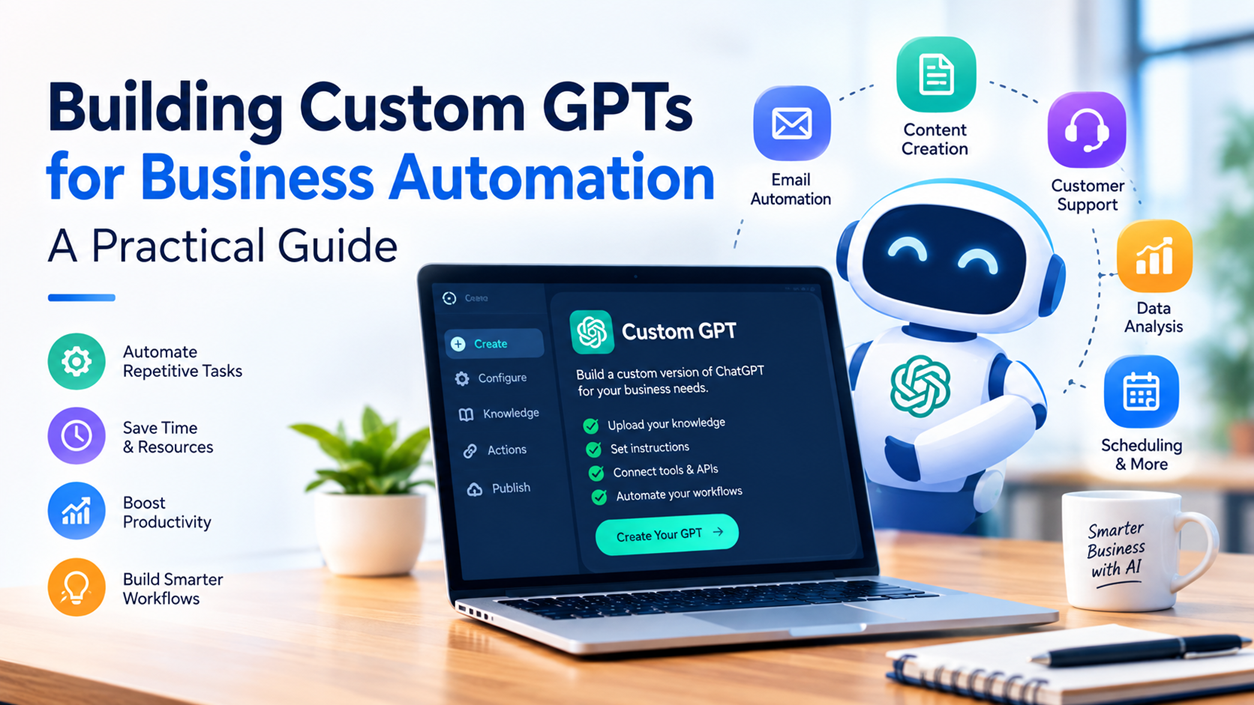
3. Click the ‘Create a GPT’ button. This will open the GPT Builder interface, split into two main sections: ‘Create’ (where you converse with the builder) and ‘Configure’ (where you fine-tune settings manually).
Defining Your GPT’s Persona and Purpose (the ‘Create’ Tab)
The ‘Create’ tab is where you interact conversationally with the GPT Builder. Think of it as explaining your idea to a helpful assistant. The builder will ask questions and make suggestions based on your input.
Start by telling the builder what you want your GPT to do. Be clear, concise, and specific. The builder will then propose a name, profile picture, and initial instructions.
Example Prompts for Initial Setup:
- “I want to create a customer support assistant for my SaaS product. It should answer common questions about features, pricing, and troubleshooting based on our knowledge base.”
- “Build a content marketing strategist. It should help me brainstorm blog post ideas, generate SEO-optimized outlines, and draft social media captions in our brand voice.”
- “I need a technical documentation assistant for our development team. It should explain complex code snippets, answer questions about our internal APIs, and summarize architectural decisions.”
The builder will then confirm and ask if you’d like to refine anything. You can tell it to “Make the tone more friendly,” “Focus more on proactive problem-solving,” or “Prioritize security best practices.”
Uploading Knowledge Files (the ‘Configure’ Tab)
Once the initial persona is established, switch to the ‘Configure’ tab to upload your prepared knowledge base. This is where your GPT трули becomes specialized.
1. Scroll down to the ‘Knowledge’ section.
2. Click the ‘Upload files’ button.
3. Select your prepared documents (PDFs, DOCX, TXT, CSV, etc.) from your computer.
Tips for Knowledge Files:
- Quality over Quantity: Uploading vast amounts of low-quality or irrelevant data can degrade performance.
- Chunking: For very large documents, breaking them into smaller, themed files can sometimes improve retrieval accuracy.
- Clarity: Ensure your documents are clearly written and organized. An AI struggles with ambiguity just as a human might.
- Regular Updates: For dynamic information (e.g., product updates), establish a process for regularly updating your knowledge files.
The GPT will process these files, integrating their content into its understanding. You can upload multiple files as needed, up to your plan’s limits.
Configuring Capabilities: Web Browsing, DALL-E 3, Code Interpreter
Under the ‘Capabilities’ section in the ‘Configure’ tab, you can enable or disable powerful features that extend your GPT’s abilities:
- Web Browsing: Allows your GPT to access the internet to retrieve real-time information. Essential for tasks requiring up-to-date data (e.g., current news, stock prices, competitor analysis).
- DALL-E 3 Image Generation: Enables your GPT to create images based on textual prompts. Perfect for marketing, content creation or design-related tasks.
- Code Interpreter: A highly versatile tool that allows your GPT to write and execute Python code, handle file uploads for data analysis, perform complex calculations, and solve mathematical problems. Incredibly useful for data scientists, developers, or anyone needing robust analytical capabilities.
Enable only the capabilities necessary for your GPT’s specific function to avoid unnecessary processing or potential misuse.
Setting Up Actions (Advanced Integration)
This is where Custom GPTs transcend passive knowledge retrieval and become active participants in your workflows. ‘Actions’ allow your GPT to interact with external services, applications, or APIs. This enables it to perform tasks like:
- Fetching real-time data from a CRM (e.g., customer order status).
- Sending emails or notifications through a communication platform.
- Creating tasks in a project management system.
- Interacting with a database to retrieve or update information.
To set up an action, you’ll need an OpenAPI (Swagger) schema URL or definition for the API you wish to connect to. This schema describes the API’s endpoints, expected inputs, and potential outputs.
Simple Example of an Action:
Imagine you want your customer support GPT to check the status of a user’s order. You would:
- Provide the OpenAPI schema for your order management system’s API (e.g.,
https://api.yourcompany.com/openapi.json). - The schema would define an endpoint like
/orders/{order_id}that accepts an order ID and returns order status, shipping info, etc. - In your GPT’s instructions, you would tell it: “If a user asks about an order status, use the ‘getOrderStatus’ action with the provided order ID.”
When a user asks, “What’s the status of order 12345?”, the GPT would recognize the intent, call your API via the defined action, retrieve the status, and present it to the user. This makes your GPT a truly interactive agent.
Note on Security: When configuring Actions, be extremely mindful of the security implications. Only expose necessary API endpoints and ensure proper authentication and authorization are in place. Your Custom GPT acts as an intermediary, so its access needs to be carefully managed.
Crafting Conversation Starters
Conversation starters are pre-defined prompts that appear when a user first interacts with your GPT. They guide users on what they can ask or how they can leverage the GPT’s capabilities. This significantly improves user experience and helps people discover the GPT’s functions quickly.
In the ‘Configure’ tab, scroll to ‘Conversation starters’ and add a few relevant questions or commands. For a marketing GPT, these might be: “Brainstorm blog post ideas about AI,” “Draft a social media post for our new product launch,” or “Summarize current SEO trends.”
Testing and Iteration
Before publishing, thoroughly test your Custom GPT in the preview pane on the right-hand side of the builder interface. Ask questions, provide scenarios, and try to break it. Pay attention to:
- Accuracy: Are the responses factually correct based on your knowledge base?
- Relevance: Does it stay on topic and provide useful information?
- Tone and Style: Does it adhere to the persona you defined?
- Capability Usage: Does it use Web Browsing, DALL-E 3, Code Interpreter, or Actions appropriately?
- Error Handling: How does it respond to ambiguous or out-of-scope queries?
Based on your testing, go back to the ‘Create’ or ‘Configure’ tab to refine instructions, upload more targeted knowledge, adjust capabilities, or modify actions. This iterative process is key to building a robust and effective Custom GPT.
Ounce satisfied, save your GPT. You’ll have options to publish it privately (only for you), publicly (to the GPT Store, if enabled and approved), or with a shareable link (for specific individuals or teams).
Practical Business Use Cases for Custom GPTs
The versatility of Custom GPTs means they can be deployed across virtually every facet of a business. Here are several practical examples:
Enhanced Customer Support Agent
Problem: Customers have repetitive questions; support agents spend time on FAQs instead of complex issues.
Solution: A Custom GPT trained on your comprehensive FAQ, product manuals, troubleshooting guides, and past support tickets. It can provide instant answers 24/7, reducing agent workload and improving customer satisfaction. With ‘Actions,’ it could even fetch order statuses or initiate returns.
Internal Knowledge Base Navigator
Problem: Employees struggle to find specific company policies, HR information, or technical documentation, leading to productivity loss.
Solution: A Custom GPT acting as an internal ‘Ask Me Anything’ portal. Trained on all internal documentation (HR policies, IT guides, project specifications, team handbooks), it can quickly retrieve and summarize relevant information, enabling employees to find answers without interrupting colleagues.
Content Generation and Marketing Assistant
Problem: High demand for fresh, engaging content across multiple platforms, requiring significant time and creative effort.
Solution: A Custom GPT trained on your brand guidelines, past successful campaigns, SEO best practices, and target audience profiles. It can brainstorm blog topics, generate outlines, draft social media posts, write email marketing copy, and even suggest image concepts using DALL-E 3.
Data Analysis and Reporting Aid
Problem: Manually sifting through spreadsheets and generating reports is time-consuming and prone to human error.
Solution: A Custom GPT with Code Interpreter enabled, trained on your data structures and reporting requirements. You can upload CSV files of sales data, website analytics, or customer feedback, and the GPT can analyze trends, generate charts, perform statistical analysis, and summarize key insights, presenting them in an actionable format.
Project Management and Task Automation
Problem: Keeping track of project progress, assigning tasks, and generating status updates can be cumbersome.
Solution: A Custom GPT integrated with your project management tool (via Actions). It can summarize project statuses, create new tasks, update deadlines, or fetch team member availability based on your natural language commands. For developers, it could act as a sophisticated coding assistant, helping with debugging, code reviews, and generating boilerplate code based on internal libraries.
Optimizing Your Custom GPT for Performance and Reliability
Building your GPT is the first step; ensuring it performs optimally and reliably is an ongoing process. Continuous refinement is key to maximizing its value.
Refining Instructions and Prompts
The initial instructions you give your GPT builder are crucial, but they are rarely perfect from the start. As you test and gather feedback, revisit the ‘Create’ tab or the ‘Instructions’ section in ‘Configure’ to refine your directives. Be more specific, clarify ambiguities, and add guardrails. For example, if it’s too verbose, instruct it to “Be concise and direct.” If it hallucinates, tell it to “Only use information from the provided knowledge base or web search; state when information is unavailable.”
Continuous Knowledge Base Updates
Information goes stale. Products evolve, policies change, and new data emerges. For your Custom GPT to remain relevant and accurate, its knowledge base must be dynamic. Establish a routine for:
- Reviewing: Periodically check your uploaded documents for accuracy and timeliness.
- Updating: Replace outdated files with current versions.
- Adding: Incorporate new information as it becomes available (e.g., new product features, updated FAQs, fresh market research).
Treat your GPT’s knowledge base as a living repository, not a static upload.
Monitoring User Interactions and Feedback
Pay attention to how users (whether internal or external) interact with your GPT. What questions do they ask? What responses are they happy or unhappy with? Look for patterns:
- Are there common questions it fails to answer correctly? (Suggests knowledge gap or instruction ambiguity).
- Does it exhibit undesired behaviors (e.g., going off-topic, being too informal)? (Suggests instruction refinement).
- Are there features users wish it had? (Suggests potential for new actions or capabilities).
If shared within a team, encourage direct feedback. If public, monitor user reviews or support tickets related to the GPT’s performance.
Managing API Actions Effectively
For GPTs using Actions, robust management is critical:
- API Health: Ensure the external APIs your GPT connects to are reliable and performant. Downtime in your API means your GPT’s actions will fail.
- Error Handling: Configure your GPT’s instructions to gracefully handle API errors or timeouts. It should inform the user if an action fails rather than simply stopping or providing a generic response.
- Security Audits: Regularly review the permissions and scope of the API keys or tokens used by your GPT’s actions. Ensure they follow the principle of least privilege.
Common Mistakes to Avoid When Building Custom GPTs
While the GPT Builder is user-friendly, certain pitfalls can hinder your custom AI’s effectiveness. Being aware of these can save you time and frustration.
Vague Instructions or Undefined Scope
A Custom GPT is only as good as the instructions you give it. If your directives are too broad (“Be helpful”) or ambiguous (“Answer questions about our company”), the GPT will struggle to provide consistent, relevant responses. Define its role, limitations, tone, and specific tasks clearly. Explicitly state what it should do and what it should not do.
Over-reliance on Uncurated Data
Dumping a massive, disorganized collection of documents into the knowledge base without curation is a recipe for disaster. Outdated, contradictory, or irrelevant information will confuse the GPT, leading to incorrect or nonsensical outputs (known as “hallucinations”). Take the time to clean, organize, and prioritize your knowledge base.
Neglecting User Testing
Don’t assume your GPT will work perfectly on the first try. Thorough testing with real-world scenarios and diverse questions is essential. Involve a small group of target users (internal or external) for beta testing. Their feedback is invaluable for identifying blind spots and areas for improvement.
Ignoring Security and Privacy Considerations
Especially for business-critical applications, security and privacy are paramount. Ensure you understand how OpenAI handles data submitted to Custom GPTs. If your GPT handles sensitive customer information or interacts with internal systems via Actions, implement robust access controls, encrypt data in transit, and adhere to relevant data protection regulations (e.g., GDPR, HIPAA, CCPA).
Not Iterating and Refining
The process of building an effective Custom GPT is iterative. It’s not a set-it-and-forget-it task. Expect to make continuous adjustments to instructions, knowledge base content, and even actions based on ongoing performance monitoring and user feedback. Treat your Custom GPT as a living product that requires maintenance and evolution.
Security and Privacy Considerations for Business GPTs
Leveraging AI for business operations brings immense benefits, but it also introduces critical security and privacy responsibilities. When deploying Custom GPTs, especially those handling sensitive information, diligent attention to these aspects is non-negotiable.
Data Handling and Confidentiality
Understand OpenAI’s policies regarding data usage for Custom GPTs. According to OpenAI’s documentation, interactions with Custom GPTs (and the data uploaded to their knowledge bases) are generally not used to train their core models unless explicit permission is given or for enterprise-level agreements. However, always exercise caution:
- Sensitive Data: Avoid uploading highly confidential or proprietary data that, if exposed, could severely harm your business or customers. Redact personal identifiable information (PII) where possible.
- Data Minimization: Only provide the data strictly necessary for your GPT’s function. The less sensitive data it has access to, the lower the risk.
- External Actions: If your GPT uses Actions to interact with external systems, ensure those systems have their own robust security measures and that the API keys/tokens used by your GPT’s actions are securely managed and have the minimum necessary permissions.
Access Control and Sharing Settings
OpenAI provides granular control over who can access your Custom GPT:
- Only me: Ideal for personal assistants or early development.
- Anyone with a link: Suitable for sharing with specific teams or clients, but be aware that the link can be further shared.
- Public (via GPT Store): For broader distribution. If publishing publicly, ensure your GPT is thoroughly vetted for security, bias, and adherence to content policies.
- Team/Enterprise specific: For ChatGPT Team and Enterprise users, there are often options to share GPTs specifically within your organization, which provides an additional layer of controlled access.
Always choose the most restrictive sharing option that meets your operational needs. Regularly review who has access to your GPTs.
Compliance with Regulations (e.g., GDPR, CCPA)
Depending on your industry and geographical location, your business may be subject to various data protection regulations. If your Custom GPT processes any personal data (even indirectly through API actions), you must ensure its operations align with these requirements. This may involve:
- Data Processing Agreements: Understand OpenAI’s role as a data processor.
- Consent: If collecting user data, ensure proper consent mechanisms are in place.
- Right to be forgotten: Ensure you have processes to handle data deletion requests, especially if your GPT stores or retrieves user data via external systems.
- Auditing: Be prepared to demonstrate compliance with how your AI systems handle data.
Consult with legal and cybersecurity experts to ensure full compliance, especially before deploying GPTs that interact with customer data or other sensitive information.
Future-Proofing Your AI Automation Strategy
The AI landscape is dynamic. To ensure your investment in Custom GPTs continues to yield returns, consider how to adapt and integrate them into a broader, forward-looking strategy.
Staying Updated with OpenAI Developments
OpenAI regularly releases updates to its models, the GPT Builder interface, and its platform capabilities. Keep an eye on their official announcements, blogs, and documentation. New features, improved model performance, or changes in API functionality could significantly impact your existing GPTs or unlock new possibilities for automation. Being proactive in adopting these updates can maintain your competitive edge.
Integrating with Broader Ecosystems
While Custom GPTs are powerful standalone tools, their true potential is often realized when integrated into larger business ecosystems. Consider:
- CRM/ERP Systems: Deep integration to automate sales processes, customer service, or resource planning.
- Marketing Automation Platforms: Seamlessly generate content, manage campaigns, or personalize customer outreach.
- Developer Tools: For technical teams, integrating with version control systems, CI/CD pipelines, or monitoring tools via Actions can significantly enhance development workflows.
Think about how your Custom GPTs can act as intelligent layers within your existing tech stack, connecting disparate systems and data flows.
Training and Adoption within Your Team
Even the most sophisticated AI is ineffective if your team doesn’t know how to use it or trust its outputs. Invest in training your employees on how to effectively interact with your Custom GPTs. This includes:
- Understanding Capabilities: What can the GPT do, and what are its limitations?
- Effective Prompting: How to ask questions or give commands that yield the best results.
- Feedback Loops: How to provide constructive feedback to help refine the GPT over time.
- Change Management: Address any concerns about AI’s role and emphasize its function as an augmentation tool, not a replacement for human creativity and judgment.
Successful AI adoption is as much about technology as it is about people and processes.
Your Custom GPT Development Checklist
Use this checklist to guide you through the process of building a robust and effective Custom GPT:
- Define Business Need: Clearly identify the problem or task the GPT will solve.
- Account Access: Ensure you have ChatGPT Plus, Team, or Enterprise.
- Knowledge Base Prepared: Curate clean, relevant, and well-structured data.
- Initial Instructions: Clearly define persona, purpose, and guardrails for the GPT Builder.
- Upload Knowledge Files: Add all necessary documents to the ‘Configure’ tab.
- Configure Capabilities: Enable Web Browsing, DALL-E 3, Code Interpreter as needed.
- Set Up Actions (if applicable): Integrate with external APIs using OpenAPI schemas.
- Craft Conversation Starters: Guide users on how to interact.
- Thorough Testing: Test extensively with various scenarios in the preview pane.
- Iterate and Refine: Adjust instructions, knowledge, and actions based on testing.
- Security Review: Assess data handling, PII, and API security.
- Choose Sharing Settings: Select the appropriate access level (private, link, public, team).
- Plan for Updates: Establish a strategy for continuous knowledge base and instruction refinement.
- Team Training: Prepare your team for effective GPT usage.
Frequently Asked Questions (FAQ)
Q: Can I share my Custom GPT with others outside my organization?
A: Yes, you can. When publishing your GPT, you have options to share it “Only me,” “Anyone with a link,” or “Public” (via the GPT Store, subject to OpenAI’s review and policies). For ChatGPT Team/Enterprise users, there are often specific options for sharing within your organization.
Q: What are the costs associated with Custom GPTs?
A: Access to the GPT Builder and the ability to create Custom GPTs requires a paid ChatGPT Plus, Team, or Enterprise subscription. OpenAI does not currently charge additional fees specifically for creating or using Custom GPTs beyond the subscription cost. However, if your Custom GPT utilizes ‘Actions’ that call external APIs, you would be responsible for any costs associated with those third-party APIs.
Q: How do I update the knowledge base of my GPT?
A: You can update the knowledge base by navigating to your GPT in the ‘Explore’ section, clicking ‘Edit GPT,’ going to the ‘Configure’ tab, and then managing the files under the ‘Knowledge’ section. You can upload new files, replace existing ones, or delete outdated documents. Remember to test your GPT after significant knowledge base changes.
Q: What are ‘Actions’ and why are they important?
A: ‘Actions’ enable your Custom GPT to interact with external services, applications, or APIs. They allow your GPT to perform tasks beyond generating text, such as fetching real-time data, sending emails, or updating records in a database. Actions are crucial for creating truly dynamic and automated business solutions, turning your GPT from a conversational assistant into an active workflow participant.
Q: Is my data safe when used with Custom GPTs?
A: OpenAI states that data submitted through Custom GPTs is generally not used to train their core models unless you explicitly opt-in or have an Enterprise agreement with specific data handling clauses. However, no system is entirely risk-free. It’s crucial to minimize sensitive data, use robust security practices for API integrations, and always adhere to relevant data privacy regulations. Consult OpenAI’s official privacy policy and terms of use for the most current and detailed information.
Conclusion
The ability to create Custom GPTs marks a significant leap forward in the practical application of artificial intelligence for businesses of all sizes. By empowering you to tailor AI to your specific operational needs, OpenAI has opened doors to unprecedented levels of efficiency, consistency, and scalability. From automating customer support and streamlining internal knowledge management to supercharging content creation and enhancing data analysis, the potential use cases are vast and transformative.
Building an effective Custom GPT is an iterative journey that begins with a clear business need, a well-prepared knowledge base, and meticulous configuration. It continues with rigorous testing, continuous refinement of instructions, and proactive updates to ensure relevance and reliability. While the technology is powerful, success hinges on a thoughtful approach to design, security, and integration within your existing workflows.
Embrace this opportunity to become an architect of your own AI solutions. By strategically deploying Custom GPTs, you’re not just adopting a new tool; you’re investing in a future where intelligent automation drives growth, frees up human potential, and propels your Revotrads business to new heights. The future of work is here, and with Custom GPTs, you’re now equipped to shape it.