Editor’s note: This guide was prepared in October 2026 for students planning their 2027 studies. Free plans, usage limits and availability may change. Always verify the current terms on each provider’s official website.
Artificial intelligence is changing how students learn, research, write assignments, prepare presentations and solve complicated problems. Whether you are preparing for board examinations, studying engineering, completing a university project or learning a new language, the right AI tool can make your study routine more productive.
However, finding the best free AI tools for students is not as simple as searching for an AI chatbot. Some tools are excellent at explaining difficult concepts, while others specialize in research papers, mathematics, presentations, coding or grammar correction.
Another challenge is pricing. Many AI platforms advertise free access but restrict advanced models, monthly credits, file uploads or specialized features. A free plan may be enough for occasional studying but insufficient for heavy daily use.
This guide explores 15 AI tools with free access or a free usage tier, explains their practical educational applications, and highlights important limitations. It also includes a comparison table, study prompts and recommendations for school and college students.
The goal is not to replace teachers, textbooks or independent thinking. It is to help students use AI as a learning assistant while maintaining academic honesty and verifying important information.
Key Takeaways
- ChatGPT is a versatile option for explaining concepts, brainstorming, practice questions and general study support.
- Google Gemini is useful for learning explanations, planning and working with different types of information.
- Google NotebookLM (Gemini Notebook) is particularly valuable for studying uploaded notes, PDFs and source documents.
- Perplexity can help students discover research sources and investigate unfamiliar topics.
- Grammarly and QuillBot offer free writing assistance with limitations.
- Canva and Gamma can help with visual presentations and project communication.
- GitHub Copilot and Google Colab are useful for students learning programming and data science.
- Wolfram Alpha and Photomath can support mathematical learning, although features and explanations vary by plan.
- Free does not mean unlimited. Students should review usage limits, age requirements and privacy policies before signing up.
Quick Answer: What Are the Best Free AI Tools for Students?
The best free AI tools for students depend on the task. ChatGPT and Google Gemini are useful for general learning, NotebookLM is well suited to studying course materials, Perplexity supports research discovery, Grammarly helps with writing, Canva assists with presentations, and GitHub Copilot supports coding. Students should combine these tools with textbooks, verified sources and their own work rather than relying on AI-generated answers without checking them.
Comparison: 15 Best Free AI Tools for Students
| AI Tool | Best For | Free Access | Main Limitation |
|---|---|---|---|
| ChatGPT | General learning and explanations | Free tier | Usage and feature limits |
| Google Gemini | Study assistance and brainstorming | Free access | Model and feature limits |
| NotebookLM | Studying notes and PDFs | Standard free access | Notebook and usage limits |
| Perplexity | Research discovery | Free tier | Advanced research limits |
| Microsoft Copilot | General productivity and explanations | Free access | Features vary by account |
| Grammarly | Grammar and writing clarity | Free plan | Advanced features restricted |
| QuillBot | Paraphrasing and writing support | Free plan | Word and feature restrictions |
| Canva | Presentations and visual projects | Free plan | Premium assets and AI credits |
| Gamma | AI-assisted presentations | Limited free tier | Credits, exports and branding restrictions |
| Elicit | Academic literature research | Limited free access | Research workflow limits |
| Consensus | Research paper discovery | Limited free access | Advanced analysis restrictions |
| Wolfram Alpha | Mathematics and technical calculations | Free access | Detailed steps may require payment |
| Photomath | Mathematics problem solving | Free core functionality | Some explanations are premium |
| GitHub Copilot | Programming assistance | Free access for eligible users or free tier | Eligibility and usage restrictions |
| Google Colab | Python and data science practice | Free computational access | Runtime and resource limits |
Free-access information reflects the product landscape available during preparation of this guide, not a guarantee of identical 2027 pricing.
1. ChatGPT — Best for General Learning and Study Assistance
Website: https://chatgpt.com/
ChatGPT is one of the most versatile AI assistants available to students. It can explain unfamiliar concepts, help organize revision plans, generate practice questions, provide feedback on writing and walk through technical subjects.
A student studying physics, for example, can ask ChatGPT to explain Newton’s laws using everyday examples before attempting textbook exercises. A commerce student can request a comparison of accounting concepts, while a programming student can ask for an explanation of a Python error.
One of its most useful educational applications is interactive learning. Rather than requesting a finished answer, students can ask the tool to provide hints, quiz them or explain where their reasoning went wrong.
Key Features
ChatGPT can assist with concept explanations, practice quizzes, writing feedback, study planning, coding guidance and questions about uploaded material, subject to account capabilities and limits.
Free Plan
ChatGPT offers a free tier with access to core chat functionality and selected tools. Usage limits and available models can change.
Limitations
ChatGPT can produce incorrect facts, citations or calculations. It should not be treated as an authoritative academic source without verification.
Best for: School students, college students and independent learners who need a general-purpose study assistant.
Example prompt: “Act as a Class 12 physics tutor. Explain electromagnetic induction in simple language, then ask me five questions one at a time without revealing the answers immediately.”
2. Google Gemini — Best for Study Planning and Everyday Learning
Website: https://gemini.google.com/
Google Gemini is another useful AI assistant for students who want explanations, brainstorming support and help organizing information.
Students can use it to develop study schedules, summarize their own notes, compare concepts and create practice exercises.
For example, a student preparing for a biology examination could ask Gemini to explain the difference between mitosis and meiosis, followed by a short quiz.
Gemini may also support different input formats and learning features, depending on the account, region and available model.
Key Features
Gemini can assist with questions, explanations, study plans, idea generation and selected multimodal tasks.
Free Plan
A free access option is available, although advanced models, usage limits and certain features depend on account eligibility.
Limitations
Generated responses may contain inaccuracies. Students should check factual claims and follow their institution’s AI-use policies.
Best for: Students who want an alternative general-purpose AI assistant.
Example prompt: “Create a realistic 14-day revision timetable for mathematics, chemistry and English. Include short breaks and daily practice questions.”
3. Google NotebookLM — Best for Studying PDFs, Notes and Research Materials
Website: https://notebooklm.google.com/
NotebookLM, also presented within Google’s Gemini Notebook experience, is especially valuable for students working with textbooks, lecture notes, PDFs and research materials.
Unlike a general chatbot answering broad questions, NotebookLM is designed to work with sources supplied by the user.
Students can upload relevant documents and ask questions about their contents. Depending on the available features, they can generate summaries, study guides, quizzes, flashcards or audio-based study materials.
Consider a university student who has five lecture PDFs to review before an examination. Instead of manually searching each document for a concept, the student can organize the materials into a notebook and ask targeted questions.
Its source-grounded approach makes it particularly useful for revising course content, although citations and summaries still need checking.
Key Features
Document-based questions, source citations, summaries and selected study-material generation tools.
Free Plan
Google provides standard free access with usage limits. Some institutional accounts have different capabilities.
Limitations
Results depend on the quality of uploaded material. A poorly scanned document, incomplete notes or inaccurate source can produce unreliable study material.
Best for: College students, researchers and learners preparing from lecture notes.
Example prompt: “Using only the uploaded lecture notes, identify the ten most important concepts and create a revision checklist with citations to the source material.”
4. Perplexity — Best for Research Discovery and Finding Sources
Website: https://www.perplexity.ai/
Perplexity combines conversational search with source discovery, making it useful when students need to investigate a topic and find material for further reading.
Suppose you are writing a college assignment on renewable energy in India. You can use Perplexity to explore the topic, identify relevant reports and locate potentially useful publications.
Its source links can save time during the initial research stage.
However, a citation appearing in an AI answer does not guarantee that the cited source supports the statement. Students should open the source and confirm the relevant passage.
Key Features
Conversational research, linked sources, topic exploration and follow-up questions.
Free Plan
Perplexity offers free access with restrictions on advanced research capabilities and certain models.
Limitations
Source quality varies, and some answers may overgeneralize findings.
Best for: Research assignments, literature exploration and finding starting points for academic investigation.
Example prompt: “Find recent authoritative sources explaining solar energy adoption in India. Separate government reports from journal articles and summarize the evidence.”
5. Microsoft Copilot — Best for General Productivity and Explanations
Website: https://copilot.microsoft.com/
Microsoft Copilot can help students brainstorm ideas, explain technical subjects, draft outlines and work through everyday academic questions.
It is particularly useful for students already familiar with Microsoft’s ecosystem.
A student preparing a seminar, for example, can ask Copilot to suggest a logical presentation outline, identify questions the audience might ask and explain difficult terminology.
Some Microsoft 365 integrations require eligible subscriptions, so students should distinguish the free Copilot experience from paid productivity features.
Key Features
General AI assistance, explanations, brainstorming and writing support.
Free Plan
Free access is available for selected Copilot experiences.
Limitations
Availability differs between consumer Copilot and Microsoft 365 Copilot features.
Best for: General academic productivity and presentation planning.
Example prompt: “Help me structure a ten-minute presentation about cybersecurity awareness for first-year college students.”
6. Grammarly — Best for Grammar and Academic Writing Clarity
Website: https://www.grammarly.com/
Grammarly helps students improve spelling, grammar, punctuation and writing clarity.
It can be especially useful for students preparing essays, internship applications, reports and professional emails.
For example, an engineering student writing a project abstract can use Grammarly to identify awkward phrasing and improve readability without changing the technical meaning.
Students should still review suggested changes carefully. An automated rewrite can sometimes alter the intended meaning or introduce an unsuitable tone.
Key Features
Grammar correction, spelling suggestions and selected writing assistance.
Free Plan
Grammarly offers a free plan with core writing support. Advanced rewriting and other capabilities may require a paid subscription.
Limitations
It does not independently verify research findings or guarantee that academic citations are correct.
Best for: Essay editing, report writing and English-language improvement.
Example use: Draft your assignment independently, then use Grammarly to review grammar and clarity before final submission.
7. QuillBot — Best for Paraphrasing and Writing Revision
Website: https://quillbot.com/
QuillBot is widely used for rewriting sentences, improving readability and exploring alternative phrasing.
It can help students understand how to express the same idea more clearly, particularly when English is not their first language.
However, paraphrasing is not a substitute for original work or proper citation.
Changing the wording of someone else’s research does not remove the obligation to credit the source.
Key Features
Paraphrasing, selected grammar tools and writing assistance.
Free Plan
QuillBot provides limited free functionality, with restrictions on input length and advanced modes.
Limitations
Rewritten text may change meaning or reduce technical precision.
Best for: Sentence improvement and writing practice.
Example use: Compare a revised sentence with your original draft, then decide which version communicates your own idea more accurately.
8. Canva — Best for Presentations, Posters and Student Projects
Website: https://www.canva.com/
Canva is useful for students who need to create attractive presentations, infographics, posters and visual assignments.
Its templates make it easier to communicate information without advanced graphic-design skills.
For example, a school student preparing an environmental science project can design an infographic comparing renewable and non-renewable energy sources.
Canva also provides AI-assisted design capabilities, although specific tools and usage allowances depend on the account.
Key Features
Presentation templates, visual editing, infographic design and selected AI-assisted creative tools.
Free Plan
Canva has a free plan with templates and design features. Some AI functions, premium assets and exports are restricted.
Limitations
AI-generated visual information may be inaccurate. Charts and statistics should be based on verified data.
Best for: School presentations, posters, project reports and educational graphics.
Example prompt: “Create a clean five-slide presentation outline explaining water conservation, including one diagram and a concluding action plan.”
9. Gamma — Best for AI-Assisted Presentation Drafts
Website: https://gamma.app/
Gamma helps users create structured presentations and visual documents from prompts or outlines.
It can be useful when a student understands a topic but needs help organizing information into a presentation.
For example, a business student could prepare an initial slide structure for a case study, then revise the content, add verified figures and rehearse the explanation.
The main benefit is faster first-draft creation rather than automatic academic accuracy.
Key Features
Presentation generation, structured visual documents and AI-assisted layouts.
Free Plan
Gamma has offered limited free access, with restrictions involving credits, features or exports. Check the current plan before relying on it.
Limitations
Generated slides may contain generic statements or unsupported facts.
Best for: Seminar presentations, classroom projects and pitch-style assignments.
Example prompt: “Create a seven-slide outline for a college presentation on electric vehicles in India. Use neutral language and leave placeholders for verified statistics.”
10. Elicit — Best for Academic Literature Research
Website: https://elicit.com/
Elicit is designed to help users work with academic research literature.
Students undertaking dissertations, literature reviews or research-based projects may find it useful for discovering papers and organizing evidence.
A postgraduate student researching machine learning in healthcare, for example, can use research-assistance tools to identify potentially relevant studies and compare their reported findings.
However, AI-generated research summaries should never replace reading the original methodology and results.
Key Features
Research-paper discovery, literature exploration and selected evidence-analysis workflows.
Free Plan
Limited free access has been available, while more advanced workflows and larger usage allowances may require payment.
Limitations
Research coverage, extracted details and summaries may be incomplete.
Best for: University students and early-stage researchers.
Example prompt: “Find academic studies comparing online and classroom learning outcomes, and identify differences in research methods.”
11. Consensus — Best for Exploring Scientific Evidence
Website: https://consensus.app/
Consensus focuses on searching and interpreting scientific research.
It can help students explore questions that require evidence from academic papers rather than general online opinions.
For example, a psychology student might investigate whether particular study techniques are associated with improved retention.
The tool can provide a starting point for finding relevant literature, but students should examine the study population, methodology and limitations before drawing conclusions.
Key Features
Academic paper discovery and research-focused summaries.
Free Plan
Limited free access is available, with additional capabilities generally reserved for paid plans.
Limitations
Scientific findings can be mixed or context-dependent. AI summaries should not be interpreted as universal conclusions.
Best for: Science students, evidence-based assignments and literature exploration.
Example prompt: “What does peer-reviewed research say about spaced repetition and long-term memory retention?”
12. Wolfram Alpha — Best for Mathematics and Technical Subjects
Website: https://www.wolframalpha.com/
Wolfram Alpha is a computational knowledge system rather than a conventional conversational AI chatbot.
It is particularly useful for mathematics, algebra, calculus, statistics and technical calculations.
Students can enter equations, explore mathematical relationships and check calculations.
For example, a mathematics student can use it to verify a derivative or inspect a graph after solving a problem independently.
Key Features
Symbolic computation, mathematical queries, graphing and technical calculations.
Free Plan
Basic computational access is available, while some detailed step-by-step solutions require paid access.
Limitations
A correct computed answer does not automatically mean the student understands the underlying method.
Best for: Mathematics, engineering and quantitative subjects.
Example use: Solve a calculus problem manually, then compare your result with Wolfram Alpha and investigate any discrepancy.
13. Photomath — Best for Learning Mathematics from Problems
Website: https://photomath.com/
Photomath helps students work with mathematical expressions, including problems captured using a smartphone camera.
It can be useful for checking answers, identifying calculation mistakes and understanding mathematical procedures.
For example, a student struggling with quadratic equations can compare their handwritten work with the tool’s available explanation.
The best educational approach is to attempt the problem first and use the app to investigate mistakes afterward.
Key Features
Camera-based math input, problem solving and selected explanations.
Free Plan
Core functionality is available without payment, while certain advanced explanations and features may require a subscription.
Limitations
The app may misread handwritten symbols or unusual mathematical notation.
Best for: School mathematics and independent practice.
Example use: Photograph a solved equation, compare the result and identify the first incorrect step in your own working.

14. GitHub Copilot — Best for Coding Students
Website: https://github.com/features/copilot
GitHub Copilot assists programmers with code suggestions, explanations and selected development tasks.
Students learning Python, JavaScript, Java or other programming languages can use it to understand syntax, investigate errors and explore alternative implementations.
For example, a computer science student can ask for an explanation of a sorting algorithm, then write their own implementation and compare its behavior.
Copilot should not be used to submit generated code as original coursework when doing so violates academic rules.
Key Features
Code suggestions, programming explanations and developer assistance.
Free Plan
GitHub provides free access options, including a limited free tier and educational benefits for eligible verified students. Eligibility and allowances can change.
Limitations
Generated code may contain bugs, security problems or unnecessary complexity.
Best for: Computer science students and beginner developers.
Example prompt: “Explain why this Python function raises an IndexError. Give me hints first rather than rewriting the entire solution.”
15. Google Colab — Best for Python, Machine Learning and Data Science
Website: https://colab.research.google.com/
Google Colab provides a browser-based notebook environment where students can run Python code without installing a full local development setup.
It is especially helpful for students learning data analysis, machine learning and scientific computing.
Students can experiment with datasets, create visualizations and test Python libraries.
Colab itself is primarily a computational notebook platform rather than a dedicated AI chatbot. It belongs on this list because it supports hands-on AI and machine-learning education.
Key Features
Hosted Python notebooks, code execution, data exploration and access to computational resources subject to availability.
Free Plan
Google Colab offers free computational access with variable runtime and resource restrictions.
Limitations
Sessions can disconnect, resource availability varies and demanding workloads may require paid computing resources.
Best for: Engineering, computer science and data science students.
Example project: Build a simple Python notebook that analyzes a public dataset, calculates descriptive statistics and visualizes the results.
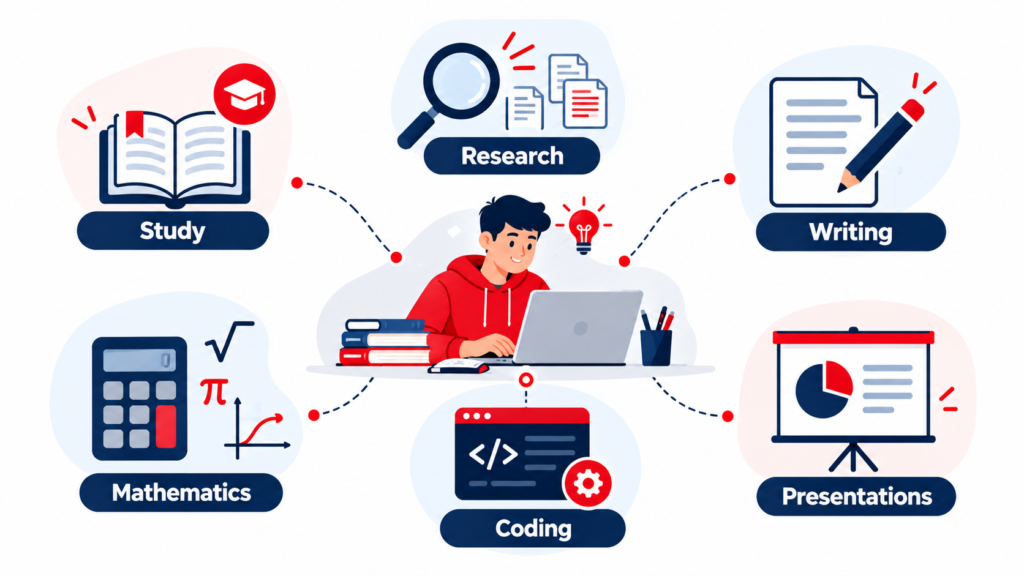
Which Free AI Tool Should Students Choose?
Not every student needs all 15 tools. Choosing two or three applications that solve your most frequent study problems is often more effective than switching constantly between platforms.
| Student Requirement | Recommended Tool |
|---|---|
| Understand difficult concepts | ChatGPT or Gemini |
| Study lecture notes and PDFs | NotebookLM |
| Find research sources | Perplexity |
| Explore academic papers | Elicit or Consensus |
| Improve grammar | Grammarly |
| Practice rewriting sentences | QuillBot |
| Design presentations | Canva or Gamma |
| Check mathematics | Wolfram Alpha or Photomath |
| Learn programming | GitHub Copilot |
| Practice Python and machine learning | Google Colab |
Students should choose based on actual needs, not simply on the number of advertised AI features.
Best Free AI Tools for Students in India
Students in India often have different priorities depending on their educational level, language preferences and examination requirements.
School students preparing for CBSE or state board examinations may benefit from AI explanations, practice questions and revision plans. ChatGPT, Gemini and Photomath can support these activities when used alongside prescribed textbooks.
Students preparing for competitive examinations such as JEE, NEET or UPSC should be especially careful with AI-generated factual answers and solutions. Examination preparation requires accurate syllabus alignment, current information and verified explanations.
Engineering and computer science students may find GitHub Copilot, Google Colab and Wolfram Alpha more relevant to practical coursework.
University students working on research assignments can combine NotebookLM with academic databases and tools such as Elicit or Consensus.
Students should also check whether a tool is available in their country, whether its free features require a minimum age, and whether their educational institution provides additional access.
Five Practical Ways to Use Free AI Tools for Studying
Create a Personalized Study Plan
AI can help organize a realistic revision schedule around classes, assignments and examination dates.
Instead of requesting a generic timetable, tell the tool how many hours you have available, which subjects need more attention and when you want breaks.
A realistic schedule should include time for revision, practice tests and reviewing mistakes.
Turn Notes into Practice Questions
Students can use NotebookLM or a general AI assistant to turn their own notes into quizzes.
Ask for a mixture of multiple-choice, short-answer and explanation-based questions.
After answering, compare your responses with the source material.
Improve Writing Without Outsourcing the Assignment
Use writing assistants to identify grammar errors, improve structure and clarify difficult sentences.
The underlying arguments, evidence and conclusions should remain your own unless your institution explicitly permits broader AI assistance.
Learn Programming Through Hints
Students can ask AI tools to explain compiler errors, suggest debugging strategies and clarify programming concepts.
Avoid copying entire solutions without understanding them.
Practice Active Recall
Ask an AI assistant to quiz you without immediately displaying the answers.
This makes the session more interactive and encourages you to retrieve information rather than passively rereading explanations.
Useful AI Prompts for Students
| Task | Example Prompt |
|---|---|
| Concept explanation | “Explain photosynthesis for a Class 10 student using simple examples.” |
| Exam revision | “Create 15 practice questions from these notes, with answers in a separate section.” |
| Research | “Help me identify credible sources on renewable energy adoption in India.” |
| Mathematics | “Guide me through this equation with hints. Do not reveal the final answer immediately.” |
| Essay improvement | “Review this paragraph for clarity and grammar without adding new factual claims.” |
| Coding | “Explain the error in my Python code and help me debug it step by step.” |
| Presentation | “Create a logical six-slide outline about artificial intelligence in healthcare.” |
| Study planning | “Make a seven-day revision schedule with two hours of study each evening.” |

Are Free AI Tools Safe for Students?
AI tools can be useful, but students should understand their privacy, reliability and academic-integrity limitations.
Avoid uploading passwords, personal identity documents, confidential student records or private information about classmates and teachers.
Check whether the service retains uploaded material and whether your institution has approved it for coursework.
AI-generated answers can contain factual mistakes, fabricated citations and outdated information. Always verify important statements using textbooks, academic publications and official sources.
Students should also avoid submitting AI-generated assignments as their own work when prohibited by their school or university.
AI should support learning, not replace the effort required to develop independent knowledge and skills.
Free AI Tools vs Paid AI Tools: Do Students Need to Upgrade?
For many students, free plans are sufficient for occasional explanations, grammar checks, basic research and simple presentations.
Paid subscriptions become more relevant when a student regularly exceeds usage limits, requires specialized research workflows, needs larger file-processing allowances or relies on premium features for advanced coursework.
However, a paid subscription does not guarantee better academic accuracy.
Before upgrading, students should compare the free plan’s actual limitations against their own study requirements.
A useful rule is to begin with the free version, identify the specific limitation affecting your work, and upgrade only if the additional capability provides meaningful value.
Frequently Asked Questions
What are the best free AI tools for students in 2027?
ChatGPT, Google Gemini, NotebookLM, Perplexity, Grammarly, Canva, Wolfram Alpha and GitHub Copilot are useful options across different academic tasks. Their exact free-plan features should be checked again during 2027.
Which free AI tool is best for studying?
ChatGPT and Gemini are versatile for explanations and quizzes, while NotebookLM is particularly useful when studying your own notes and documents.
Which AI tool is best for college students?
The best choice depends on the subject. Research students may prefer NotebookLM, Elicit or Consensus, while coding students may benefit from GitHub Copilot and Google Colab.
Can students use ChatGPT for free?
Yes. ChatGPT offers a free tier, although access to models and tools is subject to usage limits and changes.
Which free AI tool is best for mathematics?
Wolfram Alpha and Photomath can help with calculations and mathematical practice. Students should attempt problems independently and use the tools to check their reasoning.
Are AI tools useful for CBSE students?
They can help explain concepts, create revision schedules and generate practice questions. Students should verify answers against the current syllabus and prescribed textbooks.
Can AI tools write assignments for students?
AI tools can generate drafts and suggestions, but students must follow institutional academic-integrity rules. Submitting generated work as original writing may violate those rules.
Which AI tool is best for research papers?
NotebookLM can help analyze supplied materials, while Elicit, Consensus and Perplexity can support research discovery. Original academic sources must still be read and cited accurately.
Are free AI tools completely unlimited?
Usually not. Many providers restrict usage, advanced models, file uploads, credits or specialized features on free plans.
Can free AI tools help students prepare for competitive exams?
Yes, they can support practice questions, explanations and revision planning. However, students should not rely on AI alone for examination accuracy or syllabus coverage.
Final Verdict: Which Free AI Tools Are Worth Using?
The best free AI tools for students are the ones that solve a genuine learning problem without creating unnecessary complexity.
For general studying, ChatGPT and Gemini are useful starting points. NotebookLM stands out for document-based learning, while Perplexity, Elicit and Consensus can support research discovery.
Grammarly and QuillBot are useful for improving writing, Canva and Gamma support presentations, and Wolfram Alpha and Photomath help with mathematics.
For programming and technical education, GitHub Copilot and Google Colab provide practical opportunities to develop skills.
Students do not need every tool on this list. A small, carefully selected toolkit combined with reliable textbooks, original thinking and consistent practice will usually be more valuable.
As AI products continue to evolve, students should regularly review free-plan limits, privacy policies and institutional guidance.
Explore more AI, technology and productivity guides on Revotrads to discover practical ways to study, work and learn more effectively.