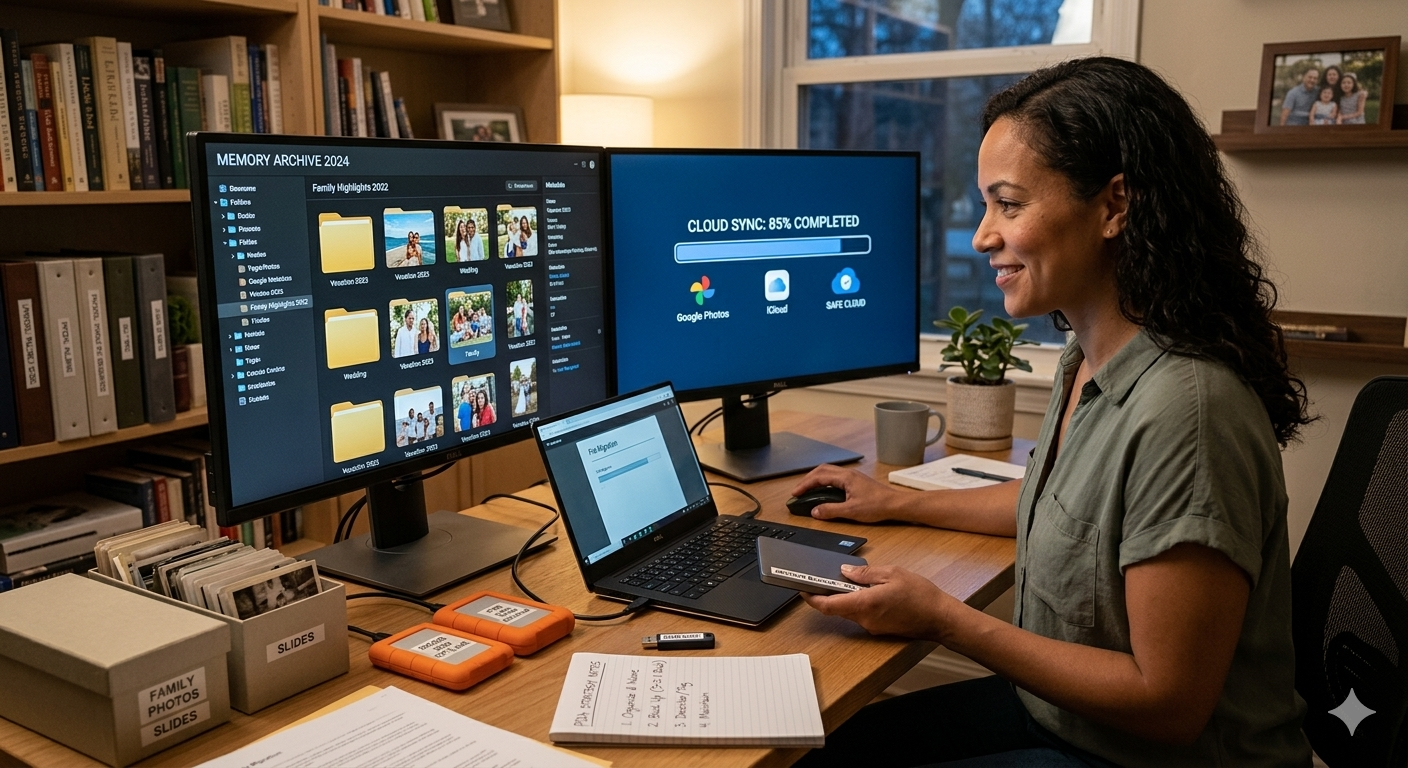
In the digital age, we create more memories than ever before whether it’s photos of family vacations, videos of special moments, or personal documents that reflect our journey. As these digital memories accumulate, it becomes increasingly important to organize, preserve, and manage them for future use. Personal digital archiving provides the solution to storing these memories securely, ensuring they are protected from loss and easily accessible when needed.
With the growing volume of personal data being generated, it’s essential to have an archiving strategy in place to safeguard your valuable digital memories. In this article, we will explore personal digital archiving strategies that will help you organize, protect, and preserve your digital files, ensuring that your memories stay intact for years to come.
Why Personal Digital Archiving is Important
We live in an era where everything from photos and videos to social media posts and important documents is stored digitally. However, digital files are susceptible to various risks:
- Hardware failure: Hard drives, flash drives, and other storage devices can break or malfunction, leading to the loss of data.
- Corruption: Files can become corrupted due to issues like system crashes, software errors, or viruses.
- Obsolescence: File formats and storage systems can become outdated, making it harder to access older files.
- Accidental deletion: Without proper backups or organization, it’s easy to accidentally delete files that are important.
By adopting personal digital archiving practices, you can mitigate these risks, ensuring that your digital memories remain safe, organized, and accessible.
Personal Digital Archiving Strategies
1. Organize Your Files by Category and Date
The first step in any effective personal digital archiving strategy is to organize your files. With the sheer amount of data we generate daily, an organized filing system is essential for easy retrieval. You can start by categorizing your files into broad folders and then sub-categorize them as needed.
- Create main folders for categories like “Family Photos,” “Work Documents,” “Personal Videos,” “Travel Memories,” and “Financial Records.”
- Use subfolders to break down larger categories into smaller, more specific folders. For example, under “Family Photos,” you can have subfolders like “Vacations,” “Holidays,” “Birthdays,” and “Anniversaries.”
- Label files with descriptive names that include the date and event, such as “2023_Paris_Vacation_Family_Photos.”
Using this organizational structure will make it easier to locate specific files, especially as your collection grows over time. Adding dates or keywords to file names can also improve searchability.
2. Back Up Your Data Regularly
One of the most important aspects of personal digital archiving is ensuring your data is backed up. Hardware can fail, files can get corrupted, and accidents happen. Regular backups reduce the risk of losing important data and protect your digital memories from unforeseen circumstances.
There are two primary methods for backing up data:
- External storage: Use external hard drives, USB drives, or SSDs to store backup copies of your files. Be sure to use reliable, high-capacity storage devices that can handle the amount of data you generate.
- Cloud storage: Services like Google Drive, Dropbox, and iCloud provide secure, off-site backup options for your files. Cloud storage allows you to access your files from any device, making it a convenient and secure way to back up data.
A common recommendation is the 3-2-1 backup rule:
- Three copies of your data (the original file and two backups).
- Two different media types (e.g., cloud storage and an external hard drive).
- One off-site backup (cloud storage is ideal for this).
By following this strategy, your digital memories will be safe even if one of your storage devices fails.
3. Use Reliable File Formats for Long-Term Storage
Choosing the right file formats is key to ensuring the long-term accessibility of your digital memories. Some file formats are more prone to becoming obsolete as technology evolves, so it’s important to choose formats that are widely supported and designed for preservation.
- Images: Use JPEG or PNG for photos, as they are universally supported and offer good quality with relatively small file sizes.
- Videos: MP4 is the most common and widely supported video format, ensuring that your videos will be playable on most devices and software.
- Documents: Use PDF/A for archiving documents, as it is an open standard for long-term digital preservation.
- Audio: MP3 or WAV are ideal for audio files, with MP3 being the most common and versatile format.
Using these widely supported formats helps ensure that your files remain accessible, even if software or devices change over time.
4. Encrypt Sensitive Data for Protection
Many of the digital files you store may contain sensitive or personal information that you want to keep private. Personal documents, financial records, and health information should be encrypted to protect against unauthorized access.
Here’s how to secure your sensitive files:
- File encryption: Use encryption software to protect individual files or entire folders. For example, VeraCrypt and 7-Zip offer free encryption tools that allow you to securely encrypt your files.
- Cloud encryption: Some cloud services, such as Tresorit and Sync.com, offer end-to-end encryption, ensuring that only you have access to your files, even if they are stored in the cloud.
- Password protection: If encryption isn’t feasible, you can password-protect sensitive files. Many document management tools like Microsoft Office and Adobe Acrobat offer built-in password protection for PDFs and Office documents.
By securing your digital memories, you reduce the risk of unauthorized access and ensure your sensitive data remains private.
5. Regularly Review and Update Your Archives
Personal digital archiving is an ongoing process. As technology advances and your digital collection grows, it’s important to periodically review and update your archives to ensure that files remain accessible and organized.
Here’s how to maintain your archives:
- Migrate outdated file formats: As new file formats emerge, ensure that older formats are migrated to newer, more widely supported ones. For example, convert old JPEG files to JPEG 2000 if necessary or move older videos to newer, higher-quality formats.
- Delete unnecessary files: Regularly clean up your archive by deleting duplicate or outdated files. This helps free up storage space and ensures that only relevant data is kept.
- Test backups: Make sure your backups are functioning properly by regularly testing the recovery process. This ensures that you can recover your data quickly if anything goes wrong.
Routine maintenance ensures that your archives remain efficient, organized, and future-proof.
6. Consider Using an Archiving System or Software
If you manage large volumes of personal digital content, it may be worth using an archiving system or specialized software. Archiving software helps you automate the organization, backup, and preservation of your files. Some systems also offer features like automatic file conversion, metadata tagging, and enhanced search capabilities, making it easier to manage and retrieve files.
For example, tools like Adobe Bridge and Digital Asset Management (DAM) software can help you catalog, organize, and manage large collections of photos, videos, and documents.
Conclusion
In the digital era, personal digital archiving is crucial for preserving your memories, documents and important data for the long term. By following best practices such as organizing your files, regularly backing up your data, using reliable file formats, encrypting sensitive information, and periodically reviewing your archives, you can ensure that your digital assets remain safe and accessible for years to come.
With a thoughtful approach to archiving, your digital memories whether they’re photos of loved ones, important personal documents, or cherished experiences will be protected, organized, and ready to be enjoyed whenever you need them.