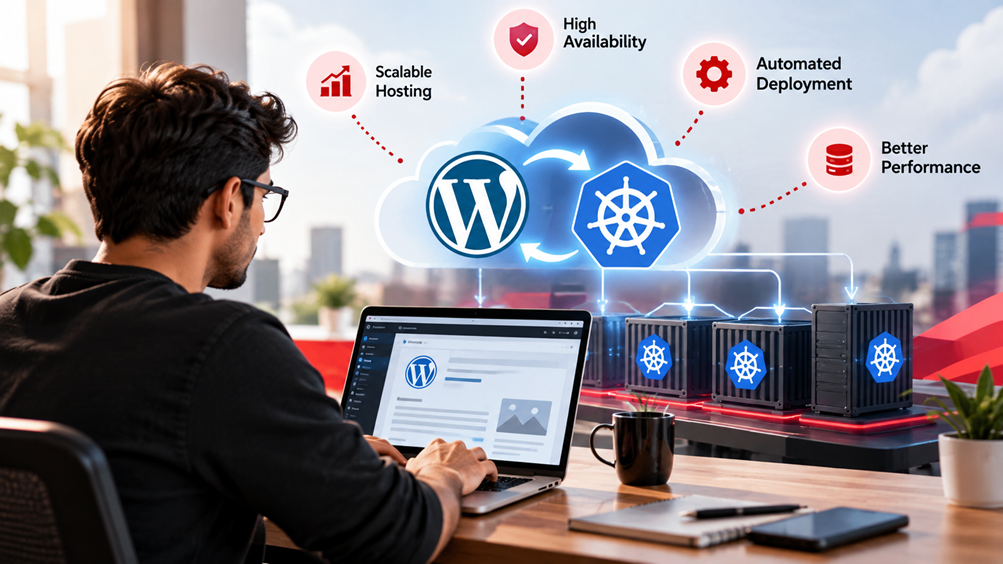
For small and medium-sized enterprises (SMEs) and agencies, the promise of Kubernetes is incredibly compelling: unparalleled scalability, high availability, and efficient resource utilization for modern applications. However, the path to harnessing this power has historically been fraught with perceived complexity, steep learning curves, and significant operational overhead, often making it seem out of reach. Many founders and IT managers assume Kubernetes is solely for tech giants with dedicated DevOps teams and deep pockets.
This perception, however, is rapidly becoming outdated. The advent of highly abstracted, managed Kubernetes services, especially those with serverless or autopilot features, is fundamentally changing the game. These platforms empower SMEs to deploy and manage production-grade applications with the resilience and scalability of Kubernetes, but without the daunting infrastructure management burden. More importantly, when approached strategically, these services offer surprisingly cost-effective solutions that can actually reduce total cost of ownership compared to traditional virtual machine-based hosting.
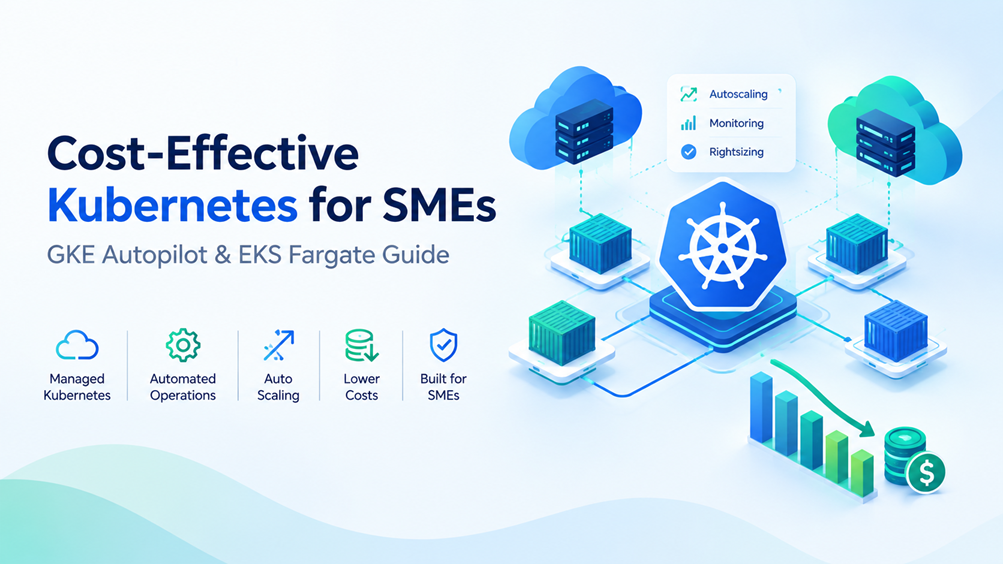
In this comprehensive guide, we’ll demystify cost-effective Kubernetes deployment for SMEs. We’ll explore how managed services like Google Kubernetes Engine (GKE) Autopilot and Amazon Elastic Kubernetes Service (EKS) Fargate simplify operations and, crucially, how to optimize your applications and configurations to keep costs predictable and manageable. Whether you’re a freelancer building your client’s next big web app, a startup founder scaling your SaaS, or an agency managing multiple services, understanding these strategies is key to unlocking Kubernetes’ full potential without breaking the bank.
The Kubernetes Promise for Small and Medium Enterprises (SMEs)
At its core, Kubernetes is an open-source system for automating deployment, scaling, and management of containerized applications. It provides a robust framework for running distributed systems, offering features like service discovery, load balancing, self-healing, and declarative updates. For many years, these capabilities were primarily leveraged by large enterprises to manage thousands of microservices across vast infrastructure.
Beyond Complexity: Why Kubernetes is an Asset
While the initial setup and learning curve for self-managed Kubernetes can be steep, the benefits for growing businesses are transformative:
- Scalability: Kubernetes can automatically scale your applications up or down based on demand, ensuring your services remain performant during traffic spikes and cost-efficient during lulls. This dynamic scaling is critical for businesses with unpredictable or seasonal workloads.
- Resilience and High Availability: It automatically restarts failed containers, redistributes workloads, and manages health checks, ensuring your applications are always available, even in the event of underlying infrastructure failures. This self-healing capability dramatically reduces downtime and manual intervention.
- Portability: Applications containerized and deployed on Kubernetes can run consistently across different cloud providers, on-premises data centers, or hybrid environments. This prevents vendor lock-in and offers flexibility for future infrastructure decisions.
- Resource Efficiency: By packing containers efficiently onto underlying nodes, Kubernetes helps maximize the utilization of your compute resources, potentially reducing the number of VMs you need to run, and thus lowering costs.
- Faster Development Cycles: A standardized deployment environment for developers means faster iteration, easier testing, and quicker rollouts of new features and bug fixes. DevOps practices are significantly enhanced by Kubernetes.
The SME Challenge: Balancing Power with Practicality
Despite these advantages, SMEs often face unique challenges that make traditional Kubernetes adoption difficult:
- Limited Budget: Every dollar counts. Investing heavily in infrastructure and specialized personnel can be prohibitive.
- Smaller Teams: SMEs typically don’t have dedicated DevOps or SRE teams to manage complex Kubernetes clusters 24/7. Learning to operate Kubernetes itself is a full-time job.
- Focus on Core Business: The priority for an SME is usually product development, marketing, and sales, not infrastructure management.
- Skill Gap: Finding and retaining Kubernetes experts can be challenging and expensive.
These challenges have historically created a barrier, pushing SMEs towards simpler, but less scalable or resilient, hosting solutions. However, managed Kubernetes services have emerged as the bridge, allowing SMEs to harness Kubernetes’ power without succumbing to its operational complexities.
Managed Kubernetes Services: A Game Changer for SMEs
Managed Kubernetes services are cloud provider offerings that abstract away the complexity of managing the Kubernetes control plane and, in some cases, even the worker nodes. The cloud provider takes responsibility for maintaining, upgrading, and patching the Kubernetes master components, leaving you to focus on your applications.
Understanding Different Managed Offerings (GKE Autopilot, EKS Fargate, AKS)
While all major cloud providers offer managed Kubernetes (e.g., GKE from Google Cloud, EKS from AWS, AKS from Azure), some specific variants are particularly well-suited for cost-conscious SMEs due to their enhanced operational simplicity and optimized resource management:
- Google Kubernetes Engine (GKE) Autopilot: This is a revolutionary mode within GKE where Google fully manages your cluster’s underlying infrastructure, including nodes, node pools, and their lifecycle. You only specify your desired application resources (CPU/memory requests), and GKE Autopilot provisions, scales, and manages the nodes automatically. You pay only for the resources your pods actually request, significantly simplifying cost management and reducing operational overhead. It automatically applies best practices for security and resource efficiency.
- Amazon Elastic Kubernetes Service (EKS) with AWS Fargate: Fargate is a serverless compute engine for containers that works with both EKS and ECS (Elastic Container Service). When you use EKS with Fargate, you don’t provision or manage EC2 instances for your worker nodes. Instead, you define your pod’s resource requirements, and Fargate launches and scales the necessary compute capacity. Similar to GKE Autopilot, you pay for the CPU and memory resources consumed by your pods, not for the underlying EC2 instances. This greatly reduces operational burden and can lead to cost savings by optimizing resource utilization.
- Azure Kubernetes Service (AKS): While AKS offers robust managed Kubernetes features, its primary “serverless” compute option (AKS Virtual Nodes with Azure Container Instances) is more for bursting or specific isolated workloads rather than an entire cluster’s node management in the same vein as Autopilot or Fargate. For cost-effective node management, AKS offers features like node auto-scaling and support for Spot Virtual Machines, which require more configuration from the user compared to the “hands-off” approach of Autopilot/Fargate.
For SMEs prioritizing operational simplicity and direct cost correlation to application resource usage, GKE Autopilot and EKS Fargate stand out due to their comprehensive node management automation.
Key Benefits: Reduced Operational Overhead, Scalability, and Security
Choosing a managed service, particularly Autopilot or Fargate, brings several critical advantages for SMEs:
- Significantly Reduced Operational Overhead: No need to patch OS, manage node upgrades, or worry about underlying VM sizing. The cloud provider handles all control plane and, with Autopilot/Fargate, worker node management. This frees up your small team to focus on application development and business logic.
- Built-in Scalability: Both node auto-scaling (in standard managed K8s) and pod auto-scaling (in all K8s) are handled seamlessly. With Autopilot/Fargate, the underlying infrastructure scales precisely to match your application’s demands, ensuring optimal performance and cost efficiency.
- Enhanced Security: Cloud providers implement robust security measures for the control plane and often for the managed nodes, including automatic patching, network isolation, and integration with other cloud security services. This reduces your security burden and ensures your cluster adheres to best practices.
- Predictable Pricing: With Autopilot and Fargate, your costs are directly tied to the CPU and memory resources your applications request and consume. This makes cost forecasting much simpler compared to managing VMs, where idle capacity can lead to wasted spend.
- Access to Advanced Features: Managed services integrate with the broader cloud ecosystem, providing easy access to managed databases, logging, monitoring, and AI/ML services without complex setup.
Planning Your Cost-Effective Kubernetes Deployment
Before diving into deployment, a thoughtful planning phase is crucial for ensuring cost efficiency and optimal performance.
Defining Your Application Workload Profile
Understanding your application is the first step. Ask yourself:
- What kind of application is it? (e.g., stateless web API, stateful database, batch processing, machine learning inference service)
- What are its resource requirements? (CPU, memory, storage, network I/O)
- What are its traffic patterns? (e.g., constant, peaky, seasonal, entirely unpredictable)
- Does it require persistent storage? If so, what kind (e.g., block storage for databases, file storage for shared content)?
- What are its dependencies? (e.g., managed databases like Cloud SQL, RDS, external APIs)
- What are your availability and latency requirements?
For most SMEs, common workloads include web applications, RESTful APIs, microservices, and sometimes batch jobs. Stateless applications are generally easier and cheaper to manage in Kubernetes. Stateful applications require careful consideration of Persistent Volumes and managed database services.
Choosing the Right Managed Service and Tiers
Based on your workload profile, you can make an informed decision:
- For Maximum Simplicity & Cost Correlation (Recommended for most SMEs): GKE Autopilot or EKS Fargate. These are ideal for teams that want to minimize operational overhead and pay directly for application resources, especially for stateless or microservice-oriented applications. They excel at handling dynamic workloads without needing you to manage node groups.
- For More Control & Specific Instance Types: Standard GKE, EKS, or AKS clusters with user-managed node pools. These allow you to choose specific VM instance types (e.g., GPU instances, memory-optimized instances) and leverage strategies like Spot Instances for cost savings on interruptible workloads. This path requires more operational expertise but offers greater flexibility.
For this guide, we’ll focus on the cost-efficiency and simplicity of Autopilot/Fargate, as they best align with SME needs.
Estimating Initial and Ongoing Costs
Cost estimation in Kubernetes can be tricky, but managed services simplify it significantly. With Autopilot and Fargate, costs are primarily driven by:
- Pod Resource Requests: The CPU and memory you request for each container within your pods. It’s crucial to set these accurately.
- Network Usage: Data transfer (egress) costs can add up, especially if your application serves content globally or communicates extensively with external services.
- Persistent Storage: If you use Persistent Volumes, the cost of the underlying storage (e.g., Persistent Disk in GCP, EBS in AWS) will be added.
- Load Balancers & Ingress Controllers: These expose your applications to the internet and incur costs based on usage and traffic.
- Other Cloud Services: Managed databases, caching services (e.g., Redis), logging, monitoring, and any other integrated cloud services.
Start with conservative estimates for your pod resources and scale up as needed. Leverage cloud provider cost calculators (e.g., GCP Pricing Calculator, AWS Pricing Calculator) to get initial estimates for the various components. Remember, the true cost savings come from optimizing resource requests and allowing the platform to scale efficiently.
Step-by-Step Implementation: A GKE Autopilot Example Workflow
Let’s walk through a practical workflow for deploying a simple, cost-effective web application using GKE Autopilot. While the specifics might vary slightly for EKS Fargate, the underlying principles of defining pod resources remain critical.
Setting Up Your GCP Project and Billing
- Create a Google Cloud Project: If you don’t have one, navigate to the Google Cloud Console and create a new project.
- Enable Billing: Ensure a billing account is linked to your project. Autopilot clusters incur costs, so this is essential. Google Cloud often offers free credits for new accounts.
- Enable Necessary APIs: In your project, ensure the Kubernetes Engine API and Container Registry API (or Artifact Registry API) are enabled.
These are standard setup steps for any GCP service.
Creating a GKE Autopilot Cluster
You can create an Autopilot cluster using the Google Cloud Console or the gcloud CLI. The CLI is often preferred for automation and repeatability.
gcloud container clusters create-auto  \
    --region= \
    --project=
- Replace
<CLUSTER_NAME>with a unique name for your cluster (e.g.,my-web-app-cluster). - Replace
<YOUR_REGION>with a GCP region close to your users (e.g.,asia-south1for India,us-central1). - Replace
<YOUR_PROJECT_ID>with your GCP project ID.
This command creates a fully managed Autopilot cluster. Google takes care of all node provisioning and scaling based on your workload’s resource requests. This process might take a few minutes.
Deploying Your First Application (e.g., a simple web service)
Let’s deploy a simple Nginx web server. First, you’ll need to configure kubectl to connect to your new cluster:
gcloud container clusters get-credentials  \
    --region= \
    --project=
Now, create a YAML file named nginx-deployment.yaml:
apiVersion: apps/v1
kind: Deployment
metaData:
  name: nginx-deployment
spec:
  replicas: 2
  selector:
    matchLabels:
      app: nginx
  template:
    metaData:
      labels:
        app: nginx
    spec:
      containers:
      - name: nginx
        image: nginx:latest
        ports:
        - containerPort: 80
        resources:
          requests:
            cpu: "100m"
            memory: "128Mi"
          limits:
            cpu: "200m"
            memory: "256Mi"
Apply this deployment:
kubectl apply -f nginx-deployment.yaml
You’ve just deployed two Nginx pods. GKE Autopilot will automatically provision the necessary underlying compute resources (nodes) to host these pods, scaling them as needed.
Configuring Resource Requests and Limits (Crucial for Autopilot Costing)
In the above YAML, the resources section is paramount for cost management in GKE Autopilot (and EKS Fargate). Let’s break it down:
requests.cpu: “100m” (100 millicores): This is the minimum CPU guaranteed to your container. Autopilot uses this value to determine the node size required and for billing. Setting this too high wastes money. Setting it too low can lead to performance issues if the container needs more CPU than guaranteed.requests.memory: “128Mi” (128 mebibytes): The minimum memory guaranteed. Like CPU, this is used for node sizing and billing.limits.cpu: “200m”: The maximum CPU your container can consume. This prevents a misbehaving container from consuming all available CPU on a node and affecting other applications.limits.memory: “256Mi”: The maximum memory. If a container exceeds this, it will be terminated (OOMKilled). This is crucial for stability.
Autopilot billing is based on the requested resources. Therefore, accurately defining these values is the most significant factor in controlling your costs. Start by profiling your application to understand its typical CPU and memory usage, then set requests slightly above the typical usage and limits comfortably above peak usage.
For applications that have highly variable resource needs, GKE Autopilot supports Vertical Pod Autoscaling (VPA), which can automatically adjust the CPU and memory requests and limits for your pods based on their historical usage, further optimizing costs and performance.
Exposing Your Application (Services, Ingress)
To make your Nginx accessible from the internet, you’ll need to create a Kubernetes Service and potentially an Ingress.
Create a YAML file named nginx-service.yaml:
apiVersion: v1
kind: Service
metaData:
  name: nginx-service
spec:
  selector:
    app: nginx
  type: LoadBalancer
  ports:
    - protocol: TCP
      port: 80
      targetPort: 80
Apply this service:
kubectl apply -f nginx-service.yaml
The type: LoadBalancer will provision an external network load balancer (in GCP, this is a Google Cloud Load Balancer) and assign it a public IP address. You can get the IP by running:
kubectl get service nginx-service
Note the EXTERNAL-IP. This is where your web application will be accessible.
For more advanced routing, SSL termination, and host-based routing (e.g., for multiple services under one domain), you would typically use an Ingress controller, which can often share a single external IP and backend load balancer configuration, further optimizing costs for multiple services.
Cost Optimization Strategies Beyond the Basics
While managed services handle much of the underlying infrastructure cost optimization, several application-level and configuration strategies are still crucial for SMEs.
Efficient Resource Allocation: Requests, Limits, and Vertical Pod Autoscaling
As highlighted, accurate resource requests are paramount. Continuously monitor your application’s actual CPU and memory usage. Adjust your requests and limits in your deployment manifests based on this monitoring data. If your application consistently uses less than its requested resources, you’re paying for idle capacity.
For GKE Autopilot, consider enabling Vertical Pod Autoscaling (VPA). VPA automatically analyzes historical and real-time pod usage and recommends (or applies) appropriate CPU and memory requests/limits for your containers based on their historical usage, further optimizing costs and performance. This is an incredibly powerful tool for continuous cost optimization in Autopilot, ensuring you only pay for what your application truly needs.
Horizontal Pod Autoscaling (HPA) for Dynamic Workloads
HPA automatically scales the number of pod replicas in your deployment based on observed CPU utilization or other custom metrics. If your application experiences varying traffic throughout the day, HPA can dramatically improve cost efficiency by only running the necessary number of pods. For example:
kubectl autoscale deployment nginx-deployment --cpu-percent=50 --min=2 --max=10
This command tells Kubernetes to scale the nginx-deployment to maintain an average CPU utilization of 50%, with a minimum of 2 pods and a maximum of 10. Autopilot will then automatically provision or de-provision underlying nodes as HPA scales your pods.
Monitoring Costs and Usage (Cloud Billing Reports, Cost Explorer)
Proactive monitoring is non-negotiable for cost management:
- Cloud Billing Reports: Regularly review your cloud provider’s billing reports. Most providers offer detailed breakdowns by service, region, and sometimes even by Kubernetes label (if configured).
- Cost Explorer (AWS) / Billing Reports (GCP): Use these tools to identify trends, pinpoint expensive services, and set budgets with alerts. For GKE, look specifically at “Kubernetes Engine” and “Compute Engine” (even in Autopilot, some underlying VM costs might be categorized, though heavily abstracted).
- Custom Metrics & Dashboards: Integrate Kubernetes metrics (e.g., Prometheus, Grafana) with cloud monitoring solutions (Stackdriver/Cloud Monitoring, CloudWatch) to track pod resource utilization, network I/O, and storage usage against billing data.
Rightsizing Your Services and Databases
Kubernetes focuses on your application containers. Ensure your actual application code and its dependencies are optimized:
- Container Image Optimization: Use small, efficient base images (e.g., Alpine Linux variants) to reduce image size and startup times.
- Application Performance Tuning: Optimize your code to use less CPU and memory. A highly efficient application requires fewer resources and thus costs less.
- Managed Database Services: For databases, always prefer managed services like Cloud SQL, AWS RDS, or Azure Database for PostgreSQL/MySQL. These abstract away database administration, patching, and backups, are highly optimized, and often more cost-effective than running databases directly inside Kubernetes, especially for SMEs. Ensure you rightsized your database instances as well.
Leveraging Serverless Components (Cloud Run, Lambda, Azure Functions) for Non-Kubernetes Parts
Not every component of your application needs to run inside Kubernetes. For certain workloads, serverless functions or container platforms might be even more cost-effective:
- Event-Driven Tasks: For infrequent, short-lived tasks (e.g., image processing on upload, webhook handlers), serverless functions (Cloud Functions, AWS Lambda, Azure Functions) are incredibly cost-efficient as you only pay for execution time.
- Microservices with Simplified Deployment: For specific microservices that don’t require the full orchestration power of Kubernetes, services like Google Cloud Run or AWS App Runner offer serverless container deployment. They are simpler to manage and can be more cost-effective for isolated services that scale to zero.
A hybrid architecture, where your core scalable applications are on Kubernetes and auxiliary services are on serverless platforms, often yields the best balance of cost, complexity, and performance.
Common Pitfalls and How to Avoid Them
Even with managed cloud services, certain missteps can quickly inflate your cloud bill and introduce operational headaches.
Over-Provisioning Resources
This is arguably the most common and expensive mistake. Developers often request more CPU and memory than their applications genuinely need “just in case.” While this provides a buffer, in Autopilot/Fargate, you pay for every requested unit. Continuously profile your applications and adjust requests to be as close to actual sustained usage as possible, relying on HPA for scaling and VPA for dynamic adjustments.
Neglecting Monitoring and Alerting
Without proper monitoring of resource utilization and cloud spending, you’ll be flying blind. Set up dashboards to visualize pod CPU/memory usage, network traffic, and storage consumption. Crucially, configure budget alerts in your cloud billing settings to be notified when your spending approaches predefined thresholds. Implement alerts for application errors, high latency, and resource starvation.
Ignoring Network Egress Costs
Data transfer out of a cloud region (egress) is often significantly more expensive than ingress or intra-region traffic. Design your applications to minimize cross-region data transfer where possible. Leverage Content Delivery Networks (CDNs) like Cloud CDN or CloudFront for serving static assets to users globally, as CDN costs are often lower than direct egress from your compute instances.
Choosing the Wrong Service Type for Your Needs
Kubernetes Services can be of type ClusterIP, NodePort, or LoadBalancer. A LoadBalancer type service typically provisions a dedicated external load balancer, which incurs a cost. If you have multiple services and only need one external IP, consider using an Ingress controller. An Ingress allows you to expose multiple services under a single external IP, leveraging host-based routing or path-based routing, often leading to cost savings on load balancers. For internal communication, always use ClusterIP.
Security Misconfigurations
While managed services handle much of the underlying security, misconfigurations at the application or Kubernetes API level can expose your services. Always adhere to best practices:
- Least Privilege: Grant only the necessary permissions to your service accounts and users via Kubernetes RBAC (Role-Based Access Control) and IAM policies.
- Network Policies: Implement Kubernetes Network Policies to control traffic flow between pods and namespaces, isolating applications and preventing unauthorized communication.
- Image Vulnerability Scanning: Use container vulnerability scanning tools (e.g., Cloud Security Command Center, Trivy, Clair) to ensure your container images are free from known vulnerabilities.
- Secrets Management: Use Kubernetes Secrets or a dedicated secrets manager (e.g., Google Secret Manager, AWS Secrets Manager) to securely store sensitive information instead of hardcoding them.
Essential Checklist for SME Kubernetes Adoption
Before, during, and after your Kubernetes deployment, keep this checklist in mind:
Infrastructure Planning
- [ ]D Defined clear application workload profiles (resource needs, traffic patterns, statefulness).
- [ ]D Selected the appropriate managed Kubernetes service (e.g., GKE Autopilot, EKS Fargate) based on operational and cost priorities.
- [ ]D Estimated initial and ongoing cloud costs, including compute, storage, network, and auxiliary services.
Application Containerization
- [ ] Applications are properly containerized with efficient Dockerfiles and optimized base images.
- [ ] Container images are stored in a secure registry (e.g., Container Registry, ECR).
- [ ] Application code is optimized for performance and resource efficiency.
Cost Management Strategy
- [ ]D Accurate CPU and memory
requestsandlimitsare defined for all pods. - [ ]D Horizontal Pod Autoscaling (HPA) is configured for dynamic workloads.
- [ ]D Vertical Pod Autoscaling (VPA) is considered/enabled for continuous request optimization (especially with GKE Autopilot).
- [ ]D Cloud billing alerts and budgets are set up for proactive cost monitoring.
- [ ]D Managed database services are used instead of self-hosted databases within the cluster.
- [ ]D CDN is used for static content and global delivery to minimize egress costs.
- [ ]D Hybrid architecture considered, leveraging serverless for suitable workloads.
Monitoring & Alerting Setup
- [ ]D Comprehensive monitoring for application performance, pod health, and resource utilization is in place.
- [ ]D Alerts are configured for critical application errors, resource starvation, and unexpected spending.
Security Best Practices
- Kubernetes RBAC and cloud IAM policies are configured for least privilege access.
- Network policies are implemented to isolate sensitive applications.
- Container images are regularly scanned for vulnerabilities.
- Sensitive data is managed via Kubernetes Secrets or a dedicated secrets manager.
Backup & Disaster Recovery
- Persistent data (e.g., managed databases, Persistent Volumes) has a robust backup strategy.
- A disaster recovery plan is in place for critical applications, leveraging multi-region deployments or recovery strategies where appropriate.
Frequently Asked Questions (FAQ)
Is Kubernetes too complex for my small team?
With managed services like GKE Autopilot or EKS Fargate, much of the underlying complexity of Kubernetes infrastructure management is handled by the cloud hosting provider. Your team primarily focuses on containerizing applications and defining their resource needs. While there’s still a learning curve for Kubernetes concepts, it’s significantly reduced, making it accessible even for smaller teams with limited DevOps experience.
How much does a basic managed Kubernetes setup cost?
The cost varies greatly depending on your application’s resource requirements, traffic, and the specific cloud provider/region. For GKE Autopilot, you pay for the CPU, memory, and ephemeral storage your pods request. For EKS Fargate, it’s similar. A simple web application with moderate traffic might cost anywhere from $50-$200+ per month, excluding managed databases and extensive network egress. It’s crucial to use the cheap cloud hosting provider’spricing calculators and start with conservative resource requests.
Can I migrate an existing application to Kubernetes?
Yes, most existing applications can be migrated. The process typically involves containerizing your application (creating a Docker image), defining Kubernetes deployment and service manifests, and adapting any persistent storage or configuration management. Stateless applications are generally easier to migrate. Stateful applications require careful planning for persistent volumes and often benefit from being refactored to use managed database services.
What’s the difference between GKE Autopilot and a standard GKE cluster for cost?
In a standard GKE cluster, you choose and manage the underlying VM instances (nodes), and you pay for those instances regardless of how much resource your pods consume. In GKE Autopilot, Google manages the nodes entirely, and you pay only for the CPU, memory, and ephemeral storage resources that your pods request. This makes Autopilot’s cost model more predictable and often more efficient, as you avoid paying for idle node capacity. Autopilot also includes a flat management fee per cluster per hour, but the savings from optimized node management usually outweigh this for SMEs.
How do I manage persistent storage effectively?
For most stateful applications, especially databases, it’s highly recommended to use managed cloud database services (e.g., Cloud SQL, AWS RDS, Azure Database) rather than running databases directly within Kubernetes. These services offer superior performance, availability, backups, and administrative ease. For other types of persistent data (e.g., file storage for shared content, specific data volumes for non-database apps), Kubernetes offers Persistent Volumes and Persistent Volume Claims, which integrate with cloud-specific storage solutions like Google Persistent Disk or AWS EBS. Choose the appropriate storage class based on your performance and durability needs.
Conclusion
Kubernetes, once seen as the exclusive domain of large enterprises, is now firmly within reach for small and medium-sized enterprises, agencies, and individual developers. The evolution of managed services like GKE Autopilot and EKS Fargate has democratized access to this powerful orchestration platform, removing much of the operational burden and, when strategically implemented, making it a highly cost-effective choice.
By focusing on accurate resource allocation, leveraging intelligent auto-scaling features, diligently monitoring costs, and integrating with complementary serverless components, SMEs can build resilient, scalable, and high-performing applications without the exorbitant costs or management overhead traditionally associated with Kubernetes. Embracing these strategies isn’t just about saving money; it’s about building a future-proof, agile infrastructure that empowers your business to innovate faster and scale confidently in an ever-evolving digital landscape.
The journey to cost-effective Kubernetes adoption is a strategic one, requiring planning, continuous optimization, and a willingness to embrace modern cloud-native practices. But with the right approach, it’s a journey that promises significant returns, freeing your team to focus on what truly matters: delivering exceptional value to your customers.