Even in an age dominated by voice assistants, cloud platforms, and automated system management tools, the Control Panel remains one of the most important components of any Windows computer and an essential part of website hosting environments.
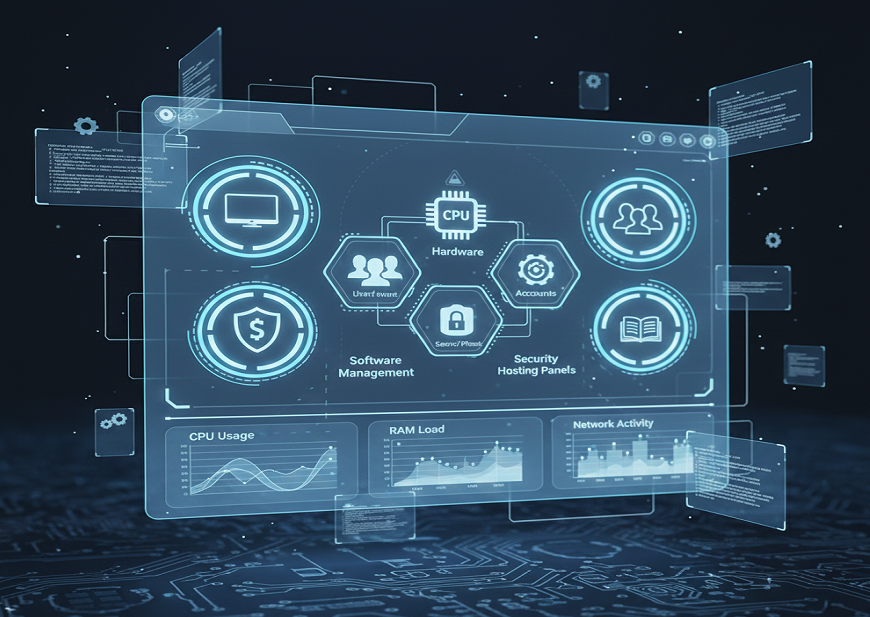
It acts as a central command center that empowers users to manage hardware, software, system configurations, accounts, security, accessibility, and advanced administrative settings.
What Is Control Panel?
Control panel refers to the Windows graphical user interface that lets users view and use the system settings through applets, allowing them to add hardware and software, delete software, control user accounts and edit accessibility options.
So, in a nutshell, it is essentially a software module designed for carrying out management and administrative tasks and to offer access to some software features.
What Is a Control Panel Used for?
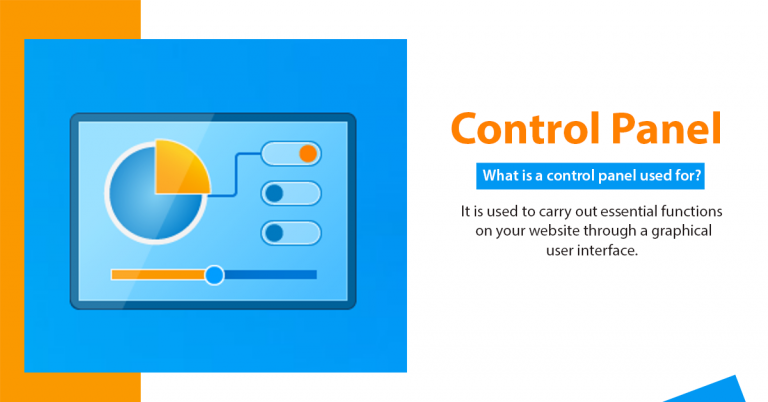
It is used to carry out essential functions on your website through a graphical user interface.
The control panel has been made to configure and administer the different aspects of Windows such as the functions of the mouse and keyboard, setting passwords and power options, desktop backgrounds, display settings and audio settings, software and hardware options, setting up and deleting programs, speech recognition, parental controls etc.
How Does the Control Panel Work?
The panel comprises multiple individual components or applets. So, using the control panel is more like using individual utilities to modify ways in which certain functions of Windows are carried out. The panel is therefore essentially a part of your hosting service but also comes bundled with the operating systems. You will find examples of hardware control panels in keyboards and mouse, display etc. and software control panels such as Date and Time, Fonts, Power Options, Administrative Tools etc.
Each tool and utility has its own code running in the background. While most control panels are part of the Windows operating system, others may be set up using third party applications. When you install a new mouse for instance in the computer, it may carry with it a CD to set up control panels specific to that mouse. There are graphic cards too which may install additional controls for giving users more control over the machine’s visual settings. No matter where the control panel is set up, you will find them located in the Control Panel folder.
Control Panel in a Computer
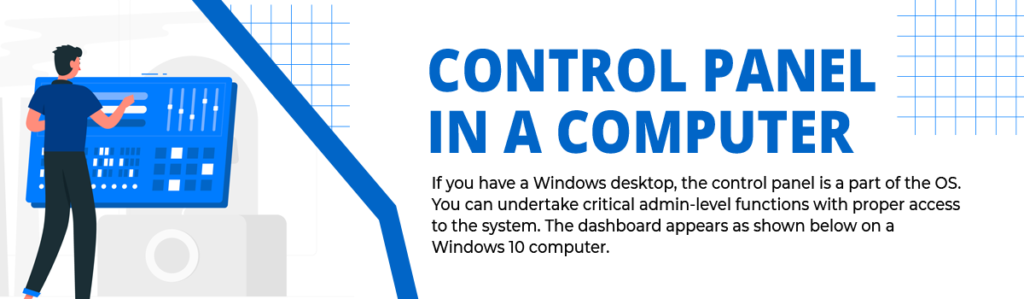
If you have a Windows desktop, the control panel is a part of the OS. You can undertake critical admin-level functions with proper access to the system. The dashboard appears as shown below on a Windows 10 computer.
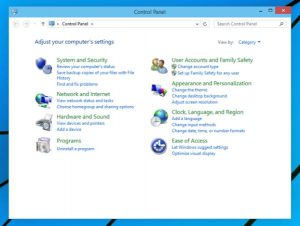
Although Windows 11 leans heavily toward “Settings,” the Control Panel is still deeply embedded at the system level and remains essential for legacy tools, user accounts, system files, and hardware management.
Benefits of Using a Control Panel
When you have a control panel, you do not need software that may unnecessarily clutter your computer. The cPanel for example will let you access a website from anywhere in the world using a browser. You can then upload and download system files depending on your needs. It is fast and efficient and most importantly, space-saving.
Compared to traditional terminals, the control panel is preferable because of the statistical tools it offers. These will help you stay informed about those who access your website, their locations and the duration for which your site is being accessed.
It is easy to install software with a control panel. You can therefore add, delete and edit web applications seamlessly. For instance, you can easily add forums and shopping carts, image galleries and billing software and even CMS like WordPress.
Functions of the Control Panel in a Computer
The provided content has been preserved exactly:
Hardware Configuration: The control panel’s principal role is to manage hardware settings. Users may customize input devices such as the keyboard and mouse, as well as monitor and graphic card display settings and audio settings. This is very beneficial when optimizing your computer for certain activities or troubleshooting hardware-related difficulties.
Account Management: Control panels on computers allow users to establish, change, or remove user accounts. You may configure rights, passwords, and accessibility choices for each user, delivering a personalized and secure computing experience.
Desktop Customization: Users can personalize their desktop backgrounds, themes, and display settings through the control panel. This feature enhances the visual appeal and usability of the computer’s interface.
System Administration: Advanced users have access to system-level settings, such as power and security parameters. This is critical for optimizing your computer’s speed and guaranteeing data security.
Accessibility Options: Speech recognition and parental controls are included in the control panel for users with special needs. These accessibility features encourage diversity and cater to a diverse user base.
Third-Party Control Panels: While most control panels are integrated into the Windows operating system, some hardware devices and software applications come with their control panels. For instance, when you install a new mouse or graphics card, they may provide additional control panels to offer specific settings and features. These third-party control panels often enhance the capabilities of your hardware.
Significance of the Control Panel in Computer
The control panel plays a crucial role in ensuring the efficient operation and customization of a computer. Here are some key advantages and significance of having a control panel:
Efficiency: With a control panel, you can perform various administrative and management tasks without the need for additional software cluttering your computer. This efficiency is particularly evident in web hosting control panels like cPanel, which allow you to access and manage your website remotely.
Statistical Tools: Control panels often provide statistical tools that help you gather insights into website traffic and user behavior. You can track who accesses your website, their locations, and the duration of their visits. These insights are invaluable for website owners and administrators.
Easy Software Management: With a control panel, installing and administering software programs becomes a snap. Web applications like content management systems like WordPress, forums, shopping carts, and others may be easily added, deleted, or modified.
Factors to Consider When Choosing a Control Panel
You may not be able to choose a control dashboard on your computer. Most computers have their own control dashboards and are irreplaceable. However, on a hosting platform, you do have a plethora of choices.
Once you have got a satisfactory explanation of what is the control panel, then you would worry about the factors to worry about while choosing the one for your website. Let’s review those factors that contribute to the features of the control panel so that you get to have the best use of a control panel.
Costing– Costing is one of the major factors, so never opt for a control panel without reviewing your budget.
UI- UI or User Interface is appealing for the visitors to your website. So the UI of your control panel must be user-friendly and easy to understand on the first counter.
Overall features- What is the work of a control panel depends a lot on the overall features it holds. The features available on the control panel is the answer to explain the control panel.
Support- The choice of your control panel very much depends on the quality of its community support.
Available documentation- The documentation available with your control panel must be very understandable and should cover each of the features and specifications of your control panel.
Updates- The use of a control panel is only justified if it keeps on updating frequently.
The OS- Not all control panels are suitable for all kinds of operating systems. Hence, check for the most appropriate control panel as per your operating system.
Comparison of Popular Hosting Control Panels (cPanel vs Plesk vs DirectAdmin)
| Feature | cPanel | Plesk | DirectAdmin |
| User Interface | Easy, beginner-friendly | Modern and intuitive | Simple but less polished |
| OS Support | Linux only | Linux & Windows | Linux |
| Performance | High but heavy | High | Very lightweight |
| Cost | Higher | Moderate | Budget-friendly |
| App Installer | Softaculous | WordPress Toolkit | JetApps (optional) |
| Ideal For | Shared Hosting | Enterprise & Windows Hosting | Budget or high-performance servers |
Pros and Cons of Control Panels
Pros
- Easy for beginners
- GUI-based (no terminal required)
- Centralized system management
- Strong security configuration options
- Time-saving for admins
- Remote website and server management (cPanel, Plesk)
Cons
- Some require paid licenses
- Can use system resources
- Advanced features may be hidden behind multiple menus
- Dependency on GUI (if it fails, troubleshooting becomes harder)
Real-World Use Cases of Control Panels
1. Computer Users
- Install/uninstall apps
- Modify display or sound settings
- Manage passwords and user accounts
- Add hardware drivers and configure network settings
2. Website Administrators
- Manage DNS
- Install WordPress or other CMS
- Setup FTP databases and email accounts
- Monitor website traffic and logs
- Manage files using a browser
3. Server Administrators
- Configure cloud servers
- Deploy web services
- Manage backup automation
- Set security rules (firewall, SSL)
Advanced Users: Why Control Panel Still Matters in Windows 11
Even though Microsoft is slowly migrating all tools to the “Settings” app, many advanced features still live exclusively in Control Panel, including:
- Device Manager
- Administrative Tools
- File History
- Network and Sharing Center
- Advanced System Properties
This ensures the Control Panel continues to be relevant in 2025 and beyond.
Conclusion
The Control Panel, whether on Windows or within a web hosting environment remains a powerful tool for system management, customization, and advanced configuration. By understanding its functions, benefits, and how to choose the right control panel for your system or hosting needs, you can optimize performance, security, and everyday usability.
It is a tool built for everyone: beginners, professionals, webmasters, and developers alike.
Control Panel FAQ’s
What is the purpose of the Control Panel in a computer?
The primary purpose of the Control Panel is to allow users to manage hardware, software, system settings, user accounts, accessibility options, and network configurations. It serves as the central dashboard for customizing how your computer behaves and interacts with external devices.
Is the Control Panel still relevant in Windows 11?
Yes. While Windows 11 emphasizes the “Settings” app, many advanced tools including Device Manager, File History, Network and Sharing Center, and Administrative Tools still rely on the Control Panel. Microsoft has not fully replaced it, and it remains essential for many system configurations.
What’s the difference between Control Panel and Settings in Windows?
Control Panel is a legacy system management tool with deeper administrative controls, while Settings is a modern interface focused on personalization and basic system options. Many advanced features and legacy configurations are still exclusive to the Control Panel.
What are control panel applets?
Applets are small applications within the Control Panel that handle specific tasks. Examples include “Mouse,” “Keyboard,” “Network and Sharing Center,” “Power Options,” and “Programs and Features.” Each applet has its own backend system that controls one aspect of Windows.
Can third-party hardware install its own Control Panel?
Yes. Devices like graphics cards, gaming mice, or audio interfaces often install their own Control Panels for advanced customization. Examples include NVIDIA Control Panel, AMD Radeon Software, and Logitech Options.
What is a hosting control panel like cPanel or Plesk?
A hosting control panel is an online dashboard used to manage websites, servers, databases, DNS, emails, and security settings. cPanel, Plesk, and DirectAdmin are the most popular hosting panels for web hosting and cloud servers.
What can I do with cPanel?
With cPanel, you can install WordPress, manage email accounts, upload website files, create databases, set up SSL certificates, monitor traffic, manage FTP, and configure security settings. It offers a complete site and server management solution.
What are the advantages of using a control panel?
A control panel simplifies system management, offers a graphical interface, saves time, helps with software installation, and provides detailed statistics. It is user-friendly, beginner-friendly, and eliminates the need for manual command-line operations.
What are the disadvantages of using a control panel?
Some control panels consume system resources, require paid licenses (especially in hosting), hide advanced tools under multiple menus, or depend heavily on GUI frameworks. If the control panel becomes corrupted, troubleshooting may become more complex.
How do I choose the right hosting control panel?
Choosing the right hosting control panel depends on pricing, user interface, available features, community support, documentation, update frequency, and operating system compatibility. For example, cPanel works only on Linux, while Plesk supports both Windows and Linux.
Why does Windows have both “Settings” and “Control Panel”?
Microsoft introduced “Settings” as part of its goal to modernize Windows and improve user experience. However, many advanced administrative tools still depend on Control Panel, so both coexist until Microsoft fully migrates legacy tools.
Can I remove or disable the Windows Control Panel?
On standard Windows editions, the Control Panel cannot be fully removed. However, administrators can restrict access using Group Policy, parental controls, or Registry tweaks.
Does the Control Panel affect computer performance?
No, the Control Panel itself does not run continuously. It only uses resources when opened. However, changes made through Control Panel, such as enabling certain hardware features can influence performance.
Is the Control Panel important for troubleshooting?
Yes. Many essential troubleshooting tools device drivers, network settings, program management, security settings, and system configurations are only accessible through the Control Panel. IT professionals rely on it daily.
What is the future of the Control Panel?
Microsoft is gradually migrating features to the Settings app, but the Control Panel remains critical for advanced users and legacy tools. It is expected to remain functional for several more Windows versions.