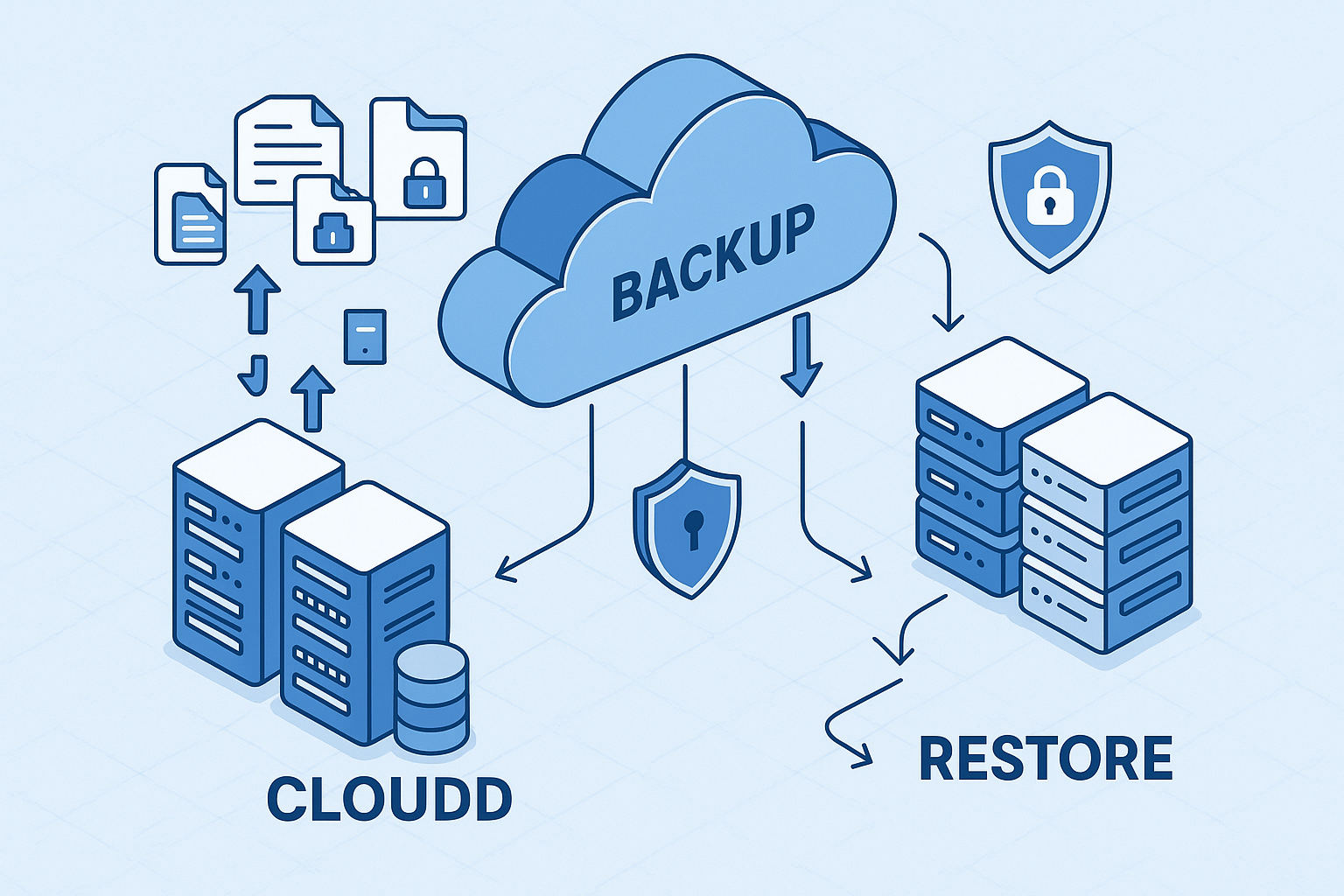
Data is quintessential, and its loss can be disastrous, leading to lost productivity, financial setbacks, and even reputational damage. It is where backup and restore solutions come into play. In cloud hosting in India, which has become increasingly popular for its scalability and accessibility, it is crucial to understand how to backup and restore data.
What is Cloud Hosting?
Before diving into backup and restore procedures, it’s essential to understand cloud hosting. It allows individuals and businesses to store, oversee, and retrieve their data and applications on Internet-based servers. This approach provides advantages in terms of flexibility, cost-effectiveness, and the ability to adjust resources as necessary.
Why Backup and Restore are Essential in Cloud Hosting?
Data loss can manifest due to a variety of factors, ranging from hardware malfunctions, unintentional deletions, and cyberattacks to natural calamities. Within the realm of cloud hosting, safeguarding the presence and integrity of your data holds paramount importance. Here’s why backup and restore are essential:
1. Data Security
Data backups act as a safety net, protecting your data from threats like ransomware, which can encrypt your files and demand a ransom for decryption.
2. Disaster Recovery
In system failures or natural disasters, having backups in the cloud storage in India ensures that you can quickly recover your data and resume operations.
3. Human Error
Mistakes happen, and sometimes crucial files are accidentally deleted. Regular backups mitigate the impact of such errors.
4. Data Retention
Compliance regulations often require data to be retained for a specified period. Proper backups help organizations meet these requirements.
Backup Strategies for Cloud Hosting
Developing a solid backup strategy is the first step in ensuring the safety of your data in cloud hosting in India. Here are some key considerations:
1. Data Classification
Before you start backing up data, it’s essential to classify it based on its importance and sensitivity. It allows you to prioritize backups and allocate resources accordingly.
2. Backup Frequency
Decide on the frequency of your data backups. Essential data might necessitate real-time or daily backups, while less crucial data can be scheduled less frequently. Utilizing automation tools can simplify this procedure.
3. Data Retention Policy
Determine the required duration for preserving various data types. This policy should align with regulatory requirements and your organization’s needs.
4. Redundancy
Consider storing backups in multiple geographic locations to ensure data redundancy. This safeguards against data loss due to regional outages or disasters.
5. Encryption
Always encrypt your backups to protect sensitive information. This encryption should cover data in transit and at rest.
6. Testing
Regularly test your backup and restore processes to ensure they work as expected. It helps identify any issues before a real data loss event occurs.
Backup Methods in Cloud Hosting
Cloud hosting in India providers offer various methods to back up your data. Some common options include:
1. Snapshot Backups
Snapshots are point-in-time copies of your data. They allow you to create a full backup of your system or specific volumes. Snapshots are useful for quickly restoring data to a previous state.
2. Object Storage
Object storage solutions, like Amazon S3 or Google Cloud Storage in India, are designed for durability and availability. You can store data as objects and easily replicate them across multiple regions.
3. Database Backups
Consider using built-in backup features or third-party tools that automate backups and offer features like point-in-time recovery for databases.
4. File-Level Backups
Back up individual files and folders as needed. This method suits specific data that doesn’t require a full system restore.
Restoring Data in Cloud Hosting
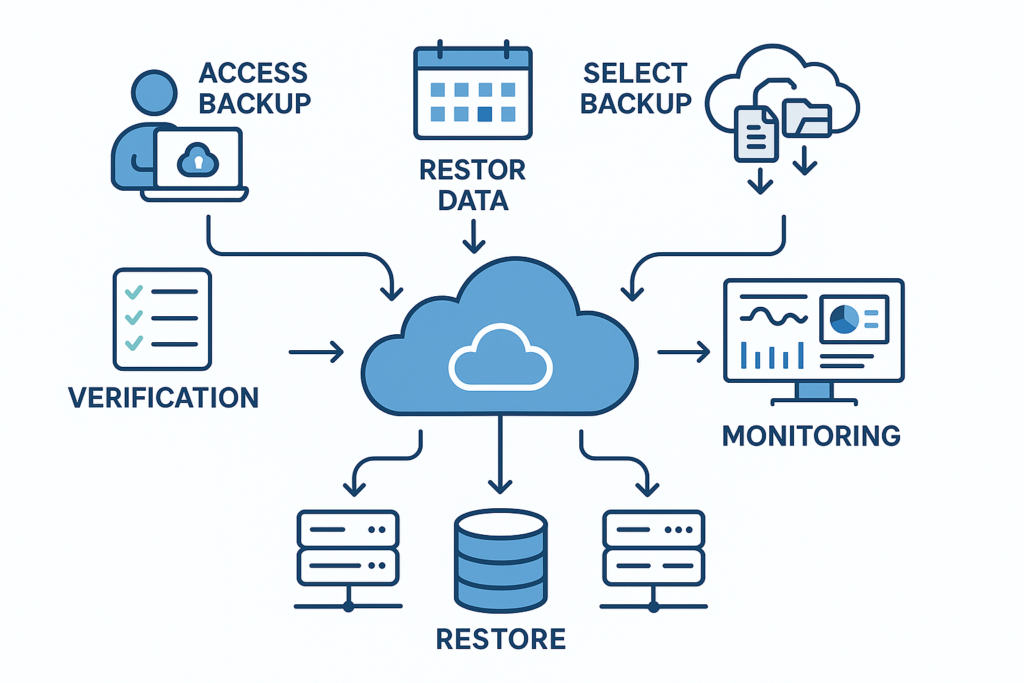
Restoring data from backups is a critical skill in cloud hosting in India. The process may vary depending on your hosting provider and your chosen backup method. Here’s a general guide on how to restore data:
1. Access Backup
First, access your backup storage. It may involve logging into your cloud hosting account or using a backup management console.
2. Select Backup
Select the specific backup version you wish to restore from. Depending on your backup strategy, this could be the most recent backup or a specific point in time.
3. Restore Data
Select the data you want to restore. It could be individual files, entire volumes, or a complete system. Ensure you follow the prompts provided by your hosting provider or backup tool.
4. Verification
After the restoration process, verify that your data is intact and functional. Test critical systems to ensure they are working as expected.
5. Monitoring
Monitor your systems after a restore to catch any issues that may arise. It is a crucial step in ensuring a seamless return to normal operations.
Best Practices for Backup and Restore in Cloud Hosting
To further enhance your backup and restore processes, consider these best practices:
1. Versioning
Implementing versioning for your backups is a valuable practice, enabling you to preserve multiple data versions. It becomes particularly useful when you require data recovery from a specific moment.
2. Automate Backups
Automation simplifies the backup process and reduces the risk of human error. Most cloud hosting providers offer automated backup solutions.
3. Document Procedures
Document your backup and restore procedures. It ensures that your team can follow consistent and effective processes.
4. Monitoring and Alerts
Set up monitoring and alert systems to be notified of any backup issues. Proactive monitoring can prevent data loss.
5. Regularly Review and Update Strategy
Regularly review and update your backup strategy to align with your changing needs, data volume, and evolving threats.
6. Data Governance
Implement data governance practices to manage data quality, integrity, and access control. It helps prevent data corruption and unauthorized changes.
Backup and Restore in Multi-Cloud Environments
If you’re using multiple cloud providers for redundancy or resource optimization, it’s crucial to have a backup and restore strategy that covers all platforms. Here are some considerations for multi-cloud environments:
1. Interoperability
Ensure your backup and restore solutions can work seamlessly across different cloud providers.
2. Data Consistency
Keep data consistent across clouds to switch between providers without data loss.
3. Cost Management
Be aware of the costs associated with data transfer between cloud providers during backup and restore processes.
4. Security
Implement consistent security measures across all cloud storage in India platforms to maintain data integrity.
Bottom Line
In cloud hosting, ensuring the security of valuable data through effective backup and restoration is of utmost importance. You can shield your data from potential loss by crafting a comprehensive backup strategy, selecting suitable backup methods, and adhering to industry best practices. Thus, guarantee uninterrupted business operations and uphold the trust of your valued customers and partners. It is essential to remain vigilant, regularly assess your procedures, and stay abreast of the latest developments and technologies to ensure the safety and availability of your data in cloud hosting in India.