
Picture two businesses selling the exact same product. One replies to customer queries from interiorsbyneha2024@gmail.com. The other replies from hello@nehainteriors.com. Same quality of work, same pricing, same team, but one of them looks like it’s been in business for years, and the other looks like it might disappear tomorrow.
That gap is what business email hosting closes.
A professional email address on your own domain, info@yourcompany.com, sales@yourcompany.com, support@yourcompany.com, signals something a free Gmail or Yahoo address simply cannot: that this business owns its name, controls its communication, and is built to last. It affects:
- Credibility: Customers and vendors take a domain-based email address more seriously than a free one
- Brand identity: Every email becomes a small piece of brand reinforcement
- Customer trust: Banks, government portals, and B2B buyers are increasingly wary of free-email senders, especially for invoices and contracts
- Internal communication: Shared calendars, distribution lists, and admin controls only exist with business email
- Security: Business email plans include spam filtering, malware scanning, and admin-level control that free consumer email doesn’t extend to organizations
- Deliverability: A properly configured business domain is less likely to land in spam than a generic free address
- Business continuity: When an employee leaves, a business owns the mailbox; with free email tied to a personal account, the business owns nothing
To be clear about what this article won’t claim: business email does not, by itself, guarantee more sales or faster growth. What it does is remove a credibility gap that otherwise sits between your business and the people you’re trying to reach and it gives you the administrative and security controls that a free consumer inbox was never designed to provide.
This guide walks through what business email hosting actually is, what to check before buying, a detailed comparison of the providers available to Indian businesses in 2026, and the practical questions, deliverability, security, migration, backup vs. archiving, and buying direct vs. through a reseller that most comparison articles skip entirely.
Quick Answer (TL;DR)
If you only have two minutes, here’s the short version:
- Best overall for most Indian SMBs: Zoho Mail – India-hosted, INR pricing, strong feature-to-cost ratio
- Best for small businesses on a tight budget: Zoho Mail Free (up to 5 users) or Zoho Mail Lite
- Best for team collaboration and AI-assisted productivity: Google Workspace
- Best for Microsoft/Outlook-first organizations: Microsoft 365 Business Standard or Premium
- Best budget option bundled with hosting: Hostinger or MilesWeb Business Email
- Best for businesses that already registered their domain there: GoDaddy Email & Office
- Best for businesses that want implementation support, not just a login: Any provider purchased through a genuine, verifiable channel partner
- Best for regulated industries (legal, healthcare, finance): Zoho Mail Premium, Microsoft 365 Business Premium, or Google Workspace Plus/Enterprise
Each recommendation depends on team size, budget, and whether you need a full productivity suite or just reliable email. The sections below explain why.
What Is Business Email Hosting?
Email hosting is a service that runs the mail server behind your email address the system that actually sends, receives, stores, and organizes your messages. When you use Gmail personally, Google is your email host. When you buy business email hosting, a provider hosts mailboxes on your own domain instead of theirs.
A few terms worth knowing:
- Domain-Based Email: An address using your company’s domain (you@yourcompany.com) instead of a shared consumer domain (you@gmail.com)
- Mailbox: An individual inbox with its own storage and login, usually tied to one person or role
- Webmail: The browser-based interface for checking email without an app (like Gmail’s website)
- IMAP: The protocol that keeps email synced across devices; when you delete a message on your phone, it disappears everywhere
- SMTP: The protocol used to send outgoing mail
- POP3: An older protocol that downloads mail to one device and often removes it from the server; rarely the right default in 2026 for a team
Example: info@revotrads.com works because the domain revotrads.com has MX records (mail exchange records) in its DNS settings pointing to a mail server. That server whether it’s Zoho, Google, Microsoft, or a traditional web hosting provider is what actually stores and delivers the mail. The domain and the mail server are two separate things connected by DNS, which is why migration between providers is possible without changing your email address.
Business Email Hosting vs. Free Email: What’s the Difference?
| Feature | Free Email (Gmail / Yahoo) | Business Email Hosting |
|---|---|---|
| Custom Domain | No, uses a provider-owned domain such as @gmail.com or @yahoo.com. | Yes, create professional addresses such as you@yourcompany.com. |
| Brand Identity | Limited: your business name is not part of the email domain. | Strong: every email reinforces your company’s domain and brand. |
| Centralized Administration | Limited for personal accounts; users manage their own accounts. | Centralized admin controls for managing users, domains, security and policies. |
| Security Controls | Provider-managed security designed primarily for individual users. | Business-focused security features such as advanced spam, malware and phishing protection, depending on the plan. |
| Mailbox Storage | Storage is determined by the provider’s consumer plan and may be shared across services. | Storage is allocated according to the selected business email plan and provider. |
| Employee Management | No centralized business user management for personal accounts. | Add, suspend, modify or remove employee accounts from a central administration system. |
| Email Aliases & Groups | Limited options for managing business addresses. | Support for aliases, forwarding addresses, groups or distribution lists, depending on the provider. |
| Business Continuity | Account ownership is generally associated with the individual user. | Business-controlled accounts make employee onboarding, offboarding and ownership management easier. |
| Customer Support | Support options depend on the free service and may be limited for personal accounts. | Business support options are typically available, depending on the provider and plan. |
| Email Migration | Usually requires a separate migration process when moving to another service. | Migration tools or professional migration assistance may be available, depending on the provider or partner. |
| SPF, DKIM & DMARC | Limited control because the email is hosted on the provider’s domain. | Businesses can configure authentication records for their own domain, subject to provider capabilities. |
| Scalability | Not designed for centralized management of growing business teams. | Designed to add users, mailboxes, domains and business controls as the organization grows. |
The table makes the core difference obvious: free email is built for individuals, and business email hosting is built for organizations. Free email isn’t a bad product, it’s just solving a different problem than the one a growing business actually has, which is control, continuity, and credibility across multiple people using one company identity.
Why Does Your Business Need Professional Email?

Brand credibility: A domain-matched email address reassures customers that they’re dealing with a real, established business rather than an individual operating out of a free inbox.
Customer trust: Particularly for invoicing, contracts, and payment-related communication, a business domain reduces the chance that a message is mistaken for a scam or ignored outright.
Professional communication: Role-based addresses (sales@, support@, accounts@) route inquiries correctly without depending on one person’s personal inbox.
Employee identity: Each team member gets firstname@yourcompany.com consistent, memorable, and clearly tied to the organization.
Better administration: Admins can create, suspend, or delete accounts, set password policies, and monitor activity, none of which is possible with free personal email.
Security: Business plans include stronger spam filtering, malware scanning, and (on most paid tiers) two-factor authentication enforcement across the whole team.
Business continuity: If an employee leaves, the business retains the mailbox, its history, and its contacts critical for client relationships that shouldn’t disappear when someone exits.
Email organization: Shared inboxes, distribution lists, and shared calendars let a team function as a team, not as a collection of disconnected individual inboxes.
Scalability: Adding the 20th employee is as simple as creating the 20th mailbox, no infrastructure rework required.
Better control over company accounts: Ownership of the domain and mailboxes stays with the business, not with whichever employee happened to set up the free account originally.
When a free account may still be fine. A solo hobbyist, a very early-stage side project not yet trading under a business name, or someone testing an idea before committing to a domain may not need paid business email yet. Business email becomes worth the (typically modest) cost once you’re transacting with customers, hiring even one other person, or building a brand you intend to keep.
What to Check Before Buying Business Email Hosting
Use this as a working checklist rather than reading it as one continuous block most buyers only need to seriously evaluate 8–10 of these depending on team size.
Capacity and Structure:
Storage per mailbox: Sales and support teams handling attachments need more room than a founder using email mainly for correspondence; shared inboxes and archival mailboxes need more still.
Number of mailboxes: Understand the difference between a mailbox (a real inbox with storage), an alias (an alternate address delivering into an existing mailbox), forwarding (redirects mail elsewhere without storing it), and a distribution list (one address that fans out to several mailboxes)
Custom domain support: Confirm the plan supports your domain, and multiple domains if you operate more than one brand
Access and Compatibility:
Webmail access – Outlook desktop compatibility – Apple Mail compatibility – Android/iOS native mail app support – IMAP/SMTP support (avoid POP3-only setups for teams) – Email aliases, forwarding, and auto-responders – Contacts and calendar, including shared/team calendars – Broader collaboration tools if the plan bundles them (chat, docs, drive)
Administration:
A central admin console for provisioning and deprovisioning users – Support for multiple domains under one account, if relevant – Email archiving and backup and clarity on exactly what each term means for that provider (see Section 10)
Security:
Spam and malware protection – Anti-phishing protection – SPF, DKIM, and DMARC support and configurability – TLS/SSL for encryption in transit – Two-factor authentication (2FA/MFA) – Account recovery process – Admin audit logs – Data retention policy
Operational:
Migration support from your current provider – Customer support channels and response times – Uptime/SLA commitment – Data-center location (relevant for data-residency requirements)
Commercial: Introductory price vs. regular renewal price – Cancellation policy – Refund policy – Ease of scaling mailbox count up (and down) as the team changes
SPF, DKIM and DMARC Explained in Simple Language
These three technologies work together to prove that an email claiming to be from your domain actually is and Google, Microsoft, and virtually every major inbox provider now expect them to be configured correctly before trusting your mail.
SPF (Sender Policy Framework): SPF is a DNS record that lists which mail servers are allowed to send email on behalf of your domain. Think of it as a guest list at the door if a message claims to be from yourcompany.com but comes from a server not on that list, receiving mail servers treat it with suspicion.
DKIM (DomainKeys Identified Mail): DKIM attaches a digital signature to outgoing mail, generated using a private key that only your mail server holds. The receiving server checks that signature against a public key published in your DNS. If the message was altered in transit, the signature won’t match proving both authenticity and integrity.
DMARC (Domain-based Message Authentication, Reporting and Conformance): DMARC ties SPF and DKIM together and tells receiving servers what to do if a message fails both checks quarantine it, reject it outright, or simply monitor and report. DMARC also gives domain owners visibility into who is sending email using their domain, which is how businesses detect spoofing attempts.
A simple example: Without DMARC, someone could send an email that looks like it’s from accounts@yourcompany.com asking a client to pay into a different bank account, a common business email compromise (BEC) tactic. With SPF, DKIM, and DMARC correctly configured, that spoofed message is far more likely to be rejected or flagged before it ever reaches the inbox.
Important limitation: Configuring SPF, DKIM, and DMARC correctly does not guarantee your legitimate email lands in the inbox instead of spam. Authentication proves a message is genuinely from you, it doesn’t override every other factor receiving mail servers weigh, which is the subject of the next section.
Email Deliverability: What Businesses Often Ignore
There is a meaningful difference between an email being sent successfully and an email actually reaching the recipient’s inbox. Most basic comparison articles stop at “does the provider send mail reliably” without addressing the second, more important question.
Deliverability depends on:
- Sender reputation: The historical trustworthiness of your sending domain and IP, built up (or damaged) over time
- Domain reputation: Separate from IP reputation; a newly registered domain starts with no track record and needs to build trust gradually
- IP reputation: Shared IPs (common on budget hosting) can be affected by other tenants’ bad sending behavior, even if you’ve done nothing wrong
- Spam complaint rate: Recipients marking your mail as spam directly damages future deliverability
- Bounce rate: Sending to invalid or outdated addresses signals poor list hygiene to receiving servers
- Authentication: SPF/DKIM/DMARC, as covered above, as a baseline requirement rather than a guarantee
- Email content: Spam-trigger language, excessive links, or poor HTML formatting can hurt placement
- List quality: Purchased or scraped contact lists tend to generate high bounce and complaint rates
- Sending volume and patterns: Sudden spikes in volume from a previously low-volume domain can look suspicious to spam filters
- Blacklists: Domains or IPs can land on public blacklists after sustained complaints, requiring active delisting requests to recover
- Warm-up: New domains or IPs sending high volumes of marketing or transactional email often need a gradual increase in sending volume to establish trust, particularly relevant for outbound sales or newsletter sending rather than day-to-day business correspondence
For most small businesses using email for regular correspondence rather than bulk sending, deliverability issues are rare once authentication is set up correctly. It becomes a real operational concern once a business starts sending higher volumes, newsletters, transactional receipts, or outbound sales sequences, where reputation and list hygiene start to matter as much as technical configuration.
Business Email Security
Email is one of the most common entry points for attackers. According to Verizon’s 2026 Data Breach Investigations Report, the human element including phishing, stolen credentials, and social engineering was involved in 62% of confirmed breaches, and phishing alone accounted for 16% of initial access. The FBI’s Internet Crime Complaint Center separately reported that Business Email Compromise caused $2.77 billion in losses in a single year. Email security isn’t a nice-to-have layered on top of hosting, it’s core to what a business email plan is actually paying for.
What a solid provider should offer:
- Spam filtering to reduce junk reaching the inbox
- Antivirus and anti-malware scanning on attachments
- Anti-phishing protection, including link and domain reputation checks
- 2FA/MFA ideally enforceable by admins across the whole organization, not optional per-user
- Encryption in transit via TLS between mail servers
- Admin controls to manage password policies and account access centrally
- Suspicious login detection flagging logins from unusual locations or devices
- Session management the ability to remotely log a user out of all devices
- Backup and archiving with clear definitions of what each actually covers (see next section)
- Employee offboarding support the ability to immediately revoke access, forward or transfer a departing employee’s mailbox, and remove them from shared resources
The shared responsibility reality: even the most secure provider cannot fully protect a business if employees reuse weak passwords, skip 2FA, or click on convincing phishing links. Provider-side security and employee-side habits are two halves of the same system one without the other leaves a real gap.
Email Backup vs. Email Archiving
These terms get used almost interchangeably in marketing copy, but they solve different problems.
| Aspect | Backup | Archiving |
|---|---|---|
| Purpose | Designed for disaster recovery and restoring data after accidental deletion, corruption, system failure, or data loss. | Designed for long-term retention, search, retrieval, reference, and business or regulatory record-keeping. |
| Recovery | Typically allows restoration of data or an account to an earlier point in time, depending on the backup system. | Usually allows individual emails or specific records to be located and retrieved without restoring an entire mailbox. |
| Retention | Often uses a defined retention window or backup cycle, which may range from days to months depending on the plan. | Can support longer-term retention based on organizational policies, legal requirements, or compliance needs. |
| Search | Backups are generally intended for restoration rather than day-to-day searching of individual messages. | Usually provides searchable access to archived emails and records, often with advanced filtering and discovery tools. |
| Compliance | Primarily focused on data recovery and business continuity rather than legal or regulatory record retention. | Can support e-discovery, audits, retention policies, legal holds, and other compliance requirements, depending on the solution. |
| Accidental Deletion | Deleted emails may be recoverable if they are included in an available backup and have not passed the retention period. | Archived emails may remain available after deletion from the active mailbox if they were captured and retained according to the archive policy. |
| Employee Departure | Can help restore a former employee’s mailbox or data, depending on the backup system and retention period. | Often provides a more convenient way to preserve, search, and retrieve a departing employee’s business emails over the required retention period. |
| Primary Goal | Recover lost or damaged data. | Preserve and retrieve important business records over time. |
Why this matters: A provider advertising “backup included” might mean a 30-day rolling snapshot meant for accidental deletion recovery not a compliance-grade archive that a legal or healthcare business actually needs. Before assuming a plan covers your retention requirements, ask the provider directly what “backup” specifically includes, for how long, and whether it is searchable.
Best Business Email Hosting Providers in India for 2026
Pricing below reflects annual billing, per user/mailbox per month, before 18% GST, verified from official provider pricing pages and other current sources on August 14, 2026. Monthly (no-commitment) billing is typically 15–20% more expensive, and most providers’ Year 1 pricing differs from the renewal price, both are noted where the difference is significant. Always confirm current numbers directly with the provider before purchasing, since promotional pricing changes frequently.
| Provider | Starting Price / Billing | Storage | Custom Domain | Webmail / IMAP-SMTP | Security | 2FA / MFA | Backup / Retention | Best For |
|---|---|---|---|---|---|---|---|---|
| Zoho Mail | Free plan available for eligible users/regions; paid plans vary by plan and billing term. | Typically varies by plan; higher tiers offer significantly more mailbox storage. | Yes | Yes / Yes* | Spam and malware protection; advanced security features vary by plan. | Yes | Retention and backup capabilities depend on the selected plan and services. | Small and medium businesses looking for value and a business-focused email platform. |
| Google Workspace | Starts from the applicable Google Workspace Business plan; pricing varies by region and billing term. | Storage varies by plan, with pooled storage across users. | Yes | Yes / Yes* | Advanced spam, phishing and malware protection with Google’s security infrastructure. | Yes | Google Vault and retention capabilities are available with eligible plans. | Teams wanting Gmail combined with Drive, Meet, Calendar and collaboration tools. |
| Microsoft 365 | Business plans are priced per user and vary by region, billing method and plan. | Typically includes 1 TB OneDrive storage per user on applicable business plans. | Yes | Yes / Yes* | Microsoft security controls; advanced Defender capabilities depend on the selected plan. | Yes | Retention, compliance and eDiscovery capabilities vary by Microsoft 365 plan. | Businesses using Outlook, Exchange, Microsoft Office and the Microsoft ecosystem. |
| Hostinger Business Email | Promotional pricing may be available; renewal pricing can be higher. | Storage varies according to the selected email plan. | Yes | Yes / Yes* | Spam and antivirus protection; features depend on the plan. | Yes, where supported by the selected service. | Backup and recovery capabilities depend on the specific plan/service. | Budget-conscious businesses already using Hostinger for hosting. |
| MilesWeb Professional Email | Promotional pricing may apply; renewal rates and billing terms should be checked. | Typically varies by the selected mailbox plan. | Yes | Yes / Yes* | Spam filtering and antivirus protection. | Availability depends on the specific email product and plan. | Backup availability and retention depend on the selected service. | Startups and businesses looking to bundle professional email with hosting. |
| GoDaddy Email & Office | Promotional pricing varies by product, billing term and region; renewal pricing may be higher. | Storage varies according to the selected email or Microsoft 365 plan. | Yes | Yes / Yes* | Spam filtering and security controls vary by the selected product. | Varies by product and plan. | Backup and retention capabilities depend on the selected email service. | Businesses already using GoDaddy for domains or other services. |
| Namecheap Private Email | Entry-level plans are generally positioned for smaller businesses; pricing varies by billing term. | Storage varies by plan. | Yes | Yes / Yes* | Spam protection and email security features. | Availability depends on the service and account configuration. | Backup and archiving are not necessarily included as standard features. | Small teams looking for straightforward domain-based email hosting. |
| IONOS Mail | Promotional introductory pricing may be available; renewal pricing varies by plan and market. | Storage varies by selected mailbox plan. | Yes | Yes / Yes* | Spam and malware filtering with additional features depending on the plan. | Availability varies by product and plan. | Additional backup or retention options may be available depending on the service. | Individuals, freelancers and small businesses looking for affordable professional email. |
*IMAP/SMTP: Availability can vary by provider, product and plan. Pricing: Prices, promotions, storage limits, security features and plan terms can change. Always verify the provider’s current pricing, renewal rates, taxes and included features before purchasing.
A note on comparing these fairly: Google Workspace and Microsoft 365 are not simply “email hosting” they’re full productivity suites where email is one component alongside document editing, video conferencing, and cloud storage. Traditional providers like Zoho Mail Lite, Hostinger, MilesWeb, GoDaddy’s Titan-powered plans, Namecheap, and IONOS are closer to pure email hosting. Comparing a ₹59/month mailbox-only plan against a ₹1,080/month full productivity suite as if they were substitutes misses what you’re actually paying for in each case this is addressed directly in Section 13.
Detailed Reviews of Email Hosting Providers in India
Zoho Mail
Overview: Built by Zoho Corporation, headquartered in Chennai, Zoho Mail is one of the very few major email platforms genuinely built and priced for the Indian market, with data centers in Mumbai and Hyderabad.
Key features: Custom domain email from the free tier upward, IMAP/POP/Exchange ActiveSync support from Mail Lite, an ad-free interface, and on the Zoho Workplace plans a bundled suite including WorkDrive, Cliq (chat), and Meeting.
Pricing: Free Forever (up to 5 users, 5 GB each, web-only, no IMAP). Mail Lite from approximately ₹59/user/month (5–10 GB, IMAP/POP enabled). Mail Premium approximately ₹199/user/month (50 GB, S/MIME, larger attachments). Workplace Standard and Professional plans range roughly ₹99–₹399/user/month depending on the collaboration tools bundled in. All figures annual billing, before 18% GST.
Pros: genuinely low cost; India-based data residency; permanently free tier for very small teams; ad-free.
Cons: collaboration tools are less mature than Google’s or Microsoft’s equivalents; brand recognition is lower among international clients who may be more familiar with Gmail or Outlook addresses.
Security: spam and malware filtering, S/MIME on Premium and above, admin console with policy controls.
Migration: Zoho publishes a migration wizard for moving from Gmail, Google Workspace, Microsoft 365, and generic IMAP sources.
Best for: Indian SMBs, startups, and CA/legal/consulting practices that want strong value without paying for productivity-suite features they won’t use.
Who should avoid it: organizations whose teams are already deeply invested in Google Docs or Microsoft Office workflows and don’t want to introduce a third ecosystem.
Verdict: the strongest value-for-money option for most Indian small and mid-sized businesses in 2026, particularly where email is the primary requirement rather than a full productivity suite.
Google Workspace
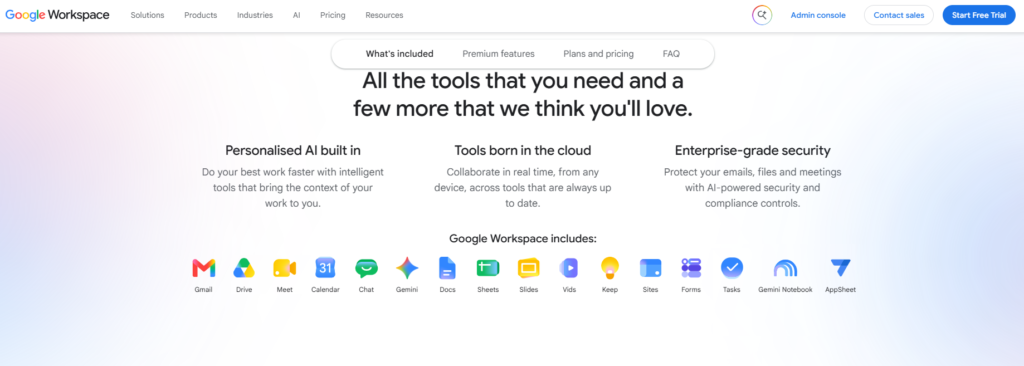
Overview: Google’s business suite bundling Gmail on a custom domain with Docs, Sheets, Slides, Meet, Drive, and across all current plans Gemini AI features of varying depth.
Key features: Custom business email with what Google states is 99.9%+ phishing and spam blocking, real-time collaborative document editing, Google Meet video calls, and pooled cloud storage that scales from 30 GB per user on Starter to 5 TB on Plus.
Pricing: Business Starter approximately ₹270/user/month (30 GB pooled storage), Business Standard approximately ₹1,080/user/month (2 TB, meeting recording), Business Plus approximately ₹1,700/user/month (5 TB, Vault for eDiscovery, advanced endpoint management), Enterprise on custom quote. Annual billing saves roughly 16% versus month-to-month; all figures before 18% GST. Buying directly from Google issues a USD invoice; buying through an authorized Indian partner gets you an INR, GST-compliant invoice at the same list price.
Pros: best-in-class real-time collaboration; strong AI integration across the suite; broad third-party app ecosystem via Google Workspace Marketplace.
Cons: Starter’s 30 GB pooled storage is genuinely tight for teams handling large files; jumping to Standard for more storage also means paying for meeting recording and other features some teams won’t use Google’s all-or-nothing upgrade model can inflate spend for teams that only need one additional feature.
Security: phishing/spam blocking, 2-step verification, Advanced Protection Program, endpoint management (tiered by plan), Vault for eDiscovery on Plus and Enterprise.
Migration: supports migration from Microsoft 365, IMAP-based providers, and on-premise Exchange.
Best for: teams that collaborate heavily in real time on documents and need reliable video conferencing baked in, particularly agencies, marketing teams, and remote-first organizations.
Who should avoid it: budget-constrained teams needing only email, and organizations that are contractually or operationally tied to the Microsoft Office file format ecosystem.
Verdict: the strongest choice for collaboration-heavy teams; overkill in cost and feature depth for a business that only needs reliable, professional email.
Microsoft 365
Overview. Microsoft’s bundled offering of Outlook-based email, the full desktop Office suite (Word, Excel, PowerPoint), Teams for video and chat, and OneDrive cloud storage.
Key features. Full desktop Office app installs from Business Standard upward, Outlook email with a 1 TB OneDrive allocation per user on Standard and Premium, and on Premium, Microsoft Defender for Business, Intune device management, and Entra ID (Azure AD) Premium bundled in.
Pricing. Business Basic approximately ₹145/user/month (browser-based Office apps, Teams, email, no desktop app installs). Business Standard approximately ₹770–₹860/user/month (adds desktop Office apps and 1 TB OneDrive). Business Premium approximately ₹1,830/user/month (adds endpoint security and device management). Annual commitment billing; monthly no-commitment billing runs roughly 20% higher; figures exclude 18% GST.
Pros: unmatched compatibility for organizations built around Word, Excel, and PowerPoint files; Premium bundles genuinely valuable endpoint security that would otherwise be a separate purchase.
Cons: Business Basic users don’t get desktop app installs, which surprises some buyers expecting the “full Office” experience at the entry price point; Copilot AI is a separate paid add-on on top of any plan, not included.
Security: standard multi-factor authentication and conditional access on Basic and Standard; Defender for Business, Intune, and Purview data-loss prevention are Premium-only.
Migration: supports migration from Gmail, Google Workspace, and IMAP sources via Microsoft’s own migration tools or through a CSP partner.
Best for: organizations already standardized on Word/Excel/PowerPoint file formats, regulated businesses that need Premium’s bundled endpoint security, and teams heavily reliant on Teams for internal communication.
Who should avoid it: small teams that only need email and don’t need desktop Office installs, Business Basic covers email but can feel like paying Microsoft prices for a feature set closer to a basic webmail plan.
Verdict: the natural choice for Microsoft-ecosystem businesses; Business Premium in particular delivers real value for regulated industries by folding endpoint security into the subscription instead of requiring a separate purchase.
Hostinger Business Email
Overview. An email-hosting add-on from Hostinger, a hosting provider already widely used in India for shared and cloud web hosting, sold either standalone or bundled with a hosting plan.
Key features. Custom domain email, 2FA, spam and antivirus filtering, IMAP/POP3 support, and management through Hostinger’s hPanel interface.
Pricing. Entry-tier plans start at approximately ₹59/month per mailbox (10 GB) on a promotional annual rate, with an Enterprise tier around ₹99/month (50 GB). As with most budget hosting providers, the advertised rate is an introductory price, confirm the renewal rate before committing, since Hostinger’s own pricing pages and independent reviews note renewal rates can be several times the promotional rate.
Pros: low entry cost; convenient if you’re already hosting a website with Hostinger; simple hPanel management.
Cons: feature set is thinner than Zoho, Google, or Microsoft at comparable price points once you factor in the renewal price rather than the promo price; not designed for teams needing deep collaboration tools.
Security: 2FA, spam and antivirus filtering as standard.
Migration: Hostinger offers migration assistance as part of its broader hosting migration service.
Best for: solo founders and very small businesses already using or planning to use Hostinger for website hosting who want email on the same bill.
Who should avoid it: growing teams needing collaboration features, shared calendars at scale, or compliance-grade retention.
Verdict: reasonable if email is a minor add-on to a Hostinger web hosting purchase; less compelling as a standalone, long-term email platform once renewal pricing is factored in.
MilesWeb Professional Email
Overview. A dedicated professional email hosting product from MilesWeb, sold standalone or alongside its web hosting plans, priced per mailbox rather than requiring a full hosting commitment.
Key features. Custom domain support, webmail, mobile and desktop sync, 50 email aliases, spam protection, antivirus scanning, auto-responders, and per MilesWeb’s own plan listing daily backups and activity logs on its Business Starter tier.
Pricing. Business Starter at an introductory rate of roughly $0.39 per mailbox/month (10 GB), renewing at approximately $1.59/month. Business Premium at an introductory rate of roughly $2.99/month, renewing at approximately $3.99/month. Pricing is set in USD and varies with currency conversion for Indian buyers.
Pros: priced per mailbox rather than a blanket per-user productivity-suite rate, which can work out cheaper for small teams needing only email; free migration is offered as part of MilesWeb’s hosting service.
Cons: USD-based pricing introduces the same currency-conversion unpredictability discussed earlier in this guide; feature depth trails full productivity suites.
Security: spam protection, antivirus checks, and stated daily backups on the entry tier.
Migration: MilesWeb states it handles full migration, including email accounts, at no charge as part of its hosting migration service.
Best for: budget-conscious startups and small businesses that want per-mailbox pricing rather than committing to a broader per-user platform.
Who should avoid it: businesses that specifically need INR-native billing without currency-conversion variability, or teams needing real-time document collaboration alongside email.
Verdict: a genuinely low-cost entry point for basic professional email, best suited to very small teams where cost per mailbox is the deciding factor.
GoDaddy Email & Office
Overview. GoDaddy sells two distinct email products: its own Titan-powered “Workspace Email,” and a reseller version of Microsoft 365 branded as “Business Professional.”
Key features. Domain-based professional email, shared calendars and contacts, and on the Business Professional tier full Microsoft 365 web and desktop app access alongside email.
Pricing. Email Essentials starts around ₹468 for the first year (roughly ₹39/month), renewing at approximately ₹948/year (roughly ₹79/month) a clear example of promotional-versus-renewal pricing worth checking carefully. Business Professional (the Microsoft 365 bundle) starts around ₹1,068 for the first year, renewing at approximately ₹1,788/year.
Pros: convenient if your domain is already registered with GoDaddy one login, one bill; Business Professional gives genuine Microsoft 365 access through a familiar interface.
Cons: the renewal jump on Email Essentials is substantial and easy to miss if you don’t read the fine print at signup; limited collaboration tools on the basic Titan-powered plan.
Security: spam filtering and standard data security on Email Essentials; full Microsoft 365 security stack on Business Professional.
Migration: GoDaddy provides guided setup for connecting a domain and creating mailboxes; migration support varies by plan.
Best for: businesses that registered their domain through GoDaddy and want to keep billing and management consolidated in one place.
Who should avoid it: buyers who haven’t checked the renewal price, the promotional-to-renewal price gap here is one of the largest among mainstream providers covered in this guide.
Verdict: convenient rather than exceptional; workable if you’re already a GoDaddy domain customer, but worth comparing renewal pricing against Zoho or a direct Microsoft 365 purchase before committing long-term.
Namecheap Private Email
Overview. A straightforward, flat-rate email hosting product from Namecheap, positioned for individuals and very small teams who want simple, predictable pricing without productivity-suite bundling.
Key features. Ad-free interface, full IMAP/POP access, spam filtering (Namecheap’s “JellyFish” spam protection), and mailbox counts bundled per plan rather than charged strictly per user.
Pricing. Starter at approximately $1.24/month for one mailbox (5 GB), with additional mailboxes priced separately. Pro at approximately $3.49/month for three mailboxes (30 GB). Ultimate at approximately $5.99/month for five mailboxes (75 GB). Namecheap notes plans renew at the same rate rather than a steep promotional-to-renewal jump, a point worth verifying directly given how common renewal surprises are elsewhere in this category.
Pros: simple, predictable, USD-flat pricing; renewal parity with the initial rate is a genuine differentiator versus several competitors in this list.
Cons: USD billing means currency-conversion variability for Indian buyers; feature depth is intentionally minimal, this is email hosting, not a collaboration platform.
Security: spam filtering and standard TLS encryption; MFA support on paid tiers.
Migration: self-service migration tools; less hands-on support than a dedicated Indian reseller would typically offer.
Best for: solo professionals and very small teams (2–5 mailboxes) who want simple, no-surprises pricing and don’t need collaboration features.
Who should avoid it: growing teams that will outgrow flat mailbox-count tiers quickly, or businesses wanting INR billing and India-based support.
Verdict: a reasonable low-cost option for very small operations, held back for Indian buyers mainly by USD billing and the absence of local support.
IONOS Mail
Overview. A German-headquartered hosting provider offering email plans that can be purchased standalone, without bundling a full web hosting package useful for someone who wants professional email without buying hosting they don’t need.
Key features. Multiple storage tiers, a free domain bundled with some plans, 2FA on higher tiers, and spam/malware filtering.
Pricing. Entry-tier plans start at roughly $1/month on a promotional rate for the first term, scaling up with storage (2 GB to 50 GB tiers referenced across current listings).
Pros: one of the lowest entry price points available; genuinely standalone no requirement to buy hosting or a broader suite.
Cons: feature set on the entry tier is minimal by design; USD/EUR-based pricing for Indian buyers; less brand familiarity in the Indian SMB market compared to Zoho or Google.
Security: spam and malware filtering; 2FA available on higher tiers.
Migration: standard self-service setup; not positioned around hands-on migration support.
Best for: individuals or single-person operations needing the lowest-cost professional email address without any bundled extras.
Who should avoid it: teams needing collaboration tools, India-based support, or INR billing.
Verdict: a fine no-frills option for a single professional mailbox; not built for team-based business use.
Traditional Business Email vs. Google Workspace vs. Microsoft 365
| Feature | Traditional Email Hosting | Google Workspace | Microsoft 365 |
|---|---|---|---|
| Custom Email | Yes | Yes | Yes |
| Mailbox Storage | Typically 5–50 GB, depending on the provider and plan. | Storage varies by plan and is generally pooled across users. | Typically includes a 50 GB Exchange Online mailbox plus OneDrive storage on applicable business plans. |
| Cloud File Storage | Rarely included; may require a separate service. | Google Drive storage is included and varies by plan. | OneDrive cloud storage is included with eligible plans. |
| Office Productivity Apps | Usually not included. | Google Docs, Sheets and Slides with web-based productivity tools. | Microsoft Office applications are available depending on the selected plan. |
| Video Meetings | Usually not included. | Google Meet is included with eligible plans. | Microsoft Teams is included with eligible plans. |
| Real-Time Collaboration | Usually not included as part of the email service. | Strong, native collaboration across Docs, Sheets, Slides, Drive and other Workspace applications. | Strong collaboration across Microsoft 365 applications, Teams, SharePoint and OneDrive. |
| Administration | Basic administration; features vary by provider. | Centralized Google Admin console for users, domains, security and policies. | Centralized Microsoft 365 administration with additional management capabilities depending on the plan. |
| Security Depth | Basic-to-business-grade spam, malware and email security depending on the provider. | Advanced spam, phishing and malware protection with additional security features varying by plan. | Advanced security capabilities; Microsoft Defender and Intune features vary by plan. |
| AI Features | Usually limited or not included. | Gemini-powered AI features are available with eligible Workspace plans. | Microsoft Copilot AI features are available with eligible plans or as applicable add-ons. |
| Best For | Businesses that primarily need professional email, custom domains and affordable mailbox hosting. | Collaboration-focused teams that want Gmail, Drive, Meet, Docs, Sheets and other Google productivity tools. | Businesses standardized on Outlook, Office, Teams, OneDrive and the broader Microsoft ecosystem. |
By business size:
- 1–5 Person Business: A traditional email host (Zoho Mail Lite, MilesWeb, or Hostinger) usually covers the need without paying for productivity-suite features that a tiny team won’t fully use.
- 5–25 employees: This is where Google Workspace or Microsoft 365 starts earning its cost, once shared documents, video calls, and structured collaboration become part of daily work. Zoho Workplace is also a credible middle ground at a lower price point.
- 25–100 employees: Admin controls, endpoint management, and centralized security become genuinely important at this scale, Google Workspace Standard/Plus or Microsoft 365 Business Premium are the more defensible choices.
- 100+ employees: Enterprise-tier plans from Google or Microsoft (or Zoho’s higher tiers) become relevant, with dedicated account management, advanced compliance tooling, and negotiated enterprise pricing typically available directly from the vendor or a large CSP partner.
How Much Does Business Email Hosting Cost in India?
Pricing in this category is structured a few different ways, and understanding which model a provider uses matters as much as the headline number:
- Per mailbox: Common with traditional hosts like MilesWeb, Hostinger, and Namecheap; you pay for each inbox individually
- Per user: The standard model for Zoho Mail, Google Workspace, and Microsoft 365, where “user” implies a licensed identity across the whole platform, not just an inbox
- Per domain: Rare for email specifically, more common in bundled hosting-plus-email packages
- Per organization: Typical of custom enterprise agreements rather than off-the-shelf plans
Annual vs. monthly: nearly every provider in this comparison charges more for month-to-month billing typically 15–20% more than for an annual commitment. If cash flow allows, annual billing is close to always the cheaper route over a 12-month period.
A ₹30/month traditional mailbox and a ₹300/month productivity-suite seat are not directly comparable products, even though both technically provide “email.” The traditional mailbox buys you an inbox. The productivity-suite seat buys you an inbox plus a collaboration platform, storage, and often meeting software features that only carry value if the business will actually use them.
What adds to the base price: 18% GST, which applies to nearly every plan sold to Indian buyers regardless of provider – Migration cost, if not included in the base plan – Setup cost, charged by some resellers for DNS/SPF/DKIM/DMARC configuration – Additional mailboxes beyond a plan’s included count – Storage upgrades beyond the base allocation – Backup or archiving add-ons on providers where these aren’t included by default – Premium support tiers – Other add-on services (advanced security, compliance tooling, dedicated IPs)
Hidden Costs You Should Check Before Buying
The pattern across nearly every provider reviewed above is the same: the advertised price and the renewal price are often not the same number. Before signing up, check:
- Renewal pricing: Ask directly, don’t assume the first-year rate repeats; GoDaddy’s Email Essentials renewal is more than double the intro rate, and MilesWeb’s and Hostinger’s entry tiers show similar patterns
- Extra mailbox pricing: The per-mailbox cost beyond what’s included in the base plan
- Migration charges: Some providers include this free; others charge per mailbox or per GB moved
- Backup charges: Confirm whether backup is included, an add-on, or absent entirely
- Additional storage: The per-GB or per-tier upgrade cost once you outgrow the base allocation
- Premium support: Faster response times or phone support are sometimes a separate paid tier
- Domain renewal: If bundled with the email plan, confirm the domain’s own renewal price separately
- Taxes:18% GST is standard but not always shown in the headline price
- Setup fees: Particularly relevant with resellers offering “free setup” as a differentiator, confirm this is genuinely free, not a discounted first invoice
- Cancellation and refund restrictions: Annual plans often have limited or no refund windows after a certain point
- Data export fees, where applicable, if you later switch providers
- Premium security add-ons: Some security features assumed to be “included” are actually paid upgrades
- Additional user/seat costs: Relevant when a plan’s headline price is per-organization rather than per-user
A simple rule of thumb: if a price feels unusually low compared to the rest of this comparison, check the renewal rate before assuming it’s a genuine long-term saving.
How to Choose the Right Email Hosting Plan Based on Business Size
Freelancer / solo entrepreneur: A single mailbox on a low-cost traditional host (Zoho Mail Free or Lite, Namecheap Starter, or IONOS entry tier) is usually sufficient. Prioritize low cost and simple setup over collaboration features you won’t use alone.
2–10 employees: This is the range where the “traditional email vs. productivity suite” decision genuinely matters. If the team shares documents constantly, Google Workspace Starter or Zoho Workplace earns its cost. If email and occasional file sharing is enough, Zoho Mail Lite or Microsoft 365 Business Basic keeps costs down.
10–50 employees: Admin controls, shared calendars, and consistent security policy enforcement become more important than raw cost savings. Google Workspace Standard, Microsoft 365 Business Standard/Premium, or Zoho Workplace Professional are the realistic contenders.
50–100 employees: Endpoint security and centralized device management start mattering, Microsoft 365 Business Premium or Google Workspace Plus are worth the premium at this scale, particularly for regulated industries.
100+ employees: Enterprise-tier agreements (Google Workspace Enterprise, Microsoft 365 E-series, or Zoho’s top tiers) with custom pricing, dedicated support, and advanced compliance tooling become the appropriate category, generally negotiated directly or through a large CSP partner.
Which Email Hosting Is Best for Different Business Requirements?
| Requirement | Recommended Solution Type | Why |
|---|---|---|
| Lowest-Cost Professional Email | Zoho Mail Free/Lite, IONOS, or Namecheap Starter | Provides core professional email features while keeping the per-mailbox cost low. |
| Small Business — No Productivity Suite Needed | Zoho Mail Lite or Hostinger Business Email | Provides custom-domain business email without paying for collaboration tools your business may not need. |
| Gmail-Style Experience for the Whole Team | Google Workspace | Provides the familiar Gmail experience with integrated Google Drive, Calendar, Meet, Docs, Sheets and other Workspace applications. |
| Deep Microsoft Ecosystem Dependency | Microsoft 365 Business Standard or Business Premium | Combines business email with Outlook, Exchange, Office applications, Teams and other Microsoft services. |
| Heavy Real-Time Team Collaboration | Google Workspace or Zoho Workplace | Provides integrated document collaboration, file sharing, communication and online meetings. |
| Large Storage Requirements | Google Workspace or Microsoft 365 plans with higher storage allocations | Suitable for organizations that need substantial cloud storage alongside business email and collaboration tools. |
| Multiple Domains Under One Account | Zoho Mail or another provider with multi-domain administration | Allows businesses managing multiple brands or domains to administer their email environment from a centralized platform, subject to the selected plan. |
| Advanced Administration and Compliance | Microsoft 365 Business Premium or Google Workspace Enterprise | Offers more advanced administration, security, compliance, auditing and management capabilities than basic email hosting plans. |
| Hands-On Migration Assistance | A suitable provider purchased through a verified reseller or implementation partner | A qualified partner may assist with mailbox creation, DNS configuration, migration planning, user setup and post-migration troubleshooting. |
| India-Based Support and INR Billing | Zoho Mail, or Google Workspace / Microsoft 365 purchased through a verified Indian partner | Can make billing, communication and local implementation support easier for businesses operating in India. Availability depends on the provider or partner. |
| Fast-Growing Company | Google Workspace or Microsoft 365 mid-tier business plans | Makes it easier to add users, increase capabilities and adopt additional collaboration and security features as the organization grows. |
Should You Buy Business Email Directly or Through a Channel Partner?
Both routes are legitimate and the right one depends on how much hands-on help your business actually needs.
Buying directly from the provider means signing up on Google’s, Microsoft’s, or Zoho’s own website, managing billing directly with them, and handling setup, DNS configuration, and any migration yourself (or via your own IT resource).
Buying through an authorized channel partner/reseller means a third-party company, genuinely authorized by the provider, handles the purchase on your behalf, and typically wraps additional services around it:
- Localized assistance in your time zone
- Implementation support and initial account setup
- Migration assistance from your existing email system
- DNS configuration, including SPF/DKIM/DMARC setup
- User provisioning for the whole team at once
- Billing assistance, including GST-compliant INR invoicing
- Onboarding and basic training for staff
- Ongoing troubleshooting support
- Consulting on which plan actually fits your needs
- Consolidated support: One point of contact instead of raising tickets directly with a global vendor
What a channel partner does not automatically guarantee:
A lower price than buying direct (list prices are often identical; the partner’s value is service, not discount, unless they explicitly state a negotiated rate), or better support than the vendor’s own team (this depends entirely on that specific partner’s competence and responsiveness, not a given just because they’re a partner). Whether a channel partner is worth it comes down to the individual partner’s authorization, expertise, and support model, not the fact of being a “partner” in itself.
Why Channel Partner Support Can Be Valuable During Migration
Migration is where most of the real-world problems in this category actually happen:
- DNS mistakes: A single incorrect record can silently break mail delivery
- MX record errors: Pointing to the wrong mail server, or leaving the old one active alongside the new one, causes split or lost mail
- Missing historical emails: Incomplete migrations that leave months or years of correspondence behind
- Incorrect mailbox mapping: Emails landing in the wrong person’s new inbox
- Password and access issues: Users locked out during the cutover window
- Outlook and mobile configuration: Client-side setup that doesn’t always update automatically after a server-side migration
- SPF conflicts: Running two providers’ SPF records simultaneously without merging them correctly, which can cause legitimate mail to fail authentication
- DKIM and DMARC configuration: Needing to be re-established for the new provider, not simply carried over
- Downtime and propagation delays: DNS changes can take anywhere from minutes to 48 hours to fully propagate, during which mail delivery can be inconsistent
An experienced implementation partner has typically handled these failure modes before and can catch them proactively rather than reactively. That said, no provider or partner should promise zero downtime as a blanket guarantee, DNS propagation timing is genuinely outside any single party’s full control, and any commitment claiming otherwise deserves a closer look before you rely on it.
How to Verify an Email Hosting Channel Partner Before Buying
Before paying a reseller instead of buying direct, confirm:
- Partner authorization: Ask for proof of authorized status with the specific provider (Google, Microsoft, Zoho), not just a general claim of being “a partner”
- The vendor’s own partner directory, where one is publicly available, to cross-check the claim independently
- Certification details: Specific credentials, not vague assurances
- Invoice source: Will the invoice come from the reseller or the vendor directly, and does it carry a valid GSTIN for input tax credit
- Who provides ongoing support: The reseller, the vendor, or a mix, and what the actual response-time commitment is
- Migration specifics: What’s included, what’s charged separately, and realistic timelines
- Renewal pricing: Confirmed in writing, not just quoted verbally
- Cancellation and refund policy: In writing, before payment
- Account ownership: Who legally owns the tenant/account: your business, or the reseller’s master account (this matters enormously if you ever want to leave)
- Domain ownership: Confirm your domain registration itself remains under your control
- Data ownership: Confirm you retain full rights to export your data at any time
- Admin access: Confirm your business retains genuine admin-level access, not just user-level access sitting under the reseller’s control
- Exit terms: What happens to your account, data, and email continuity if you stop using that particular partner
This checklist matters because a low-quality reseller can technically deliver a working mailbox on day one while quietly retaining account ownership or admin control that becomes a serious problem the day you want to leave.
Email Migration Guide
Migration complexity varies significantly by source platform, mailbox count, total data volume, and the receiving provider’s own migration tooling, there’s no single timeline that applies to every case.
Common migration sources: Gmail, Google Workspace, Microsoft 365, cPanel-based email, another traditional hosting provider, Zoho, or any other IMAP-compatible platform.
General migration flow:
- Pre-migration checklist: Inventory every mailbox, alias, and forwarding rule on the current system before touching anything
- DNS preparation: Plan the exact DNS changes needed, including MX, SPF, DKIM, and DMARC, before the cutover window
- Mailbox creation: Set up the destination mailboxes on the new provider first, before redirecting mail
- Data migration: Move historical mail, contacts, and calendar data using the provider’s migration tool or a supported third-party migration service
- MX record change: The moment that actually redirects new incoming mail to the new provider
- SPF/DKIM/DMARC configuration: Set up fresh for the new provider; old records need to be replaced, not simply left in place
- Testing: Send and receive test messages from multiple external domains before declaring the migration complete
- User and device configuration: Update Outlook, Apple Mail, and mobile apps on every device for every user
- Post-migration monitoring: Watch for bounce reports, missing mail complaints, or authentication failures in the days immediately following cutover
How to Set Up Business Email on Your Domain
A simplified version of the process, for context exact steps and DNS values vary by provider, so this isn’t a substitute for that provider’s own setup documentation:
- Purchase or confirm ownership of your domain
- Select an email plan matching your team size and needs
- Add your domain to the email provider’s account
- Verify domain ownership (typically via a DNS TXT record)
- Configure DNS at your domain registrar
- Add the provider’s MX records
- Configure SPF
- Configure DKIM
- Configure DMARC
- Create individual mailboxes
- Test sending and receiving from multiple external addresses
- Configure Outlook and mobile devices for each user
Exact DNS record values are provider-specific and change over time, so they’re intentionally not reproduced here, always pull the current values directly from your chosen provider’s setup documentation at the time you configure your domain.
Business Email Best Practices
- Use strong, unique passwords for every mailbox
- Enable MFA/2FA across the organization, not just for admins
- Configure SPF, DKIM, and DMARC correctly from day one
- Keep account recovery information current
- Remove or suspend inactive accounts promptly
- Regularly review forwarding rules, a common, easily missed attack vector
- Monitor for suspicious login activity
- Train employees to recognize phishing attempts
- Back up genuinely important business correspondence, don’t assume “included backup” covers everything
- Establish a clear, documented employee offboarding procedure
- Avoid sharing login credentials between employees
- Use a separate, dedicated admin account rather than an individual’s personal work account for admin tasks
- Periodically review mailbox storage usage before it becomes a bottleneck
- Keep an eye on domain reputation, particularly if the business sends any bulk or marketing email
Common Business Email Mistakes
- Running a business on free Gmail or Yahoo indefinitely
- Choosing a plan purely on lowest advertised price, ignoring renewal cost
- Not confirming the renewal price before signing up
- Underestimating storage needs, especially for attachment-heavy roles
- Assuming “backup” means comprehensive, long-term protection without checking
- Skipping SPF/DKIM/DMARC configuration entirely
- Not enabling MFA organization-wide
- Having no formal employee offboarding process for email access
- Migrating without a pre-migration checklist or testing plan
- Buying from an unverified reseller without confirming authorization
- Treating a productivity suite and a mailbox-only plan as directly comparable products
- Not clarifying who actually owns the domain, data, and admin access when buying through a reseller
Business Email Checklist Before Purchase
- ☐ Custom domain confirmed and available
- ☐ Number of mailboxes needed, now and over the next 12 months
- ☐ Adequate storage per mailbox
- ☐ Webmail access
- ☐ Outlook desktop support (if needed)
- ☐ Mobile app support (iOS/Android)
- ☐ IMAP/SMTP support confirmed
- ☐ Spam protection included
- ☐ Antivirus/malware scanning included
- ☐ MFA/2FA available and enforceable
- ☐ SPF configurable
- ☐ DKIM configurable
- ☐ DMARC configurable
- ☐ Backup policy clearly defined (and archiving, if compliance-relevant)
- ☐ Admin console access confirmed
- ☐ Migration support confirmed and scoped
- ☐ Customer support channels and hours confirmed
- ☐ Uptime/SLA commitment stated
- ☐ Renewal price confirmed in writing
- ☐ Cancellation policy confirmed in writing
- ☐ GST/taxes clarified in the quoted price
- ☐ Reseller authorization verified, if not buying direct
Final Verdict
There’s no single universal winner in this category the right choice depends entirely on team size, budget, and whether email needs to come with a full productivity suite attached.
- Best budget business email: Zoho Mail (Free tier or Mail Lite)
- Best collaboration suite: Google Workspace
- Best for Microsoft-ecosystem users: Microsoft 365 Business Standard or Premium
- Best for Google-ecosystem users: Google Workspace Business Starter or Standard
- Best traditional, no-frills business email: Zoho Mail Lite or MilesWeb Professional Email
- Best for businesses wanting implementation assistance: any of the above, purchased through a verified, genuinely authorized reseller rather than assuming support is included
For most Indian small and mid-sized businesses evaluating this decision for the first time, the practical starting point is: decide whether you need a full productivity suite or just reliable email, get the renewal price in writing before signing up with any provider, and confirm SPF/DKIM/DMARC will be set up correctly from day one.
Revotrads can help businesses work through this evaluation comparing plans against your actual team size and workflow, and coordinating setup and migration once you’ve decided. If you’re weighing your options or need help getting a domain’s email properly configured, reach out and we’ll walk through it with you.
FAQs
1. What is business email hosting?
Business email hosting is a service that runs mailboxes on your own domain (like you@yourcompany.com) instead of a free consumer domain like Gmail or Yahoo. It includes admin controls, stronger security, and features built for teams rather than individuals.
2. How is business email different from Gmail?
Free Gmail gives you an inbox on Google’s domain with no admin controls, no team management, and no ownership transfer if the account holder leaves. Business email hosting puts the inbox on your own domain, with central administration, stronger security defaults, and continuity that doesn’t depend on one individual’s personal account.
3. What is the best business email hosting provider in India?
There isn’t one universal best option Zoho Mail offers the strongest value for most small businesses, Google Workspace suits collaboration-heavy teams, and Microsoft 365 fits organizations already standardized on Office file formats. The right choice depends on team size and workflow.
4. How much does business email hosting cost?
Entry-level plans start as low as free (Zoho Mail, up to 5 users) or a few dollars/rupees per mailbox per month for basic traditional hosting. Full productivity suites like Google Workspace and Microsoft 365 range from roughly ₹145 to ₹1,830 per user per month depending on the tier, before 18% GST.
5. Can I use my existing domain?
Yes. Virtually every provider covered in this guide supports connecting a domain you already own, you don’t need to buy a new domain to switch email providers, though you will need access to your domain’s DNS settings.
6. How many email accounts do I need?
At minimum, one per employee who communicates externally, plus role-based addresses like info@, sales@, or support@ as aliases or shared inboxes depending on how your team is structured.
7. Can I use business email with Outlook?
Yes, on virtually all mainstream providers, via IMAP/SMTP or, for Microsoft 365 specifically, native Exchange integration.
8. Can I use business email on Android and iPhone?
Yes. All providers reviewed here support mobile access via native mail apps or dedicated apps (like Gmail or Outlook mobile) using standard IMAP/SMTP or platform-specific sync.
9. What are SPF, DKIM and DMARC?
Three DNS-based authentication technologies that work together to prove your outgoing email is genuinely from your domain and hasn’t been altered in transit, reducing the risk of spoofing and improving deliverability. See Section 7 for a full explanation.
10. Do business email plans include backups?
It varies significantly by provider and plan, some include a basic rolling backup, others charge extra, and some don’t offer true backup at all versus a simple recycle bin. Always confirm exactly what “backup” means for your specific plan rather than assuming.
11. How do I migrate my old emails?
Most providers offer a migration tool or wizard for moving mail, contacts, and calendars from your previous platform. For larger teams or complex source systems, working with an experienced implementation partner reduces the risk of missing data or authentication misconfiguration during the switch.
12. Is Google Workspace better than traditional email hosting?
It depends on what you need. Google Workspace is stronger if your team genuinely needs real-time document collaboration and video conferencing. Traditional email hosting is more cost-effective if you only need reliable, professional email.
13. Is Microsoft 365 better than business email hosting?
Similarly situational Microsoft 365 is the better fit for organizations built around Word, Excel, and PowerPoint files and Teams-based communication; a traditional email host is more cost-effective for email-only needs.
14. Should I buy email directly or through a reseller?
Buying direct works well if you’re comfortable handling setup and DNS configuration yourself. A verified reseller adds value through hands-on implementation, migration support, and consolidated local support, but only if that reseller is genuinely authorized and competent, which is worth verifying before paying (see Section 20).
15. How can I verify a channel partner?
Ask for proof of authorization with the specific provider, check the vendor’s own partner directory where available, confirm who issues the invoice and provides support, and get renewal pricing and cancellation terms in writing before paying.
16. Can Revotrads help with email migration?
Revotrads can help businesses evaluate, select, and coordinate the setup of a suitable business email solution, including migration planning from an existing provider. Reach out to discuss your specific setup and requirements.
17. What happens when an employee leaves?
With business email hosting, the business retains full ownership of the mailbox admins can suspend the account, forward mail to a colleague, or archive the mailbox for records, none of which is possible with a free personal email account tied to that individual.
18. What should I check before renewing my email plan?
Confirm the actual renewal price (not the original promotional rate), review whether your storage and mailbox count still fit your team’s current size, and check whether better-value plans have since become available from your provider or a competitor.