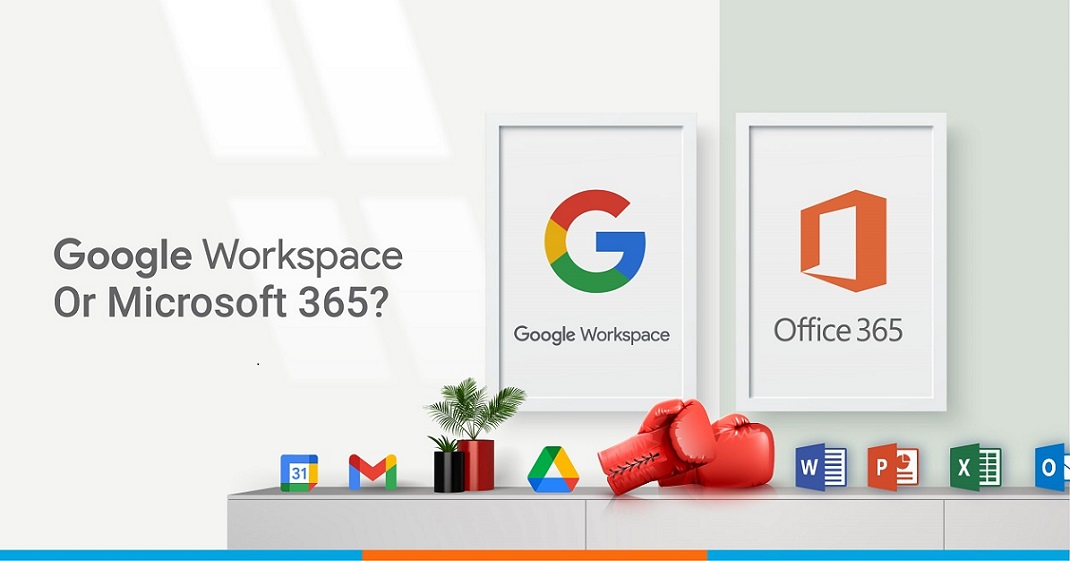
In today’s digital-first business world, productivity and collaboration tools are no longer optional—they are mission-critical. Whether you’re a startup scaling fast, a small business looking for efficiency, or an enterprise optimizing global teams, the choice between Google Workspace (formerly G Suite) and Microsoft Office 365 is a decision that directly impacts your workflow, collaboration, and even long-term growth.
Both platforms are industry giants. Microsoft Office has been a staple for decades, synonymous with Word, Excel, and PowerPoint. Google Workspace, on the other hand, has revolutionized productivity with cloud-first tools like Gmail, Google Drive, Docs, and Meet.
But when it comes to making a decision, the question is not “Which one is better?” but rather “Which one works better for your workflow?”
At Net2Secure, a trusted Google Workspace reseller partner in India, we’ve helped hundreds of businesses evaluate, implement, and scale their productivity suite. Let’s dive deep into the strengths of both solutions, compare their features, and uncover how to make the right choice for your business.
1. The Core Difference: Cloud-First vs. Desktop-First
- Google Workspace is inherently cloud-native. Every tool—Docs, Sheets, Slides, Meet—is designed for real-time collaboration online. Files are auto-saved in Google Drive, eliminating the “lost document” panic.
- Microsoft Office 365 evolved from its desktop legacy. While it now integrates with OneDrive and Teams, its DNA remains desktop-heavy. Many businesses still use offline apps like Word and Excel extensively.
Key takeaway:
If your team thrives on remote work, real-time editing, and always-online collaboration, Google Workspace leads. If you rely on desktop-grade, feature-rich applications with offline depth, Microsoft remains powerful.
2. Pricing Comparison
Here’s a side-by-side view of the most popular business plans (India pricing as of 2025):
| Feature | Google Workspace Business Starter | Google Workspace Business Standard | Microsoft 365 Business Basic | Microsoft 365 Business Standard |
| Price (per user/month) | ₹136 | ₹736 | ₹125 | ₹660 |
| Storage | 30 GB/user | 2 TB/user | 1 TB/user | 1 TB/user |
| Collaboration | Real-time | Real-time | Limited | Real-time (via Teams) |
| Gmail (custom domain) | Gmail (custom domain) | Outlook | Outlook | |
| Apps | Docs, Sheets, Slides, Meet | Advanced Meet + Admin | Web-only Word, Excel, PowerPoint | Desktop + Web apps |
| Support | 24/7 | 24/7 | 24/7 | 24/7 |
Observation: Google Workspace offers more cloud storage and simpler pricing, while Microsoft provides stronger offline access with desktop apps.
3. Collaboration: Real-Time vs. Sequential
- Google Workspace: Multiple users can edit Docs or Sheets simultaneously, with changes appearing instantly. Comments, tagging, and version history streamline teamwork.
- Microsoft Office: Collaboration is improving via OneDrive and Teams, but many businesses still face versioning issues (“Final_v3_FINAL.xlsx”).
Stat to note:
According to Gartner, companies using Google Workspace reported a 20% faster decision-making cycle due to real-time collaboration features.
4. Communication: Gmail vs. Outlook, Meet vs. Teams
- Gmail (Workspace): Clean, fast, and tightly integrated with Google Calendar and Meet. Its spam filtering is industry-leading.
- Outlook (Microsoft): Feature-rich, with advanced folder management and rules that power-users appreciate.
- Google Meet: Browser-based, secure, and lightweight, perfect for ad-hoc meetings.
- Microsoft Teams: A full-fledged collaboration hub, integrating chat, video, and project management.
If your business already uses Microsoft tools like SharePoint and Dynamics, Teams adds immense value. For businesses prioritizing simplicity and accessibility, Meet shines.
5. Storage & File Management
- Google Workspace: Google Drive offers 30 GB to unlimited storage (depending on plan). Its search capabilities (powered by Google AI) are unmatched—find files by keyword, type, or even content inside.
- Microsoft Office 365: OneDrive provides 1 TB per user, which is generous, but less flexible compared to Google Drive’s integration.
Fact: Over 2 billion users worldwide actively use Google Drive—making it the most popular cloud storage service.
6. Security & Compliance
Both providers meet global standards like ISO 27001, GDPR, and HIPAA.
- Google Workspace: Two-factor authentication, endpoint management, AI-powered phishing detection, and zero-trust architecture.
- Microsoft Office 365: Advanced Threat Protection, Data Loss Prevention, and strong integration with enterprise security tools.
Both are highly secure, but Microsoft often edges ahead for large enterprises needing granular compliance tools, while Google Workspace balances simplicity with robust safeguards.
7. AI & Future-Readiness
- Google Workspace: Leveraging Google AI, features like Smart Compose in Gmail, smart suggestions in Docs, and AI-driven scheduling in Calendar are already reshaping workflows.
- Microsoft Office 365: With Copilot (powered by OpenAI), Microsoft is embedding AI into Word, Excel, and Teams—generating reports, analyzing data, and automating tasks.
Quote:
“By 2030, over 70% of workplace tasks will be assisted by AI tools, and early adopters will lead productivity gains.” – McKinsey Report 2024
8. Integration Ecosystem
- Google Workspace: Integrates seamlessly with Google Ads, Analytics, YouTube, and third-party apps via Google Marketplace. Perfect for digital-first companies.
- Microsoft Office 365: Strong integration with enterprise solutions like Azure, Dynamics 365, and Power BI.
👉 Rule of thumb: Marketing-heavy, cloud-first teams = Google Workspace. Operations-heavy, enterprise-grade IT setups = Microsoft Office.
9. User Experience & Learning Curve
- Google Workspace: Intuitive, minimalistic, and easier for younger teams or startups.
- Microsoft Office: Feature-rich but steeper learning curve. Familiar for older generations of workers.
10. Which One Should You Choose?
Here’s a quick decision table:
| Business Type | Best Choice |
| Startups & SMEs | Google Workspace (affordable, cloud-first, easy to adopt) |
| Remote/Hybrid Teams | Google Workspace (real-time collaboration) |
| Enterprises with legacy IT | Microsoft Office 365 (deep integration, offline strength) |
| Financial & Govt. Sectors | Microsoft Office 365 (compliance-heavy) |
| Marketing/Digital Firms | Google Workspace (seamless with Google ecosystem) |
Why Net2Secure Recommends Google Workspace
At Net2Secure, we’ve seen firsthand how businesses in India transform with Google Workspace.
- Scalability: From 5 employees to 5,000, Google Workspace grows with you.
- Value for money: Transparent pricing and more storage per user.
- Support: As a Google-authorized reseller partner, Net2Secure ensures you get not just licenses, but also setup, migration, and ongoing 24/7 support.
Special Offer with Net2Secure:
- Free consultation on migration
- Zero setup fee
- Dedicated support team
- Local billing in INR
Final Thoughts
The battle between Google Workspace and Microsoft Office isn’t about which is superior—it’s about which fits your workflow better.
If your team thrives on agility, remote collaboration, and cloud-first innovation, Google Workspace (via Net2Secure) is the smarter choice.
If you require deep enterprise integrations, legacy support, and offline power, Microsoft Office 365 is ideal.
Whichever you choose, the right partner can make all the difference. And that’s where Net2Secure steps in—helping businesses in India and beyond unlock productivity, securely and efficiently.