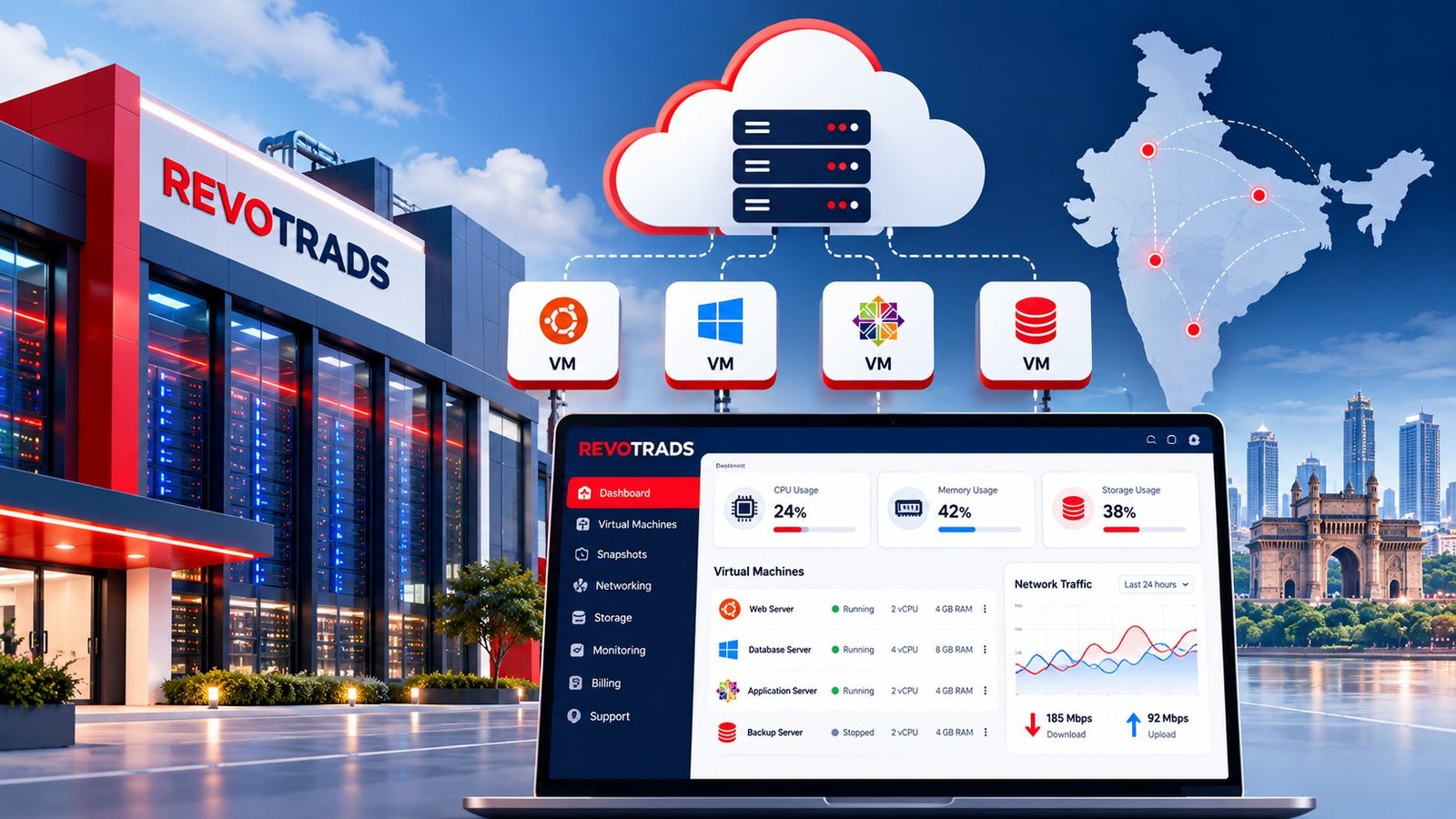
Choosing a cheap virtual machine provider in India requires evaluating more than monthly subscription costs. Businesses should compare processor performance, RAM, storage technology, operating system support, network reliability, data center availability, scalability and technical assistance.
Several Indian and international hosting providers offer virtual machines suitable for websites, development environments, enterprise applications and cloud infrastructure. However, the best option depends on the workload and total cost of ownership.
The following seven virtual machine hosting providers are worth considering in 2026. This is an editorial comparison rather than a performance-tested ranking. Provider availability, configurations and pricing should be verified before purchase.
Virtual Machine Hosting Provider Comparison Table
| Provider | Best For | Key Advantages | Main Limitations | Pricing Model |
|---|---|---|---|---|
| Net2Secure | Indian SMBs, developers and business applications | Published VM packages, multiple configurations and local sales assistance | Confirm management scope, backups and available VM locations | Monthly packages |
| AWS EC2 | Enterprise applications and complex cloud infrastructure | Extensive instance families and cloud integrations | Complex billing and multiple separately charged services | Usage-based and commitment options |
| Microsoft Azure | Windows applications and Microsoft-based businesses | Microsoft ecosystem integration and hybrid-cloud capabilities | Licensing and infrastructure costs require careful planning | Usage-based and commitment options |
| Google Cloud | Developers, analytics and scalable applications | Flexible machine configurations and cloud services | Networking, storage and regional pricing complexity | Usage-based pricing |
| DigitalOcean | Startups, developers and web applications | Straightforward Droplet plans and developer tools | Some managed and advanced services cost extra | Published instance pricing |
| Vultr | Developers and geographically distributed applications | Multiple compute options and deployment locations | Performance and availability depend on configuration | Configuration-based pricing |
| Akamai Cloud (Linode) | Linux applications and development workloads | Virtual computing services and Linux-focused tooling | Confirm regional availability and management requirements | Published instance pricing |
1. Net2Secure – Affordable Virtual Machine Hosting in India
Net2Secure provides virtual machine hosting solutions for businesses, developers and organizations requiring configurable computing resources without investing in physical servers.
Its published Cloud VM plans offer different combinations of virtual CPU, RAM, storage and monthly data transfer. These configurations can support websites, development environments, application servers and compatible business workloads.
For Indian customers who prefer discussing requirements with a hosting provider before purchasing, Net2Secure may be worth evaluating alongside larger international cloud platforms.
Key Features
- Multiple virtual CPU and RAM configurations.
- Published monthly virtual machine packages.
- Storage and data-transfer allocations specified by plan.
- Virtual server administration options.
- Hosting options for websites and business applications.
- Sales and technical assistance subject to the selected service.
Best For: Indian startups, small businesses, web developers, digital agencies and organizations seeking affordable VM hosting with published monthly packages.
Pros
- Published resource configurations simplify initial plan comparisons.
- Multiple VM sizes support different application requirements.
- Customers can evaluate VM hosting alongside other Net2Secure infrastructure services.
- Local sales communication may simplify procurement for Indian businesses.
Cons
- Customers must confirm the exact scope of managed support.
- Backup, licensing and additional IP charges should be checked before purchase.
- Data center location and underlying processor specifications should be verified for the selected plan.
Pricing
Net2Secure has advertised Cloud VM plans starting at ₹799 per month for 2 vCores, 4 GB RAM, 50 GB storage and 1 TB data transfer. Prices and specifications may change, and customers should confirm applicable taxes and additional charges.
Verdict: Net2Secure is a practical option to compare when a business wants published monthly VM packages and a hosting provider serving Indian customers.
Explore Net2Secure VM Hosting Plans →
2. Amazon Web Services (AWS EC2)
Amazon Elastic Compute Cloud (EC2) is a cloud computing service that allows businesses to launch virtual server instances with different processor, memory, storage and networking characteristics.
AWS provides numerous instance families designed for general-purpose workloads, memory-intensive applications, compute-heavy processing and specialized enterprise requirements.
For organizations developing complex applications, EC2 can integrate with AWS networking, databases, monitoring, storage and security services.
Key Features
- Multiple virtual machine instance families.
- Linux and Windows operating system support.
- Integration with AWS storage and networking services.
- Auto Scaling capabilities.
- Identity and access management controls.
- Multiple geographic deployment regions.
Best For: Enterprises, SaaS companies, application development teams and organizations requiring sophisticated cloud infrastructure.
Pros
- Extensive instance configuration choices.
- Strong integration with the wider AWS ecosystem.
- Flexible deployment and scaling options.
- Multiple infrastructure and security services.
Cons
- Pricing can be difficult for beginners to calculate.
- Storage, public IPv4 addresses and data transfer may incur separate charges.
- Infrastructure management requires appropriate cloud expertise.
- Unused resources can create unnecessary expenses.
Pricing
AWS EC2 pricing depends on the instance type, operating system, region, usage duration and purchasing option. Businesses should calculate the full cost using the official AWS pricing tools.
Verdict: AWS EC2 is suitable for businesses requiring advanced cloud capabilities, although it may involve more operational and billing complexity than a fixed monthly VM package.
3. Microsoft Azure Virtual Machines
Microsoft Azure Virtual Machines provide cloud-based computing environments for Windows and Linux applications.
Azure is particularly relevant for organizations using Microsoft technologies, including Windows Server, SQL Server and enterprise identity services.
Businesses can deploy virtual machines for development, application hosting, internal systems and hybrid infrastructure.
Key Features
- Windows and Linux VM configurations.
- Integration with Microsoft cloud services.
- Multiple VM families and sizes.
- Hybrid infrastructure capabilities.
- Cloud monitoring and security services.
- Backup and disaster recovery options.
Best For: Enterprises, Microsoft-based organizations, Windows application hosting and hybrid-cloud deployments.
Pros
- Integration with Microsoft products and services.
- Suitable for supported Windows Server workloads.
- Flexible infrastructure configuration.
- Enterprise management and security options.
Cons
- Windows and application licensing may increase costs.
- Storage and networking charges require separate evaluation.
- Cloud management can be complex for smaller teams.
- Choosing between VM families requires technical planning.
Pricing
Azure VM pricing depends on region, operating system, instance size, storage and billing commitments. Customers should use the official Azure pricing calculator to estimate monthly expenditure.
Verdict: Azure is worth considering for businesses already using Microsoft enterprise software or planning hybrid-cloud infrastructure.
4. Google Cloud Compute Engine
Google Cloud Compute Engine provides configurable virtual machines for application hosting, development, analytics and enterprise computing.
Its machine families support different resource requirements, allowing customers to select configurations suited to general-purpose or specialized workloads.
Google Cloud also provides integration with networking, storage, database and monitoring services.
Key Features
- Multiple machine families.
- Custom machine configuration options for supported families.
- Linux and Windows support.
- Integration with Google Cloud services.
- Infrastructure monitoring and automation.
- Regional and zonal deployment options.
Best For: Developers, cloud-native applications, analytics workloads and businesses requiring configurable computing infrastructure.
Pros
- Flexible machine selection.
- Integration with Google’s cloud ecosystem.
- Useful for development and scalable applications.
- Multiple monitoring and automation capabilities.
Cons
- Pricing varies by machine family and region.
- Network egress and storage may create additional charges.
- Cloud infrastructure administration requires technical knowledge.
- Some specialized configurations may be unnecessarily expensive for basic websites.
Pricing
Compute Engine costs depend on machine type, location, operating system, storage and network usage. Discounts may apply to eligible workloads and purchasing arrangements.
Verdict: Google Cloud is appropriate for organizations requiring flexible infrastructure and access to a broad range of cloud services.
5. DigitalOcean Droplets
DigitalOcean Droplets are virtual machines designed for developers, startups and businesses hosting websites and applications.
DigitalOcean emphasizes straightforward deployment and published instance configurations, making it easier for many developers to understand the resources they are purchasing.
Droplets can host Linux applications, web servers, development tools, APIs and databases.
Key Features
- Published virtual machine configurations.
- SSD-backed computing options.
- Developer-focused control panel.
- API-based infrastructure management.
- Cloud networking and storage services.
- Optional backup and monitoring features.
Best For: Startups, developers, WordPress hosting, small SaaS applications and Linux-based development environments.
Pros
- Relatively straightforward server deployment.
- Published instance configurations simplify comparisons.
- Developer-oriented documentation and tools.
- Suitable for common web application workloads.
Cons
- Customers are generally responsible for managing their applications and operating systems unless they purchase an appropriate managed service.
- Additional services can increase total monthly costs.
- Some enterprise-specific capabilities may require additional architecture or third-party services.
Pricing
DigitalOcean publishes Droplet pricing based on instance configuration. Customers should check the selected region, storage, transfer allowance and optional backup costs.
Verdict: DigitalOcean is a strong option to evaluate for developers seeking straightforward Linux virtual machine hosting.
6. Vultr Cloud Compute
Vultr Cloud Compute offers virtual server configurations across multiple locations and compute categories.
Developers can deploy virtual machines for websites, application backends, testing environments and other supported workloads.
Vultr may appeal to businesses that want to compare different deployment regions and computing options.
Key Features
- Multiple cloud compute configurations.
- Various geographic deployment locations.
- Linux and supported Windows options.
- API-based provisioning.
- Cloud networking features.
- Different processor and performance categories.
Best For: Developers, application hosting, distributed workloads and businesses comparing cloud deployment locations.
Pros
- Multiple configuration choices.
- Geographic deployment flexibility.
- Suitable for many developer workloads.
- Infrastructure automation options.
Cons
- Performance depends on the selected instance category.
- Available configurations can vary by location.
- Additional storage, backup or networking services may increase costs.
- Server administration requires technical expertise.
Pricing
Vultr prices vary by compute category, instance configuration and selected services. Confirm the current regional availability and monthly cost before deployment.
Verdict: Vultr is worth comparing for developers who prioritize deployment flexibility and multiple compute options.
7. Akamai Cloud (Linode)
Akamai Cloud Computing, including Linode services, provides virtual computing infrastructure for websites, application development and Linux-based workloads.
Its compute offerings are relevant to developers who need virtual servers with configurable resources and access to cloud networking and storage services.
Organizations should verify current product availability and supported deployment regions before selecting a plan.
Key Features
- Virtual compute instances.
- Linux-focused deployment options.
- Cloud networking services.
- Storage and backup options.
- Developer documentation and APIs.
- Integration with Akamai cloud infrastructure services.
Best For: Linux developers, application hosting, small business websites and teams comfortable managing virtual servers.
Pros
- Useful for Linux-based application environments.
- Published instance configurations.
- Developer-oriented infrastructure tools.
- Access to additional cloud services.
Cons
- Managed application support may not be included.
- Region and instance availability must be verified.
- Backup and additional infrastructure services may cost extra.
- Customers need appropriate server administration skills.
Pricing
Pricing depends on the compute configuration, storage and optional services. Refer to the provider’s official pricing information for current rates.
Verdict: Akamai Cloud is an option for teams seeking virtual computing infrastructure for Linux and web application workloads.
Which Virtual Machine Provider Should You Choose?
The best cheap virtual machine provider in India depends on your business requirements rather than the provider’s position in a ranking.
For example, a small Indian business seeking a published monthly VM package may compare Net2Secure with other fixed-plan providers. A large enterprise building a complex application environment may prioritize the broader services available through AWS, Azure or Google Cloud.
Developers running Linux applications may prefer to evaluate DigitalOcean, Vultr and Akamai Cloud based on their configuration needs, preferred region and total operating cost.
Before purchasing, calculate the total monthly expense and verify the provider’s data center location, resource allocation, backup policy, support responsibilities and security features.
Looking for Affordable Virtual Machine Hosting in India?
Net2Secure offers virtual machine hosting plans for websites, applications, databases and development environments. Compare available CPU, RAM, storage and bandwidth configurations to find a plan suitable for your workload.
Published Cloud VM plans start at ₹799/month.
Explore Net2Secure VM Hosting Plans →
Prices, specifications and availability are subject to current terms. Verify all charges and service inclusions before ordering.
Editorial disclosure: Net2Secure is included as the publisher’s own hosting service. Provider descriptions are based on publicly described service capabilities and general product characteristics. This comparison does not claim that independent performance testing was conducted. Prices, availability and product features should be checked with each provider before purchase.