Boost Your Content Strategy: Repurpose Long-Form Videos into Viral Shorts with Opus Clip AI
In today’s fast-paced digital world, short-form video content isn’t just a trend—it’s a necessity. Platforms like TikTok, Instagram Reels, and YouTube Shorts dominate attention spans, making it crucial for creators, marketers, and small businesses to be present. But here’s the catch: creating endless short videos from scratch or manually editing hours of long-form content is incredibly time-consuming and often overwhelming.
What if you could transform your existing webinars, podcasts, YouTube videos, or live streams into dozens of engaging, viral-ready short clips with minimal effort? Enter Opus Clip AI, a game-changing tool that leverages artificial intelligence to do exactly that.
What is Opus Clip AI?
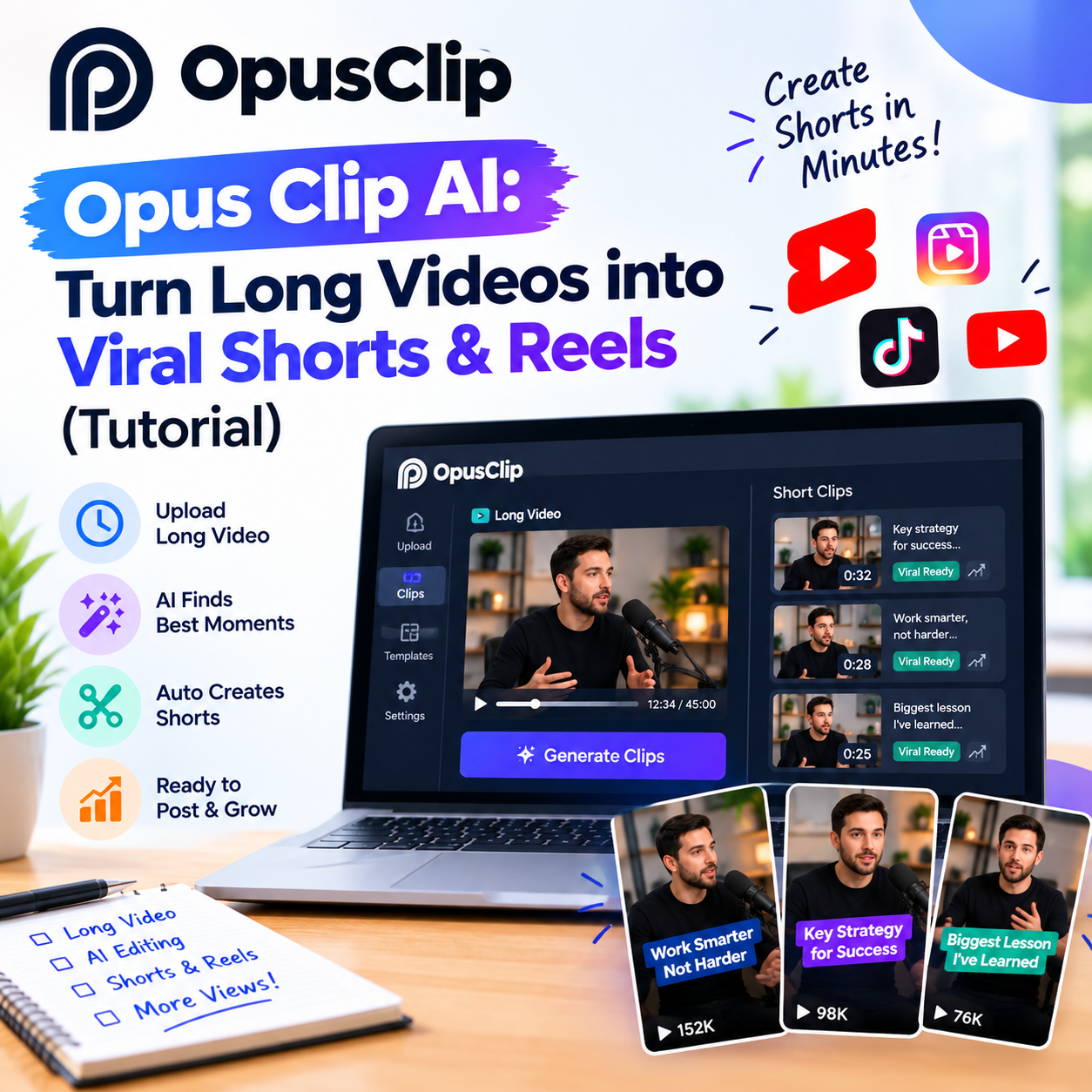
Opus Clip is an AI-powered video repurposing tool designed to help you generate high-quality short video clips from your longer videos. It automatically identifies the most engaging hooks, highlights key moments, adds dynamic captions, applies professional layouts, and even optimizes them for various social media platforms. Think of it as your personal AI video editor, working tirelessly to maximize your content’s reach without the manual grind.
Why Opus Clip AI is a Must-Have for Your Content Strategy:
- Save Time: Drastically cut down on video editing hours.
- Increase Reach: Easily create content for multiple platforms (TikTok, Reels, Shorts).
- Boost Engagement: AI identifies compelling moments and adds features like dynamic captions.
- Stay Consistent: Maintain a regular posting schedule without burnout.
- Maximize ROI: Get more value from your existing long-form video assets.
How to Repurpose Your Videos into Viral Shorts with Opus Clip AI (A Step-by-Step Guide)
Using Opus Clip is surprisingly straightforward. Here’s how you can start generating viral shorts in minutes:
Step 1: Upload Your Long-Form Video
- Go to Opus Clip: Navigate to opus.pro and log in or sign up.
- Paste Your Link or Upload: You can either paste a YouTube video link, a Google Drive link, or directly upload a video file from your computer. For best results, use high-quality videos with clear audio.
- Click “Get free clips”: Opus Clip will then begin analyzing your video.
Step 2: Let the AI Work Its Magic
Opus Clip’s AI will now process your video. This involves:
- Identifying Key Moments: The AI intelligently finds the most impactful, shareable segments.
- Transcribing Audio: It generates accurate captions (essential for silent viewing).
- Analyzing Engagement: It predicts which clips are most likely to go viral.
This process can take anywhere from a few minutes to an hour, depending on the length of your video. You’ll usually receive an email notification when your clips are ready.
Step 3: Review and Refine Your Clips
Once processing is complete, you’ll be presented with a dashboard of generated clips. Each clip comes with:
- A “Virality Score”: Opus Clip scores each clip’s potential to go viral.
- Auto-Generated Captions: Editable and synchronized with the video.
- Dynamic Layouts: Often includes speaker tracking and attractive visual elements.
Here’s what you can do:
- Watch and Select: Play through the clips and choose your favorites.
- Edit Captions: Click on any caption to correct typos or refine phrasing.
- Adjust Clip Length: You can slightly trim the start or end of a clip if needed.
- Change Layouts: Opus Clip offers various templates to adjust how the video and captions appear.
- Add Branding: Incorporate your logo or brand colors for a consistent look.
Step 4: Download and Share!
Once you’re happy with your clips:
- Select “Download”: Choose the clips you want to save.
- Choose Format: Download in the appropriate format for your chosen social media platform.
- Share Across Platforms: Upload your new shorts to TikTok, Instagram Reels, YouTube Shorts, LinkedIn, or any other platform to maximize your reach and engagement.
Pro Tips for Maximizing Opus Clip AI:
- Start with High-Quality Content: The better your original video and audio, the better the output clips will be.
- Experiment with Different Settings: Don’t be afraid to try various layouts and branding options.
- Focus on Hooks: Even though Opus Clip identifies hooks, review the first few seconds of each clip to ensure it’s immediately engaging.
- Batch Process: If you have multiple long videos, upload them all at once to create a content library.
- Combine with Other Tools: Use tools like Buffer or Later for scheduling your newly generated shorts across platforms.
The Bottom Line
Opus Clip AI is more than just a tool; it’s a content multiplication machine. By automating the tedious process of short-form video creation, it empowers freelancers, marketers, founders, and creators to significantly expand their online presence without sacrificing precious time. Stop debating whether you have time for short-form content and start leveraging AI to make it happen effortlessly.
Ready to revolutionize your content strategy? Try Opus Clip AI today!