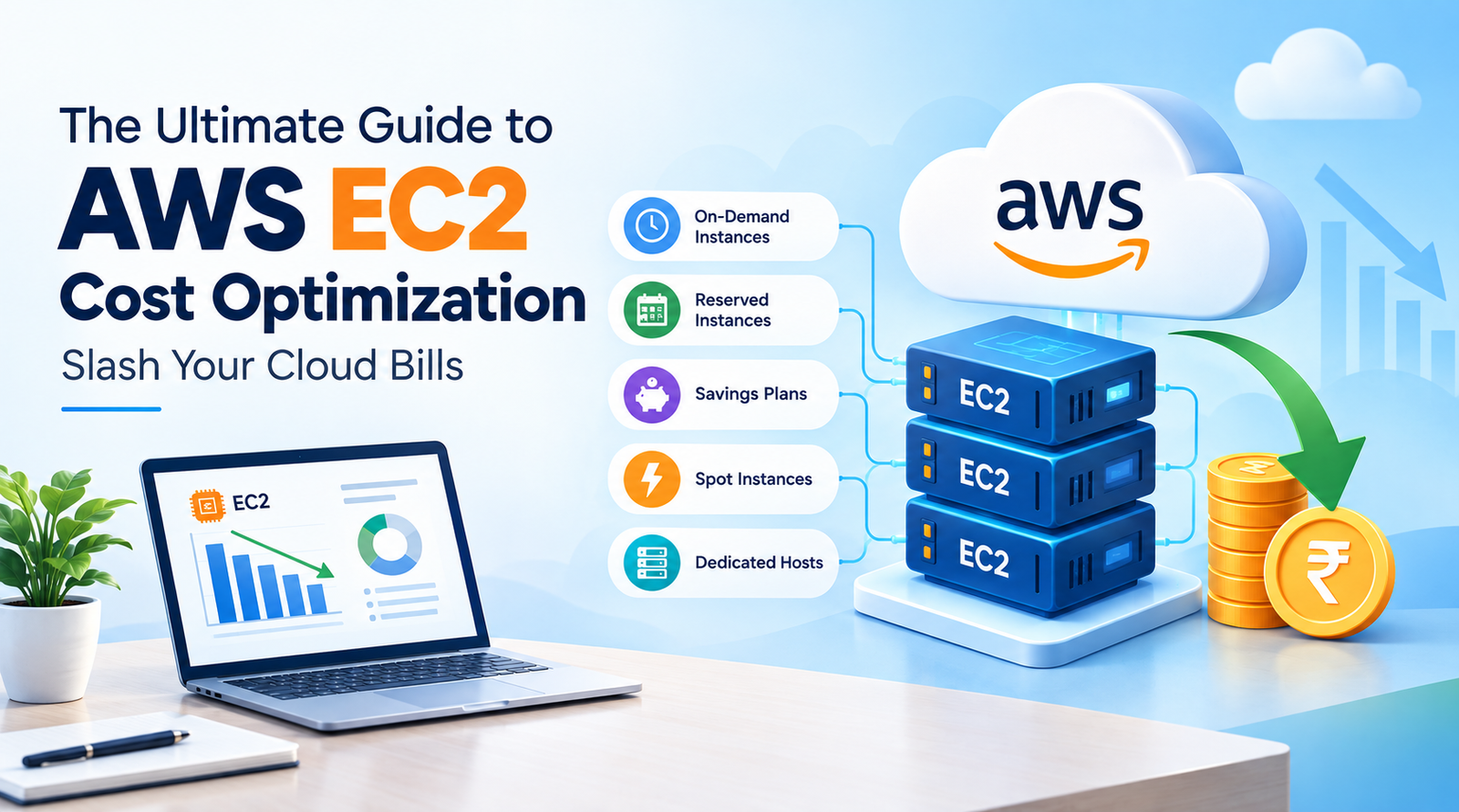
In today’s fast-paced digital landscape, cloud computing has become the backbone for businesses of all sizes, from agile startups to established enterprises. Amazon Web Services (AWS) Elastic Compute Cloud (EC2) instances are often at the heart of these cloud deployments, providing scalable compute capacity to power everything from web servers and databases to complex AI workloads and microservices. While EC2 offers unparalleled flexibility and power, managing its costs can quickly become a significant challenge. Unchecked spending can erode profits, strain budgets, and even hinder innovation, especially for freelancers, developers, IT professionals, founders, creators, agencies, and small businesses who need every dollar to count.
The promise of the cloud includes pay-as-you-go billing, which sounds fantastic in theory. In practice, however, the sheer number of instance types, pricing models, and configuration options can lead to a labyrinth of choices where missteps can rapidly inflate your monthly bill. Many organizations find themselves over-provisioning resources, paying for idle capacity, or failing to leverage the most cost-effective purchasing options. This isn’t just about saving money; it’s about optimizing resource utilization, improving operational efficiency, and freeing up capital to invest in growth and new initiatives.
This comprehensive guide will equip you with the knowledge and actionable strategies to demystify AWS EC2 costs and implement robust optimization techniques. We’ll delve deep into understanding the EC2 pricing models, provide step-by-step instructions for implementing proven cost-saving measures, highlight common pitfalls to avoid, and introduce you to the essential AWS tools that can help you maintain a lean, efficient, and cost-optimized cloud infrastructure. By the end of this article, you’ll have a clear roadmap to significantly reduce your AWS EC2 expenditures without compromising performance or reliability.
Understanding the AWS EC2 Pricing Model
Before you can optimize your costs, you must first understand how AWS charges for its EC2 service. EC2’s pricing model is designed to be flexible, offering several purchasing options tailored to different workload characteristics. Each option has its own advantages and is best suited for specific use cases.
On-Demand Instances
On-Demand instances are the most flexible EC2 purchasing option. You pay for compute capacity by the hour or second (minimum 60 seconds), with no long-term commitment. This model is ideal for applications with short-term, irregular workloads that cannot be interrupted, or for development and testing environments where flexibility is paramount. While highly convenient, On-Demand instances are the most expensive option, making them a prime target for optimization.
Reserved Instances (RIs)
Reserved Instances offer a significant discount (up to 75% compared to On-Demand prices) in exchange for a one-year or three-year commitment. You pay a specific amount upfront, or commit to a monthly payment, for a specific instance type, region, and operating system. RIs are best for applications with steady-state usage that can predict their compute needs over the long term. There are different types: Standard RIs offer the most significant discount but are less flexible, while Convertible RIs offer less discount but allow you to change instance family, OS, or tenancy during the term.
Savings Plans
Savings Plans are a more flexible alternative to RIs, offering discounts (up to 72% compared to On-Demand) in exchange for a one-year or three-year commitment to a consistent amount of compute usage (measured in USD/hour). Unlike RIs, Savings Plans apply across different instance families, regions, operating systems, and tenancies. This makes them ideal for organizations with dynamic or evolving compute needs, as they automatically apply to any eligible EC2 usage, regardless of the underlying instance configuration. There are two types: EC2 Instance Savings Plans (which apply to EC2 usage) and Compute Savings Plans (which apply to EC2, Fargate, and Lambda usage).
Spot Instances
Spot Instances allow you to bid on unused EC2 capacity, offering discounts of up to 90% compared to On-Demand prices. The catch is that AWS can reclaim these instances with a two-minute warning if the capacity is needed elsewhere. This makes Spot Instances perfect for fault-tolerant, flexible, and stateless applications such as batch processing, big data analytics, containerized workloads, high-performance computing, and CI/CD pipelines. They are not suitable for critical, uninterrupted workloads.
Dedicated Hosts
Dedicated Hosts are physical servers fully dedicated to your use, providing visibility into the underlying sockets and physical cores. This option is typically used for licensing requirements (e.g., Windows Server, SQL Server, Oracle databases) or strict compliance needs. While offering the highest level of isolation, they are generally the most expensive and are not a common cost optimization target for small to medium businesses unless specific licensing constraints dictate their use.
Data Transfer Costs
It’s crucial to remember that EC2 costs aren’t solely about the instances themselves. Data transfer (egress) from EC2 instances to the internet or across regions can significantly add to your bill. Ingress data transfer to EC2 is generally free, but egress traffic is billed. Understanding and minimizing these costs is a key aspect of comprehensive EC2 optimization.
Step-by-Step Strategies for EC2 Cost Reduction
Now that we’ve covered the pricing fundamentals, let’s dive into actionable strategies you can implement to optimize your EC2 spending. These strategies often work best in combination, leading to cumulative savings.
Right-Sizing Instances: Matching Resources to Workloads
One of the most common causes of inflated EC2 bills is running instances that are larger than necessary for the actual workload. This is known as over-provisioning. Right-sizing involves analyzing your instance usage and downgrading to a smaller, more cost-effective instance type that still meets your performance requirements.
Practical Steps:
- Monitor with CloudWatch: Use Amazon CloudWatch to collect metrics such as CPU utilization, memory utilization (requires custom metrics or agent), network I/O, and disk I/O over an extended period (e.g., 2-4 weeks). Look for instances with consistently low CPU utilization (e.g., below 20-30%) or high CPU credit usage for burstable instances.
- Leverage AWS Compute Optimizer: This AWS service analyzes your historical EC2 usage data and recommends optimal EC2 instance types. It provides recommendations for On-Demand instances, RIs, and Savings Plans, considering various performance metrics. It’s an invaluable tool for identifying right-sizing opportunities.
- Test Before Implementing: Always test new, smaller instance types in a staging or development environment before applying changes to production. Monitor performance closely after scaling down to ensure the application still performs adequately.
- Consider Instance Families: Don’t just look at size; consider the instance family. For example, ‘t’ instances (like t3, t4g) are burstable and cost-effective for workloads that don’t need sustained high CPU. ‘m’ instances are general-purpose, and ‘c’ instances are compute-optimized. Choose the family that best suits your application’s primary resource requirement.
Leveraging Reserved Instances and Savings Plans Effectively
For steady-state workloads, RIs and Savings Plans offer significant discounts. The key is to commit intelligently.
Practical Steps:
- Analyze Your Usage Patterns: Use AWS Cost Explorer to visualize your historical EC2 usage. Identify instances or compute patterns that run consistently 24/7 or for predictable periods. Look for instance families, regions, and operating systems that have stable demand.
- Prefer Compute Savings Plans: For most modern, dynamic environments, Compute Savings Plans often provide better flexibility than EC2 Instance Savings Plans or RIs because they cover a broader range of compute services and automatically apply to any eligible usage across different instance types and regions.
- Start Small with Commitment: If unsure, begin with a one-year commitment rather than three years, and consider a “No Upfront” or “Partial Upfront” payment option to reduce initial capital outlay. As your confidence grows in your usage predictability, you can extend commitments or increase upfront payments for higher discounts.
- Monitor Coverage: Use AWS Cost Explorer and AWS Budgets to monitor your Savings Plan or RI coverage. Identify underutilized RIs or compute usage that isn’t covered by a plan, indicating opportunities for further commitment.
- Consider RI Marketplace: For Standard RIs, if your needs change, you might be able to sell them on the AWS EC2 Reserved Instance Marketplace, though this depends on demand.
Harnessing the Power of Spot Instances for Fault-Tolerant Workloads
Spot Instances are your secret weapon for massive cost savings on suitable workloads.
Practical Steps:
- Identify Suitable Workloads: Ideal candidates include stateless applications, batch processing jobs, big data processing (e.g., Spark, Hadoop), containerized microservices that can recover from interruptions, CI/CD pipelines, image and video rendering, and testing environments.
- Architect for Interruption: Design your applications to be fault-tolerant and gracefully handle instance interruptions. Store state externally (e.g., S3, RDS, DynamoDB), use queueing mechanisms (e.g., SQS) for tasks, and ensure your application can resume from where it left off.
- Use Spot Fleets and Auto Scaling Groups: These services can automatically launch and manage Spot Instances for you, distributing your requests across multiple instance types and Availability Zones to increase the likelihood of getting and maintaining capacity. They can also gracefully replace interrupted instances.
- Mix Instance Types: When requesting Spot Instances, specify a diversified pool of instance types and Availability Zones. This increases your chances of obtaining capacity and reduces the impact of price fluctuations or capacity availability in a single type/AZ.
- Consider Termination Notices: AWS provides a two-minute termination notice. Use this time to gracefully shut down your application, save any in-flight work, and prepare for the instance to be reclaimed.
Automating Instance Management: Start/Stop Schedules and Auto Scaling
Why pay for instances when nobody is using them? Automation is key to eliminating waste from idle resources.
Practical Steps:
- Implement Start/Stop Schedules: For development, staging, or even some production environments that only operate during business hours (e.g., 9-5, Monday-Friday), use AWS Lambda functions triggered by CloudWatch Events to automatically start and stop instances. This can lead to significant savings, essentially cutting your compute bill by more than half for those instances.
- Utilize Auto Scaling Groups (ASG): Configure ASGs to dynamically adjust the number of EC2 instances based on demand. Define scaling policies (e.g., target tracking, simple scaling, step scaling) that respond to metrics like CPU utilization, network I/O, or custom application metrics. This ensures you only pay for the capacity you need at any given moment.
- Schedule Scaling Actions: Beyond dynamic scaling, ASGs also support scheduled scaling actions. If you know your application experiences predictable peaks and troughs (e.g., higher traffic on weekdays mornings), you can schedule the ASG to scale out or in accordingly.
- Identify and Terminate Idle Instances: Regularly review your running instances. Use a combination of AWS Cost Explorer and custom CloudWatch alarms to identify instances that have been running for extended periods with minimal CPU or network activity, and then shut them down or terminate them if no longer needed.
Optimizing Storage Costs: EBS Volume Management
While this guide focuses on EC2 instances, the associated storage (Amazon EBS volumes) can also be a significant cost factor.
Practical Steps:
- Delete Unattached EBS Volumes: When an EC2 instance is terminated, its root EBS volume might be deleted by default (unless specified otherwise). However, non-root volumes are often detached and persist. Regularly audit your EBS volumes and delete any that are unattached and no longer needed. You can use AWS Config rules or custom Lambda scripts to automate this identification and cleanup.
- Right-Size EBS Volumes: Just like instances, don’t over-provision EBS volumes. Choose the smallest size and the most cost-effective type (e.g., gp3 for general purpose, sc1 or st1 for cold storage) that meets your performance requirements. gp3 volumes offer a good balance of price and performance, often outperforming older gp2 volumes for the same price.
- Manage Snapshots Lifecycle: EBS snapshots are point-in-time backups. While crucial for data recovery, keeping old, unnecessary snapshots can add up. Implement Amazon Data Lifecycle Manager (DLM) policies to automate the creation, retention, and deletion of snapshots based on your recovery point objective (RPO) and recovery time objective (RTO).
Monitoring and Alerting for Cost Anomalies
Proactive monitoring is essential to catch unexpected cost increases before they spiral out of control.
Practical Steps:
- Set Up AWS Budgets: Create budgets in AWS Budgets for your overall spending, specific services (like EC2), or even specific tags. Configure alerts to notify you via email or SNS topic when actual or forecasted costs exceed your defined thresholds.
- Utilize AWS Cost Explorer: Regularly review your spending patterns using Cost Explorer. Break down costs by service, instance type, region, and tags. Look for trends, spikes, and areas of high expenditure. Use its “forecast” feature to anticipate future costs.
- Enable AWS Cost Anomaly Detection: This feature, integrated with AWS Budgets and Cost Explorer, uses machine learning to identify unusual spending patterns and provides detailed anomaly reports, helping you pinpoint the root cause quickly.
- Implement Tagging Strategy: Use consistent and comprehensive tagging for your EC2 instances and associated resources (e.g., `Project`, `Environment`, `Owner`). This allows you to allocate costs accurately, making it easier to identify which teams or projects are contributing to your bill and hold them accountable for optimization.
Data Transfer Cost Management
While often overlooked, egress data transfer can be a stealthy cost multiplier.
Practical Steps:
- Keep Traffic Within the Same Region/AZ: Data transfer between instances within the same Availability Zone is free. Transfer between different AZs in the same region has a small charge. Transfer across regions is significantly more expensive. Design your architecture to minimize cross-region data movement where possible.
- Use AWS PrivateLink/VPC Endpoints: If your applications need to communicate with AWS services (like S3, DynamoDB, SQS) or partner services, use PrivateLink or VPC Endpoints. This keeps traffic within the AWS network, often reducing data transfer costs and enhancing security.
- Leverage Amazon CloudFront (CDN): For content delivered to end-users over the internet, use CloudFront. While CloudFront itself has costs, it can significantly reduce EC2 egress data transfer costs by caching content closer to your users. It often proves more cost-effective for high-volume content delivery.
- Compress Data: Wherever possible, compress data before transfer to reduce the volume of data being moved, thereby reducing egress charges.
Common Mistakes to Avoid in EC2 Cost Optimization
Even with the best intentions, certain pitfalls can derail your cost-saving efforts. Being aware of these common mistakes can help you navigate your optimization journey more effectively.
Underestimating Idle Resources
One of the most insidious cost drains is paying for instances that are running but serving no purpose. Development or staging environments left running overnight or over weekends, or instances spun up for testing and forgotten, can quickly accumulate significant charges. Always assume idle equals wasteful.
Incorrectly Sizing Instances
Both over-provisioning (running instances too large) and under-provisioning (running instances too small, leading to poor performance and potential auto-scaling cycles) can lead to unnecessary costs. Over-provisioning directly wastes money. Under-provisioning can lead to poor user experience, higher operational overhead, and potentially more instances needed in an ASG to compensate, negating savings.
Ignoring Data Transfer Costs
Many focus solely on instance costs and overlook the often substantial data transfer charges, especially egress to the internet or cross-region. These costs can be a significant portion of your bill if not managed proactively through architectural design and services like CloudFront or PrivateLink.
Neglecting Automation
Manually managing instances (starting, stopping, scaling) is error-prone and inefficient. Relying on human intervention for routine tasks means opportunities for savings are often missed. Automation through CloudWatch Events, Lambda, and Auto Scaling Groups is not just a best practice; it’s a cost-saving imperative.
Forketting About Unattached EBS Volumes
EBS volumes that remain after instance termination often sit idle, incurring storage costs without providing any value. Regular audits and automated cleanup mechanisms are crucial to prevent these “zombie” resources from eating into your budget.
Over-Provisioning Reserved Instances/Savings Plans
While RIs and Savings Plans offer great discounts, committing to more capacity than you consistently use can result in paying for compute you don’t need. This negates the savings. Start with conservative commitments and scale up as your usage predictability increases. Monitor your coverage closely to avoid this mistake.
Tools and Services to Aid Your Optimization Journey
AWS provides a rich ecosystem of tools designed to help you monitor, analyze, and optimize your cloud spending. Familiarizing yourself with these services is fundamental to a successful cost optimization strategy.
AWS Cost Explorer
Your primary hub for understanding and visualizing your AWS costs and usage over time. It allows you to analyze costs by service, resource, tags, and more. Use it to identify spending trends, pinpoint areas for optimization, and predict future costs.
AWS Budgets
Enables you to set custom budgets to track your costs and usage. You can configure alerts to notify you when your actual or forecasted costs exceed your defined thresholds. This proactive approach helps prevent bill shock.
AWS Compute Optimizer
A machine learning-powered service that analyzes your historical resource utilization and recommends optimal EC2 instance types, EBS volumes, and Lambda functions. It helps you right-size your resources accurately and efficiently.
AWS Trusted Advisor
This service provides real-time guidance to help you provision your resources following AWS best practices. The Cost Optimization pillar specifically flags idle resources, underutilized RIs, and other cost-saving opportunities.
CloudWatch
Amazon CloudWatch is a monitoring and observability service that provides data and actionable insights to monitor your applications, respond to system-wide performance changes, and optimize resource utilization. Essential for collecting metrics needed for right-sizing and triggering automation.
Third-Party Cost Management Tools
While AWS provides robust native tools, a vibrant ecosystem of third-party cost management platforms offers advanced analytics, granular reporting, and enhanced automation capabilities. These tools can integrate with multiple cloud services providers and offer specialized features, but often come with their own licensing costs. For many small businesses and freelancers, the native AWS tools are often sufficient and highly effective when used diligently.
Your EC2 Cost Optimization Checklist
To keep your EC2 costs in check, make this checklist a regular part of your cloud operations:
- ✓ Right-Size Instances: Regularly review instance CPU, memory, and network usage. Utilize AWS Compute Optimizer to identify optimal instance types.
- ✓ Leverage Commitment Discounts: Analyze consistent workloads and apply Savings Plans or Reserved Instances for significant discounts. Start with one-year commitments if unsure.
- ✓ Employ Spot Instances: Use Spot Instances for fault-tolerant, stateless, or interruptible workloads to achieve up to 90% savings.
- ✓ Automate Instance Management: Implement start/stop schedules for non-production environments and use Auto Scaling Groups for dynamic production workloads.
- ✓ Optimize EBS Volumes: Delete unattached volumes, right-size existing ones, and implement DLM for snapshot lifecycle management.
- ✓ Monitor Data Transfer: Design architectures to minimize cross-AZ/region egress. Use PrivateLink/VPC Endpoints and CloudFront where appropriate.
- ✓ Set Up Cost Monitoring & Alerts: Configure AWS Budgets with alerts. Regularly review AWS Cost Explorer and enable Cost Anomaly Detection.
- ✓ Implement a Tagging Strategy: Tag all resources consistently to enable granular cost allocation and reporting.
- ✓ Regularly Review: Cloud environments are dynamic. Schedule monthly or quarterly reviews of your usage and cost reports to identify new optimization opportunities.
Frequently Asked Questions (FAQ)
Q: Is it safe to use Spot Instances for critical production workloads?
A: Generally, no, not for critical production workloads that cannot tolerate interruption. Spot Instances are reclaimed by AWS with a two-minute warning. They are best suited for fault-tolerant, stateless, or flexible workloads that can gracefully handle interruptions and resume processing elsewhere. For critical workloads, On-Demand, RIs, or Savings Plans are more appropriate.
Q: How often should I review my EC2 usage for optimization?
A: A good cadence is to review your EC2 usage and cost reports monthly. For dynamic environments or new projects, a weekly check might be beneficial. Tools like AWS Budgets can provide automated alerts for anomalies, allowing you to react quickly without constant manual review.
Q: Can I combine different pricing models for a single application?
A: Absolutely, and it’s often a best practice! For example, you might run your baseline critical capacity on Savings Plans or RIs, use On-Demand instances for predictable spikes, and leverage Spot Instances for batch processing or non-critical background tasks within the same application architecture. This hybrid approach maximizes savings while maintaining reliability.
Q: What’s the biggest cost saving strategy for EC2?
A: The “biggest” strategy depends on your workload. However, for most organizations, a combination of right-sizing instances to eliminate over-provisioning and then applying Savings Plans or Reserved Instances to the consistent baseline usage will yield the most significant and consistent savings. For truly fault-tolerant workloads, Spot Instances can offer even greater percentage savings.
Q: Does stopping an instance stop billing entirely?
A: Stopping an EC2 instance stops billing for the compute time, but you will continue to be billed for any attached Amazon EBS volumes and any associated Elastic IP addresses that are not associated with a running instance. To stop billing for EBS volumes, you need to detach and delete them (after ensuring their data is backed up or no longer needed). To stop billing for Elastic IPs, you need to release them.
Conclusion: Sustained Savings for Sustainable Growth
AWS EC2 offers incredible power and flexibility, but harnessing its full potential responsibly requires a proactive and informed approach to cost optimization. The strategies outlined in this guide—from understanding various pricing models and right-sizing instances to leveraging commitment discounts, embracing automation, and meticulously monitoring your spending—provide a robust framework for significant and sustained cost reduction.
Remember, cost optimization isn’t a one-time task; it’s an ongoing journey. The cloud environment is dynamic, with new services, pricing updates, and evolving workload demands. By embedding these practices into your regular cloud operations, utilizing AWS’s powerful suite of cost management tools, and fostering a culture of cost awareness within your team, you can ensure your AWS EC2 infrastructure remains efficient, economical, and perfectly aligned with your business objectives. This not only frees up valuable capital but also empowers you to innovate faster and achieve sustainable growth in the competitive digital landscape. Start implementing these strategies today, and watch your cloud bills shrink while your efficiency soars.